> ## Documentation Index
> Fetch the complete documentation index at: https://docs.chief.bot/llms.txt
> Use this file to discover all available pages before exploring further.
# Triggers: on a schedule vs. on new data
> Every Action runs on one of two triggers, chosen under Trigger Type in the create or edit dialog.
## Two ways to trigger an Action
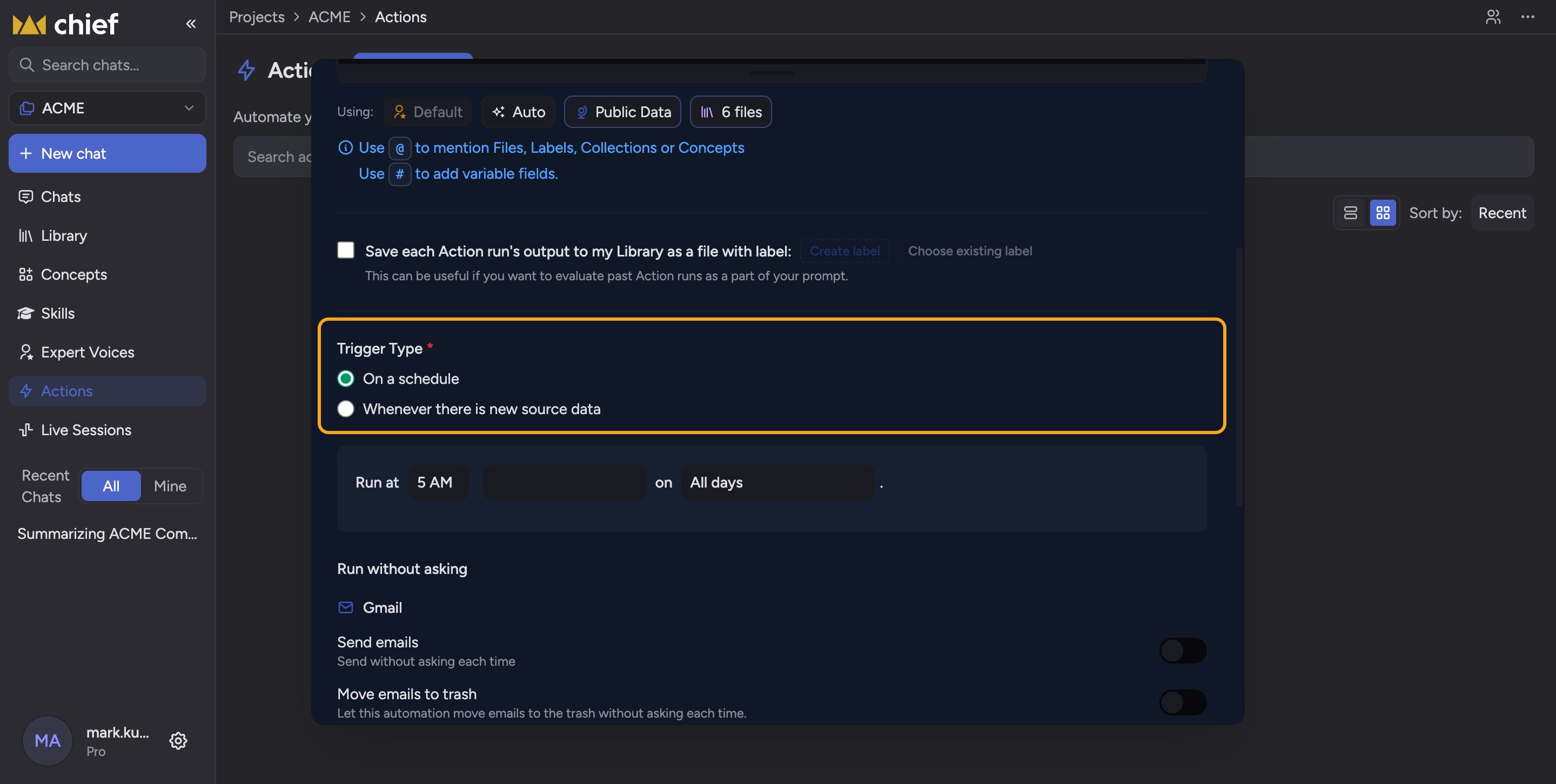 Every [Action](/help/actions-automation/what-are-actions) runs on one of two triggers, chosen under **Trigger Type** in [the create or edit dialog](/help/actions-automation/creating-your-first-action). Pick the one that matches the rhythm of your work.
## On a schedule
Select **On a schedule** when you want the Action to run at [a fixed time](/help/actions-automation/scheduling-actions-days-dates-times) — daily, on specific weekdays, or one day each month. Chief runs the prompt at that time regardless of whether anything changed in the Project. This is the right choice for standing reports and digests: "every Monday at 8 AM," "the 1st of each month."
## Whenever there is new source data
Select **Whenever there is new source data** when you want the Action to react to [files being added](/help/your-knowledge-library/uploading-files-supported-file-types), rather than to the clock. When you pick this, a **Trigger Options** box appears with two choices:
* **Run only on the new asset** — the run processes just the file that was added.
* **Run on all matching assets** — the run re-processes everything [in scope](/help/the-prompt-bar-scope/setting-the-scope-of-a-chat-using-files-labels-collections-concepts) each time new data arrives.
This is the right choice for alerts and incremental processing: "whenever a new transcript is added, summarize it," or "whenever a new contract lands, flag any unusual clauses."
ℹ️ **Good to know:** A new-data Action only fires when data is actually added. If nothing new arrives, there is no run — that is expected, not an error.
## FAQ
Yes. Open the Action's editor, change the **Trigger Type** radio, set the new options, and save.
Probably not. A new-data trigger only runs when new source data is added to the Project. If no files have been added, there is nothing to trigger it. Check the Project for recent uploads, and confirm the Action is [not paused](/help/actions-automation/pausing-resuming-deleting-actions).
"Run only on the new asset" looks at just the file that arrived; "Run on all matching assets" re-runs against the full scope each time. Use the first for per-file alerts and the second when each new file should refresh a whole summary.
Every [Action](/help/actions-automation/what-are-actions) runs on one of two triggers, chosen under **Trigger Type** in [the create or edit dialog](/help/actions-automation/creating-your-first-action). Pick the one that matches the rhythm of your work.
## On a schedule
Select **On a schedule** when you want the Action to run at [a fixed time](/help/actions-automation/scheduling-actions-days-dates-times) — daily, on specific weekdays, or one day each month. Chief runs the prompt at that time regardless of whether anything changed in the Project. This is the right choice for standing reports and digests: "every Monday at 8 AM," "the 1st of each month."
## Whenever there is new source data
Select **Whenever there is new source data** when you want the Action to react to [files being added](/help/your-knowledge-library/uploading-files-supported-file-types), rather than to the clock. When you pick this, a **Trigger Options** box appears with two choices:
* **Run only on the new asset** — the run processes just the file that was added.
* **Run on all matching assets** — the run re-processes everything [in scope](/help/the-prompt-bar-scope/setting-the-scope-of-a-chat-using-files-labels-collections-concepts) each time new data arrives.
This is the right choice for alerts and incremental processing: "whenever a new transcript is added, summarize it," or "whenever a new contract lands, flag any unusual clauses."
ℹ️ **Good to know:** A new-data Action only fires when data is actually added. If nothing new arrives, there is no run — that is expected, not an error.
## FAQ
Yes. Open the Action's editor, change the **Trigger Type** radio, set the new options, and save.
Probably not. A new-data trigger only runs when new source data is added to the Project. If no files have been added, there is nothing to trigger it. Check the Project for recent uploads, and confirm the Action is [not paused](/help/actions-automation/pausing-resuming-deleting-actions).
"Run only on the new asset" looks at just the file that arrived; "Run on all matching assets" re-runs against the full scope each time. Use the first for per-file alerts and the second when each new file should refresh a whole summary.