> ## Documentation Index
> Fetch the complete documentation index at: https://docs.chief.bot/llms.txt
> Use this file to discover all available pages before exploring further.
# Viewing run history & running manually
> While viewing an Action's result, open the Run history drawer to move between past runs without leaving the thread.
## See every past run
While viewing an [Action's](/help/actions-automation/what-are-actions) result, open the **Run history** drawer to move between past runs without leaving the thread. Click the **Show run history** pill (clock icon, pinned at the top right of the content area); click it again, or press Escape, to hide it.
The drawer lists recent runs newest-first, each with its title, how long ago it ran, and any Labels on [its saved output](/help/actions-automation/saving-action-output-to-your-library). A spinner marks a run that is still generating. Click any run to open that result; the active run is highlighted.
## Run an Action manually with Run Now
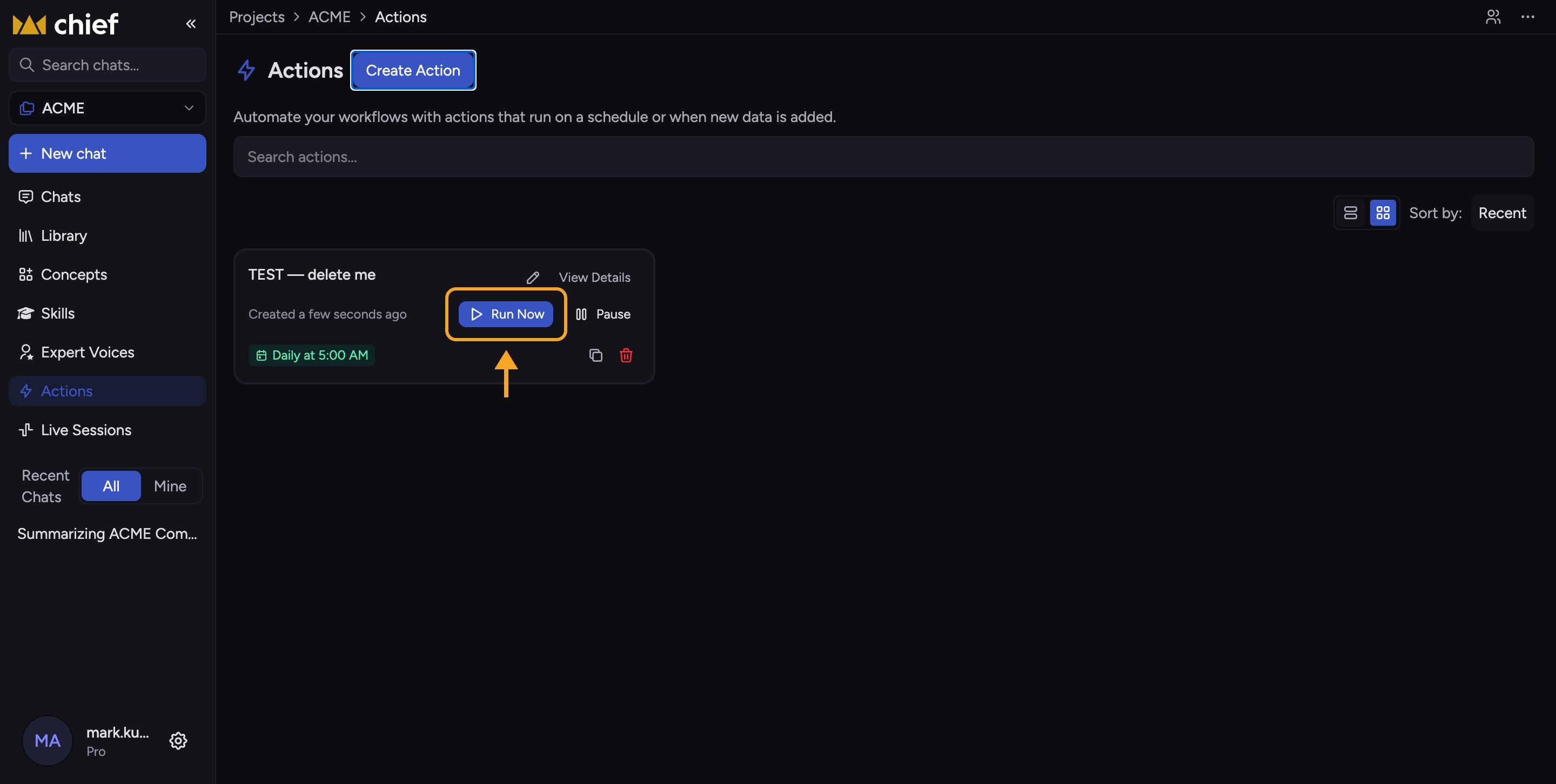 You don't have to wait for the schedule. Hover an Action card and click **Run Now**. A small popover opens with email options for this one run:
1. Check **Email me** to [send this run's result](/help/actions-automation/sending-results-by-email) to your own address.
2. Add any other addresses under **Email recipients** (or use **Clear all** to empty them).
3. Click **Run Now** in the popover. Chief starts the run and opens its result.
ℹ️ **Good to know:** The email options on a manual run apply to that run only — they don't change the Action's saved recipient list.
## FAQ
On large screens, when the global side panel opens and takes a column, the run-history drawer is hidden so the content isn't squeezed. Close the side panel and the drawer (and its open/closed state) comes back.
The Action hasn't run. A new scheduled Action runs at its next scheduled time; [a new-data Action](/help/actions-automation/triggers-on-a-schedule-vs-on-new-data) runs when data is added. Use **Run Now** to produce a first run immediately.
A manual run takes a moment to set up before it opens. If it never appears, check that your workspace [has credits](/help/troubleshooting/im-out-of-credits-unexpectedly) and that any [required tools are connected](/help/integrations/managing-integration-permissions-connection-status), then try again.
You don't have to wait for the schedule. Hover an Action card and click **Run Now**. A small popover opens with email options for this one run:
1. Check **Email me** to [send this run's result](/help/actions-automation/sending-results-by-email) to your own address.
2. Add any other addresses under **Email recipients** (or use **Clear all** to empty them).
3. Click **Run Now** in the popover. Chief starts the run and opens its result.
ℹ️ **Good to know:** The email options on a manual run apply to that run only — they don't change the Action's saved recipient list.
## FAQ
On large screens, when the global side panel opens and takes a column, the run-history drawer is hidden so the content isn't squeezed. Close the side panel and the drawer (and its open/closed state) comes back.
The Action hasn't run. A new scheduled Action runs at its next scheduled time; [a new-data Action](/help/actions-automation/triggers-on-a-schedule-vs-on-new-data) runs when data is added. Use **Run Now** to produce a first run immediately.
A manual run takes a moment to set up before it opens. If it never appears, check that your workspace [has credits](/help/troubleshooting/im-out-of-credits-unexpectedly) and that any [required tools are connected](/help/integrations/managing-integration-permissions-connection-status), then try again.