> ## Documentation Index
> Fetch the complete documentation index at: https://docs.chief.bot/llms.txt
> Use this file to discover all available pages before exploring further.
# How chats work
> A chat is where you ask Chief a question and get an answer grounded in your own knowledge.
 ## What a chat gives you
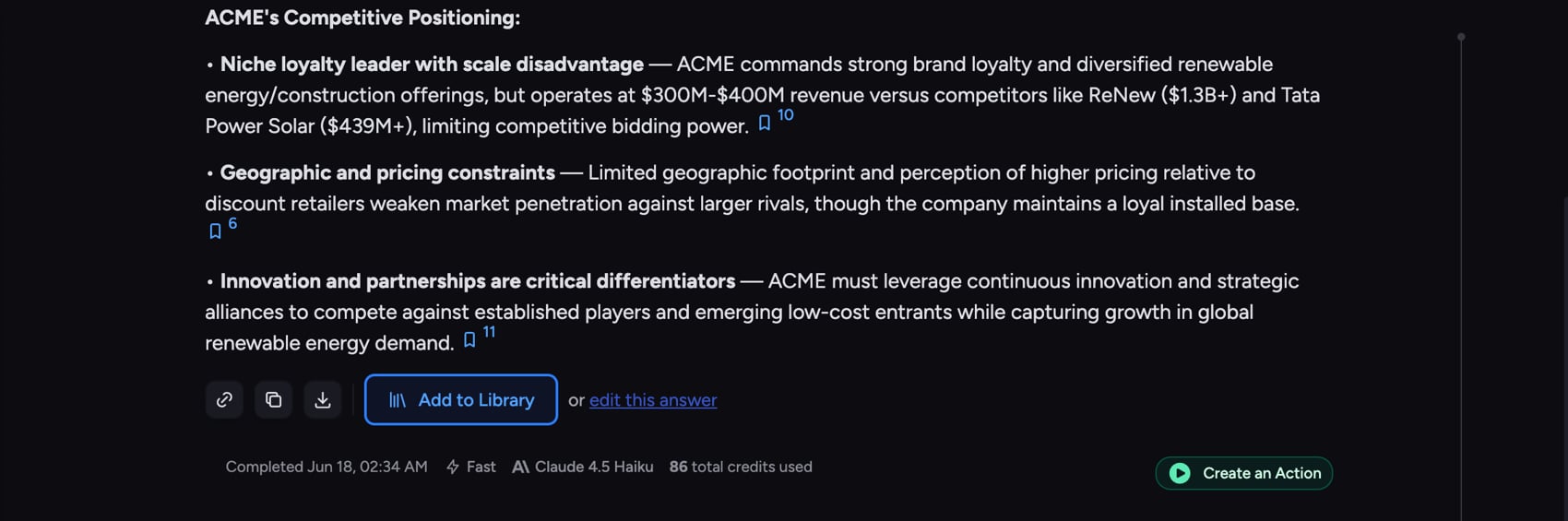
A chat is where you ask Chief a question and get an answer grounded in your own knowledge. Instead of searching files, opening tabs, and stitching findings together yourself, you ask in plain language and Chief pulls from your [Projects](/help/projects-sharing-teams/what-is-a-project), your [Library](/help/your-knowledge-library/what-is-the-library), and (when allowed) [the web](/help/the-prompt-bar-scope/including-public-web-data-public-data) to write a single answer you can act on.
Every question and answer is saved as a thread, so you can come back, keep asking, and build on what you already learned. If you haven't sent one yet, start with [your first conversation with Chief](/help/getting-started/your-first-conversation-with-chief).
## How an answer is built
## What a chat gives you
A chat is where you ask Chief a question and get an answer grounded in your own knowledge. Instead of searching files, opening tabs, and stitching findings together yourself, you ask in plain language and Chief pulls from your [Projects](/help/projects-sharing-teams/what-is-a-project), your [Library](/help/your-knowledge-library/what-is-the-library), and (when allowed) [the web](/help/the-prompt-bar-scope/including-public-web-data-public-data) to write a single answer you can act on.
Every question and answer is saved as a thread, so you can come back, keep asking, and build on what you already learned. If you haven't sent one yet, start with [your first conversation with Chief](/help/getting-started/your-first-conversation-with-chief).
## How an answer is built
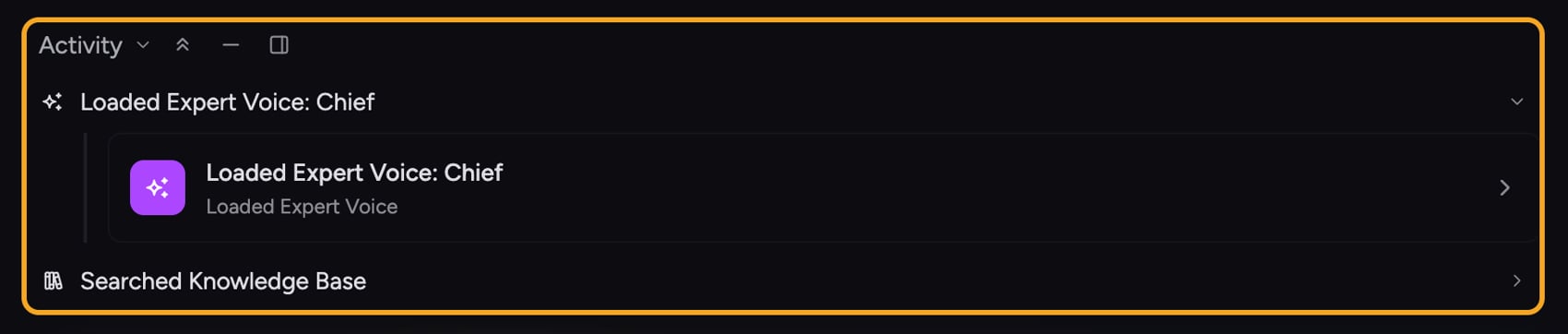 When you send a message, Chief works through a few stages before and while it writes:
1. **Understands the question** in the context of the current Project and the earlier messages in the thread.
2. **Gathers what it needs** — searching your Library, reading [Concepts](/help/concepts/what-are-concepts), querying structured data, or searching the web. You can watch these steps in the [**Activity** feed](/help/chatting-with-chief/reading-the-activity-feed).
3. **Writes the answer**, streaming the text in as it goes and adding [citations](/help/chatting-with-chief/understanding-sources-citations-in-answers) that link back to the sources it used.
Because [the answer is grounded in your sources](/help/how-chief-works-magic-under-the-hood/how-chief-finds-answers-in-your-files-retrieval-citations), you can check where every claim came from rather than taking it on faith.
## How the conversation stays in context
When you send a message, Chief works through a few stages before and while it writes:
1. **Understands the question** in the context of the current Project and the earlier messages in the thread.
2. **Gathers what it needs** — searching your Library, reading [Concepts](/help/concepts/what-are-concepts), querying structured data, or searching the web. You can watch these steps in the [**Activity** feed](/help/chatting-with-chief/reading-the-activity-feed).
3. **Writes the answer**, streaming the text in as it goes and adding [citations](/help/chatting-with-chief/understanding-sources-citations-in-answers) that link back to the sources it used.
Because [the answer is grounded in your sources](/help/how-chief-works-magic-under-the-hood/how-chief-finds-answers-in-your-files-retrieval-citations), you can check where every claim came from rather than taking it on faith.
## How the conversation stays in context
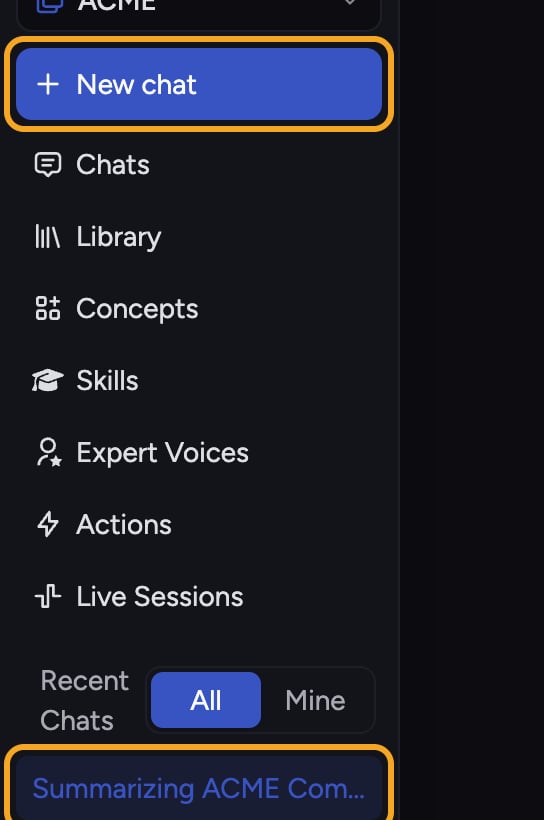 A chat is a conversation, not a series of one-off searches. Chief remembers the earlier messages in the thread, so you can ask a [short follow-up](/help/chatting-with-chief/following-up-continuing-the-conversation) like "now compare those two" and it knows what "those two" means. The thread is the unit of context: start a new chat when you switch topics, and keep one chat going while you stay on the same one.
ℹ️ **Good to Know:** Each chat lives inside a Project. The Project decides which files, Concepts, and [Memories](/help/memories/what-are-memories) Chief can draw on, so the same question can return different answers in different Projects.
## FAQ
Open chats from [the sidebar](/help/getting-started/the-chief-interface-a-quick-tour). Recent chats are listed there, and you can reopen any thread to keep the conversation going with its full context intact.
Answers are grounded in the current Project's sources. A different Project has different files, Concepts, and Memories, so Chief has different material to draw on. Switch to the Project that holds the relevant knowledge before you ask.
That usually means the answer is not in the current Project's sources. Confirm you are in the right Project, [add the missing files](/help/getting-started/uploading-your-first-document) to its Library, or rephrase the question. If web access is available, ask Chief to search the web as well.
A chat is a conversation, not a series of one-off searches. Chief remembers the earlier messages in the thread, so you can ask a [short follow-up](/help/chatting-with-chief/following-up-continuing-the-conversation) like "now compare those two" and it knows what "those two" means. The thread is the unit of context: start a new chat when you switch topics, and keep one chat going while you stay on the same one.
ℹ️ **Good to Know:** Each chat lives inside a Project. The Project decides which files, Concepts, and [Memories](/help/memories/what-are-memories) Chief can draw on, so the same question can return different answers in different Projects.
## FAQ
Open chats from [the sidebar](/help/getting-started/the-chief-interface-a-quick-tour). Recent chats are listed there, and you can reopen any thread to keep the conversation going with its full context intact.
Answers are grounded in the current Project's sources. A different Project has different files, Concepts, and Memories, so Chief has different material to draw on. Switch to the Project that holds the relevant knowledge before you ask.
That usually means the answer is not in the current Project's sources. Confirm you are in the right Project, [add the missing files](/help/getting-started/uploading-your-first-document) to its Library, or rephrase the question. If web access is available, ask Chief to search the web as well.