> ## Documentation Index
> Fetch the complete documentation index at: https://docs.chief.bot/llms.txt
> Use this file to discover all available pages before exploring further.
# What are Collections?
> A Collection is a saved filter that fences off part of your Library using your Labels.
## The payoff: a reusable slice of your Library
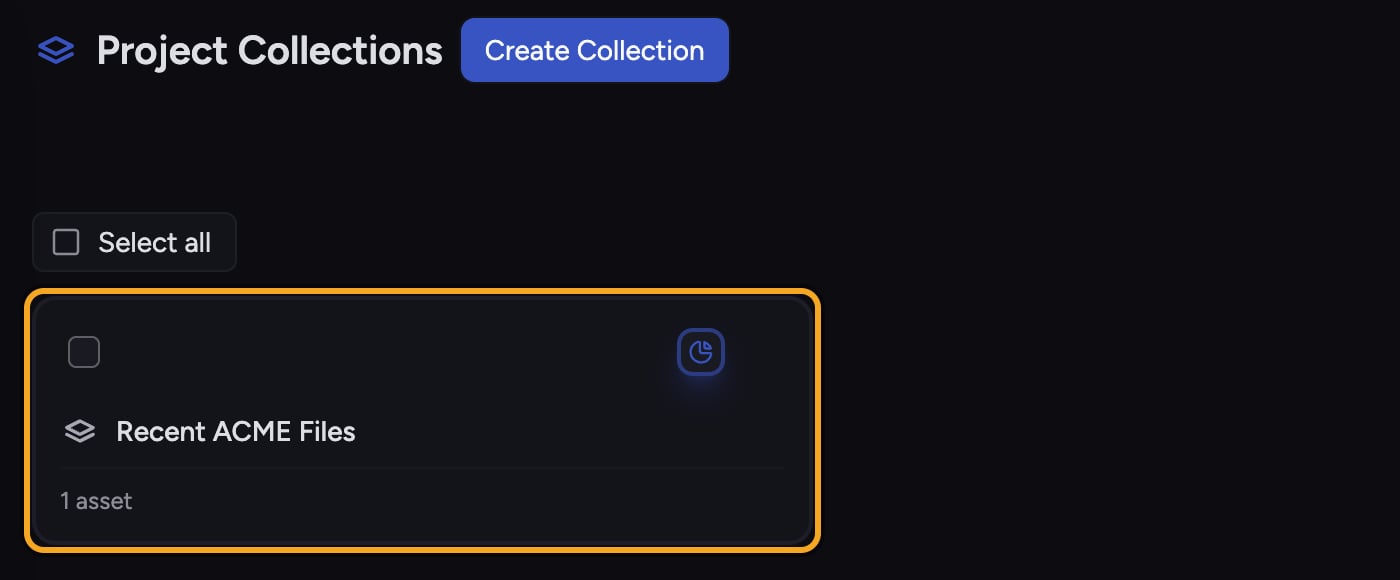 A Collection is a saved filter that fences off part of your [Library](/help/your-knowledge-library/what-is-the-library) using your [Labels](/help/labels/creating-customizing-labels-colors-icons). Instead of hunting for the same set of files over and over, you define the rule once — "everything labeled **Q3 Planning** but not **Archived**" — give it a name, and Chief keeps that group up to date for you. Open the Collection any time, or [pull its whole contents into a chat](/help/the-prompt-bar-scope/setting-the-scope-of-a-chat-using-files-labels-collections-concepts) in one click.
In Chief's words, Collections let you create sophisticated "fences" around your data using boolean AND/OR filtering of Labels.
## A worked example
A Collection is a saved filter that fences off part of your [Library](/help/your-knowledge-library/what-is-the-library) using your [Labels](/help/labels/creating-customizing-labels-colors-icons). Instead of hunting for the same set of files over and over, you define the rule once — "everything labeled **Q3 Planning** but not **Archived**" — give it a name, and Chief keeps that group up to date for you. Open the Collection any time, or [pull its whole contents into a chat](/help/the-prompt-bar-scope/setting-the-scope-of-a-chat-using-files-labels-collections-concepts) in one click.
In Chief's words, Collections let you create sophisticated "fences" around your data using boolean AND/OR filtering of Labels.
## A worked example
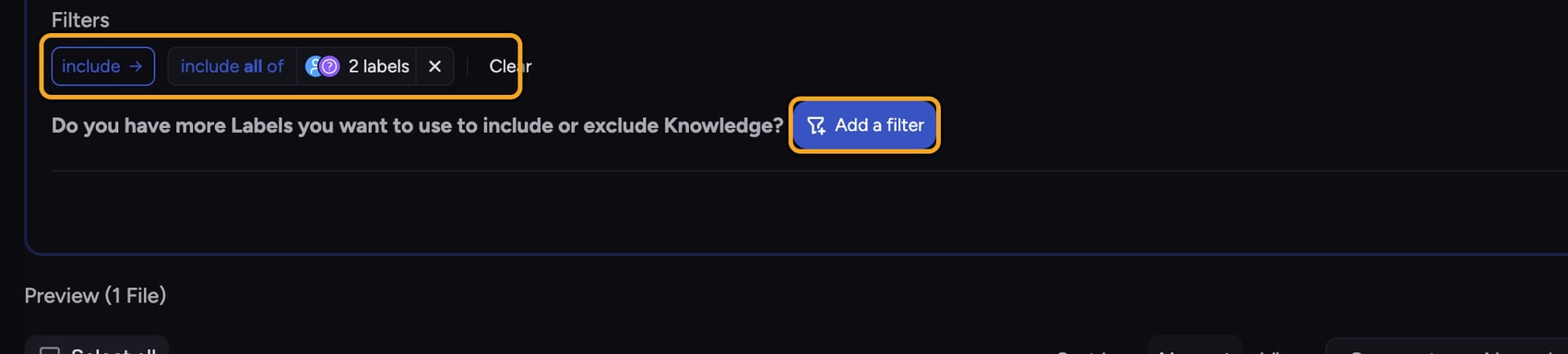 Say you're running a competitive analysis. You've labeled files with **Competitor** and, separately, with **2026**. You want only the files that are both about a competitor *and* from this year. You build a Collection named **Competitors 2026** with an **include all of** filter on those two Labels. From then on, any new file you tag with both Labels joins the Collection automatically — and when you want to ask Chief about it, you click **Chat** on the Collection and the whole set is added to your chat scope.
## Why Collections beat re-filtering every time
* **They're saved.** Define the rule once; it stays on your Collections page with a live file count.
* **They stay current.** Because a Collection is a rule about Labels, files flow in and out as you label them — you never re-curate a static list.
* **They're chat-ready.** Click **Chat** on a Collection to power a conversation with exactly that slice of your Library, or [**Visualize**](/help/creating-exporting/turning-answers-concepts-into-visuals-charts-infographics-word-clouds-mind-maps-timelines-visualize) to turn it into a graphic.
ℹ️ **Good to Know:** A Collection holds a *filter*, not copies of files. Deleting a Collection removes the saved rule only — your files and their Labels are untouched.
## Collections vs. Labels
A **Label** is a tag on a single file. A **Collection** is a rule that [combines one or more Labels with AND/OR logic](/help/collections/building-a-collection-with-and-or-label-filters) to define a whole group. Labels are the building blocks; Collections are what you build with them.
🚀 **Pro-Tip:** Name Collections after the question you keep asking, not the files inside — for example **Open Support Issues** rather than **Tickets**. You'll reach for the right one faster.
## Frequently asked questions
No. Collections are available to use; you only need to be signed in. Creating one prompts [a sign-up](/help/getting-started/creating-your-account-signing-in) if you're browsing as a guest.
No. A Collection only stores the filter rule. Deleting it removes the rule — your files and Labels stay exactly as they were.
Yes. Because a Collection is a rule about Labels, files appear or drop out as you add or remove those Labels. There's no list to maintain by hand.
No — Collections are built from Label filters. Create and apply at least one Label first, then build a Collection around it. See "Building a Collection with AND/OR Label filters."
Say you're running a competitive analysis. You've labeled files with **Competitor** and, separately, with **2026**. You want only the files that are both about a competitor *and* from this year. You build a Collection named **Competitors 2026** with an **include all of** filter on those two Labels. From then on, any new file you tag with both Labels joins the Collection automatically — and when you want to ask Chief about it, you click **Chat** on the Collection and the whole set is added to your chat scope.
## Why Collections beat re-filtering every time
* **They're saved.** Define the rule once; it stays on your Collections page with a live file count.
* **They stay current.** Because a Collection is a rule about Labels, files flow in and out as you label them — you never re-curate a static list.
* **They're chat-ready.** Click **Chat** on a Collection to power a conversation with exactly that slice of your Library, or [**Visualize**](/help/creating-exporting/turning-answers-concepts-into-visuals-charts-infographics-word-clouds-mind-maps-timelines-visualize) to turn it into a graphic.
ℹ️ **Good to Know:** A Collection holds a *filter*, not copies of files. Deleting a Collection removes the saved rule only — your files and their Labels are untouched.
## Collections vs. Labels
A **Label** is a tag on a single file. A **Collection** is a rule that [combines one or more Labels with AND/OR logic](/help/collections/building-a-collection-with-and-or-label-filters) to define a whole group. Labels are the building blocks; Collections are what you build with them.
🚀 **Pro-Tip:** Name Collections after the question you keep asking, not the files inside — for example **Open Support Issues** rather than **Tickets**. You'll reach for the right one faster.
## Frequently asked questions
No. Collections are available to use; you only need to be signed in. Creating one prompts [a sign-up](/help/getting-started/creating-your-account-signing-in) if you're browsing as a guest.
No. A Collection only stores the filter rule. Deleting it removes the rule — your files and Labels stay exactly as they were.
Yes. Because a Collection is a rule about Labels, files appear or drop out as you add or remove those Labels. There's no list to maintain by hand.
No — Collections are built from Label filters. Create and apply at least one Label first, then build a Collection around it. See "Building a Collection with AND/OR Label filters."