> ## Documentation Index
> Fetch the complete documentation index at: https://docs.chief.bot/llms.txt
> Use this file to discover all available pages before exploring further.
# What is Chief?
> Chief is your AI Chief of Staff.
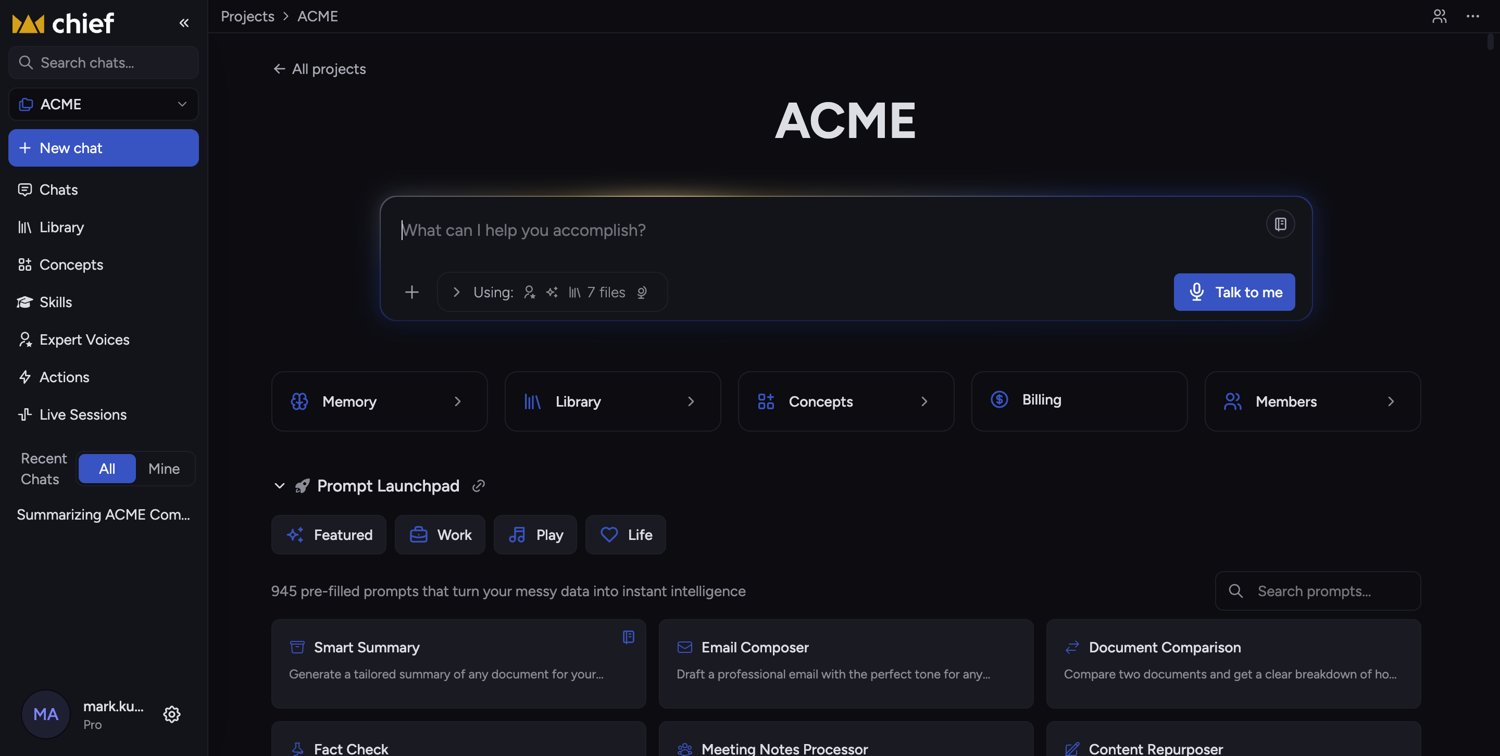 ## Turn your messy data into instant intelligence
Chief is your AI Chief of Staff. You bring your [documents and files](/help/your-knowledge-library/what-is-the-library), [meeting notes](/help/meetings-live-sessions/what-are-live-sessions), and [links](/help/your-knowledge-library/adding-web-pages-urls-to-your-library); Chief reads them, understands them, and answers your questions with the context of everything you've shared. Instead of digging through folders and tabs, you just ask.
Innovative teams use Chief to unlock the intelligence hiding in their unstructured data — the stuff that doesn't fit neatly into a spreadsheet. New here? Start with the [core concepts & glossary](/help/getting-started/core-concepts-glossary).
## What you can do with Chief
## Turn your messy data into instant intelligence
Chief is your AI Chief of Staff. You bring your [documents and files](/help/your-knowledge-library/what-is-the-library), [meeting notes](/help/meetings-live-sessions/what-are-live-sessions), and [links](/help/your-knowledge-library/adding-web-pages-urls-to-your-library); Chief reads them, understands them, and answers your questions with the context of everything you've shared. Instead of digging through folders and tabs, you just ask.
Innovative teams use Chief to unlock the intelligence hiding in their unstructured data — the stuff that doesn't fit neatly into a spreadsheet. New here? Start with the [core concepts & glossary](/help/getting-started/core-concepts-glossary).
## What you can do with Chief
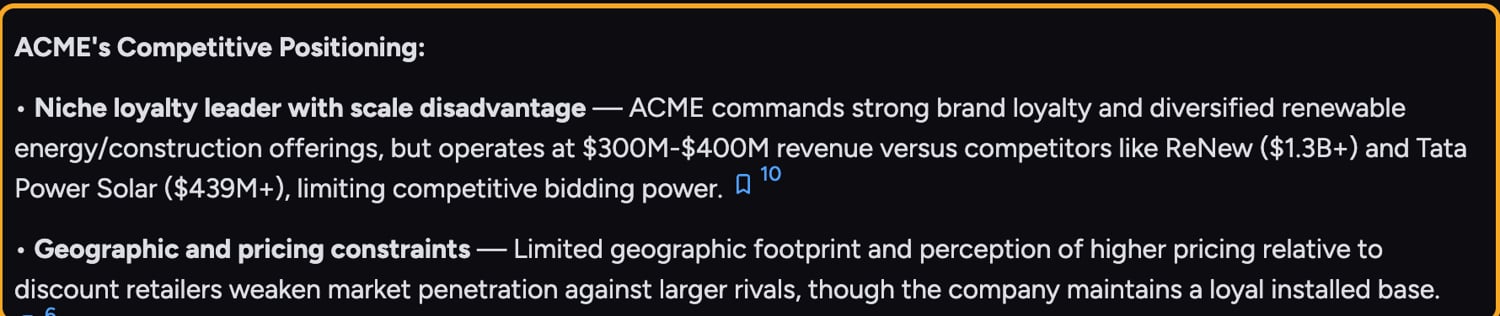 * **Chat with your data.** Ask anything and get [answers grounded in the files you've uploaded](/help/your-knowledge-library/how-chief-uses-your-files-to-answer-questions), not generic guesses.
* **Organize work in [Projects](/help/projects-sharing-teams/what-is-a-project).** Group files, [chats](/help/chatting-with-chief/how-chats-work), and teammates into a shared workspace.
* **Add a Library of Files.** [Upload documents, data, and other files](/help/getting-started/uploading-your-first-document) to reference in your chats.
* **Choose how Chief thinks.** Pick an [intelligence level](/help/answer-depth-chiefs-agents/response-modes-automatic-fast-expert) — Auto, Fast, Expert, or [Deep Intelligence](/help/answer-depth-chiefs-agents/deep-intelligence-research-mode) — to trade speed for depth.
* **Customize responses with [Expert Voices](/help/expert-voices/what-are-expert-voices) and [Skills](/help/skills/what-are-skills).** Make Chief respond as a subject-matter expert or invoke a specific ability.
ℹ️ **Good to Know:** Chief works across [web, a desktop app, and a browser extension](/help/getting-started/chief-on-web-desktop-browser-extension) — so you can capture and ask about information wherever you are.
## FAQ
No. You can start a conversation right away. Uploading files (your Library) makes answers more specific to your own data, but it's optional for general questions.
Yes — the product is now called Chief. If you set things up under an earlier name, everything is still here; you may still see the older name in a few places we're updating.
Re-run the prompt or rephrase it, and make sure the relevant files are included in the chat. If an answer comes back incomplete, you can re-run it; if it keeps happening, [use Get Help](/help/help-feedback-whats-new/getting-help-in-chief) to reach support.
* **Chat with your data.** Ask anything and get [answers grounded in the files you've uploaded](/help/your-knowledge-library/how-chief-uses-your-files-to-answer-questions), not generic guesses.
* **Organize work in [Projects](/help/projects-sharing-teams/what-is-a-project).** Group files, [chats](/help/chatting-with-chief/how-chats-work), and teammates into a shared workspace.
* **Add a Library of Files.** [Upload documents, data, and other files](/help/getting-started/uploading-your-first-document) to reference in your chats.
* **Choose how Chief thinks.** Pick an [intelligence level](/help/answer-depth-chiefs-agents/response-modes-automatic-fast-expert) — Auto, Fast, Expert, or [Deep Intelligence](/help/answer-depth-chiefs-agents/deep-intelligence-research-mode) — to trade speed for depth.
* **Customize responses with [Expert Voices](/help/expert-voices/what-are-expert-voices) and [Skills](/help/skills/what-are-skills).** Make Chief respond as a subject-matter expert or invoke a specific ability.
ℹ️ **Good to Know:** Chief works across [web, a desktop app, and a browser extension](/help/getting-started/chief-on-web-desktop-browser-extension) — so you can capture and ask about information wherever you are.
## FAQ
No. You can start a conversation right away. Uploading files (your Library) makes answers more specific to your own data, but it's optional for general questions.
Yes — the product is now called Chief. If you set things up under an earlier name, everything is still here; you may still see the older name in a few places we're updating.
Re-run the prompt or rephrase it, and make sure the relevant files are included in the chat. If an answer comes back incomplete, you can re-run it; if it keeps happening, [use Get Help](/help/help-feedback-whats-new/getting-help-in-chief) to reach support.