> ## Documentation Index
> Fetch the complete documentation index at: https://docs.chief.bot/llms.txt
> Use this file to discover all available pages before exploring further.
# How Chief processes spreadsheets
> A lot of your most valuable data lives in spreadsheets — pipeline exports, financial models, survey results.
## Why this matters
A lot of your most valuable data lives in spreadsheets — pipeline exports, financial models, survey results. But a spreadsheet isn't prose: it's rows, columns, and multiple sheets that only make sense as structured data. Chief handles [spreadsheets](/help/your-knowledge-library/working-with-spreadsheets-csv-xls-the-spreadsheets-locked-notice) on a dedicated path so it can reason over their structure rather than treating them like a wall of text. Knowing how that path works tells you when a spreadsheet answer will be reliable and how to set yourself up for accurate results.
## How it actually works
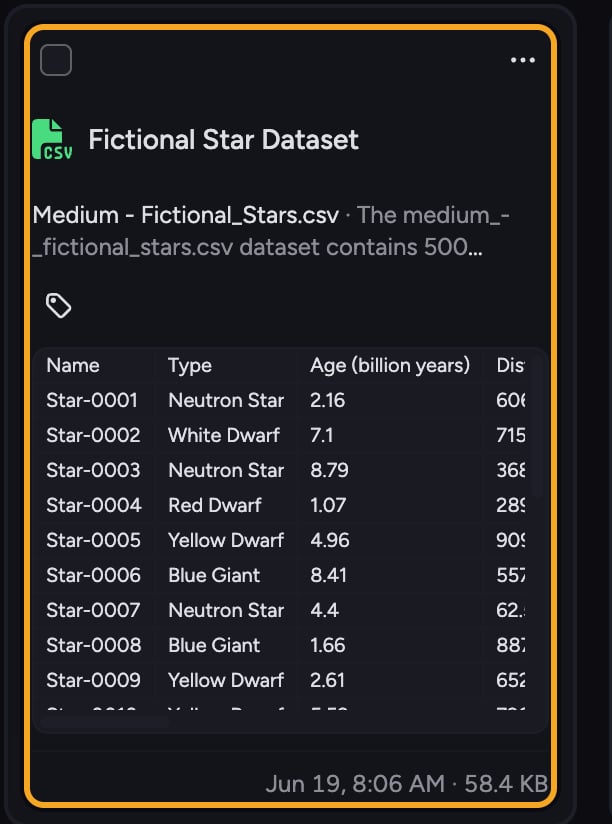 Chief recognizes structured files (CSV and Excel) and routes them through a different pipeline from documents:
* **Excel files are split by sheet.** An **.xls**/**.xlsx** workbook is converted into one CSV per sheet, and each sheet is then processed independently — so a multi-tab workbook becomes several queryable tables rather than one tangled blob.
* **CSV files are sampled and embedded.** Chief reads the file, captures a representative sample of the data so it understands the shape and content, and indexes it so the structured data is searchable alongside the rest of your knowledge.
Because structured data behaves differently from documents, Chief asks you to [**add spreadsheets to a chat individually**](/help/the-prompt-bar-scope/setting-the-scope-of-a-chat-using-files-labels-collections-concepts) to work with them directly. This keeps the model focused on the specific tables you want to analyze rather than mixing them in with unstructured files.
ℹ️ **Important:** Spreadsheets are **unavailable when every file is selected** in your chat scope. To work with structured data you need to deselect at least one file first, then [add the spreadsheet you want](/help/the-prompt-bar-scope/mentioning-files-labels-collections-concepts). Also note that file counts shown in the prompt may include only files loaded in your current browser session — your Project may contain more.
## A worked example
Chief recognizes structured files (CSV and Excel) and routes them through a different pipeline from documents:
* **Excel files are split by sheet.** An **.xls**/**.xlsx** workbook is converted into one CSV per sheet, and each sheet is then processed independently — so a multi-tab workbook becomes several queryable tables rather than one tangled blob.
* **CSV files are sampled and embedded.** Chief reads the file, captures a representative sample of the data so it understands the shape and content, and indexes it so the structured data is searchable alongside the rest of your knowledge.
Because structured data behaves differently from documents, Chief asks you to [**add spreadsheets to a chat individually**](/help/the-prompt-bar-scope/setting-the-scope-of-a-chat-using-files-labels-collections-concepts) to work with them directly. This keeps the model focused on the specific tables you want to analyze rather than mixing them in with unstructured files.
ℹ️ **Important:** Spreadsheets are **unavailable when every file is selected** in your chat scope. To work with structured data you need to deselect at least one file first, then [add the spreadsheet you want](/help/the-prompt-bar-scope/mentioning-files-labels-collections-concepts). Also note that file counts shown in the prompt may include only files loaded in your current browser session — your Project may contain more.
## A worked example
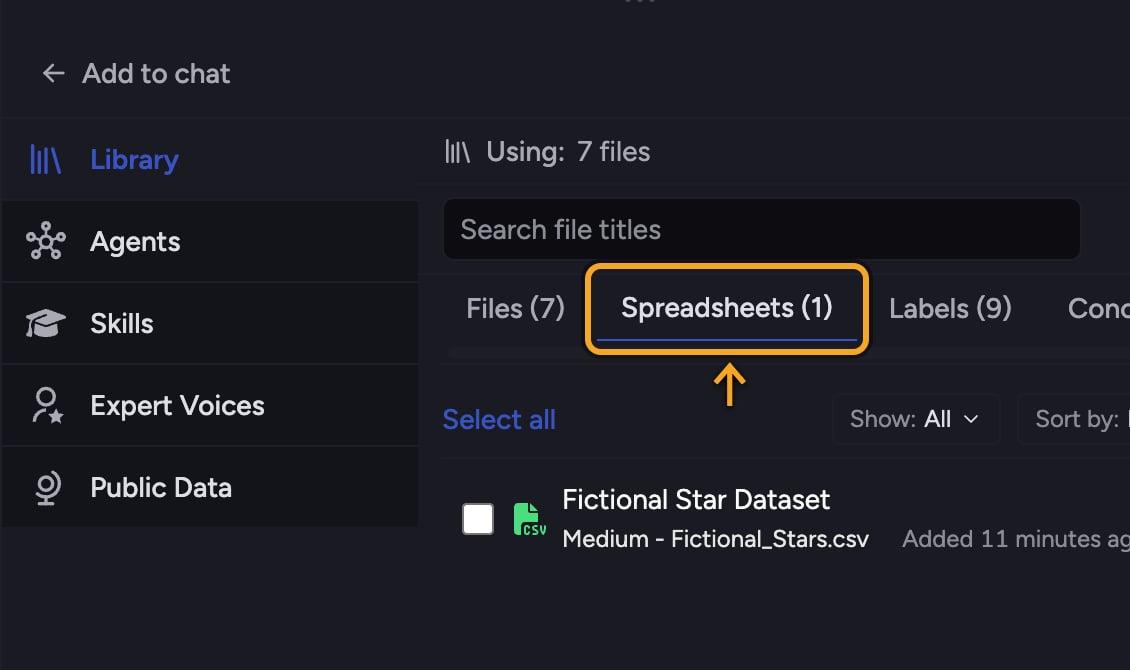 You [upload a workbook](/help/your-knowledge-library/uploading-files-supported-file-types) with three tabs — "Q1 Pipeline," "Q2 Pipeline," and "Notes." Chief splits it into three separate CSVs and processes each one, so when you add the workbook to a chat and ask "which deals slipped from Q1 to Q2?", Chief is reasoning over two clean, structured tables rather than one merged sheet. If you'd left every file in the Project selected, Chief would prompt you to deselect at least one file before it could work with the spreadsheet directly.
## FAQ
Structured data is unavailable when all files are selected in your chat. Deselect at least one file, then add the specific spreadsheet you want to analyze. Chief surfaces a notice and a link to enable spreadsheets when this happens.
Structured files are processed and reasoned over differently from documents. Adding them individually keeps Chief focused on the exact tables you want, which produces more accurate analysis than blending them into a large pool of unstructured files.
Chief captures a representative sample of the data to understand its structure and content, and [indexes it for search](/help/your-knowledge-library/file-size-limits-processing-stages). For very large files, framing your question around specific columns, time ranges, or segments will give you the most reliable answers. *(Exact sampling limits for very large files — verify with the team before publishing.)*
You [upload a workbook](/help/your-knowledge-library/uploading-files-supported-file-types) with three tabs — "Q1 Pipeline," "Q2 Pipeline," and "Notes." Chief splits it into three separate CSVs and processes each one, so when you add the workbook to a chat and ask "which deals slipped from Q1 to Q2?", Chief is reasoning over two clean, structured tables rather than one merged sheet. If you'd left every file in the Project selected, Chief would prompt you to deselect at least one file before it could work with the spreadsheet directly.
## FAQ
Structured data is unavailable when all files are selected in your chat. Deselect at least one file, then add the specific spreadsheet you want to analyze. Chief surfaces a notice and a link to enable spreadsheets when this happens.
Structured files are processed and reasoned over differently from documents. Adding them individually keeps Chief focused on the exact tables you want, which produces more accurate analysis than blending them into a large pool of unstructured files.
Chief captures a representative sample of the data to understand its structure and content, and [indexes it for search](/help/your-knowledge-library/file-size-limits-processing-stages). For very large files, framing your question around specific columns, time ranges, or segments will give you the most reliable answers. *(Exact sampling limits for very large files — verify with the team before publishing.)*