> ## Documentation Index
> Fetch the complete documentation index at: https://docs.chief.bot/llms.txt
> Use this file to discover all available pages before exploring further.
# What is a project?
> A Project bundles your files, chats, and team into one place in Chief.
## A Project is your shared workspace
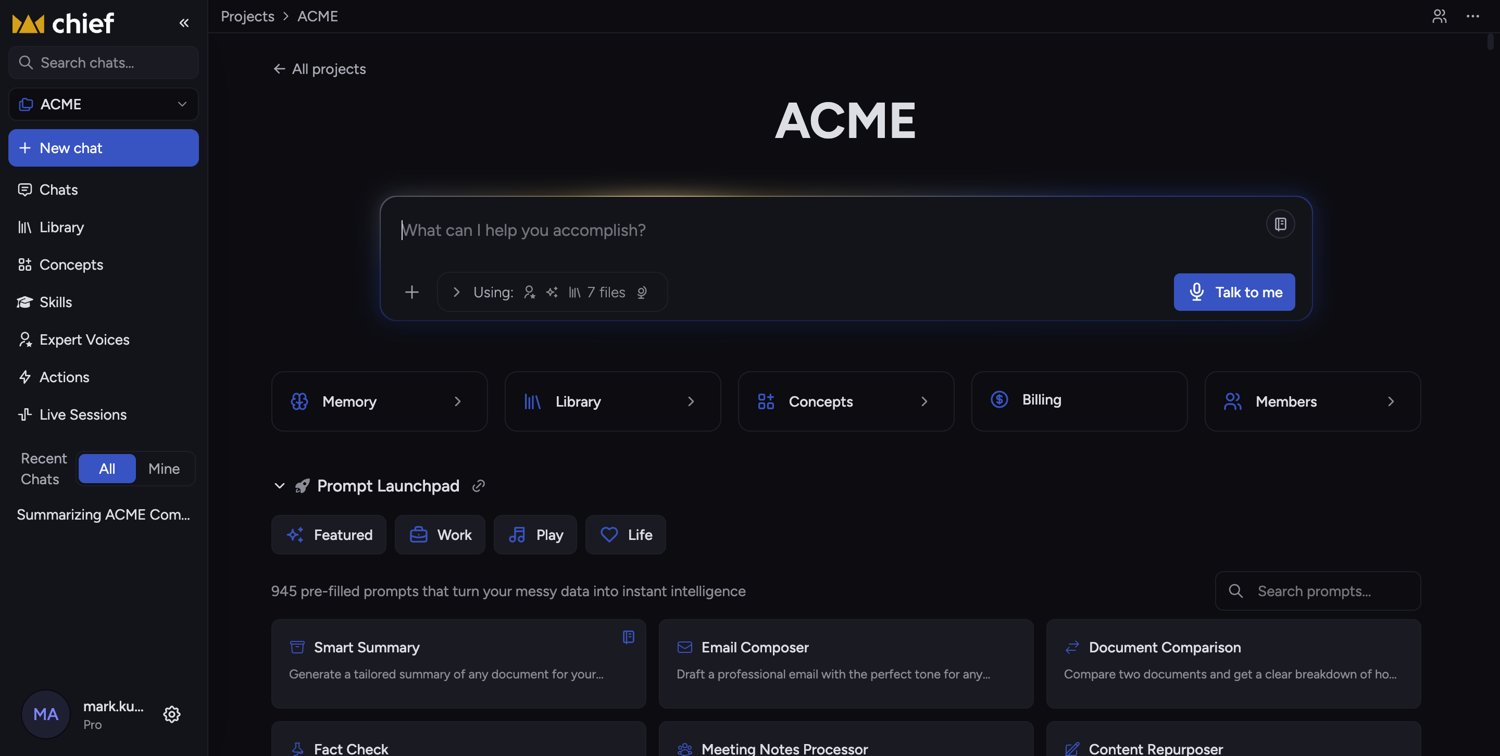 A **Project** bundles your files, chats, and team into one place in Chief. Everything you add to a Project — uploaded documents, the Knowledge you build, every chat, and the people you invite — lives inside that Project and stays separated from your other work.
Think of a Project the way you'd think of a folder that can also think. For example, a marketing team might create a **"Q3 Campaign"** Project, drop in the brief, brand guidelines, and past performance reports, invite three colleagues, and then chat with Chief about all of it together. When a teammate opens that same Project, they see the same files and can pick up the same conversations — no re-uploading, no forwarding.
## What's inside a Project
A **Project** bundles your files, chats, and team into one place in Chief. Everything you add to a Project — uploaded documents, the Knowledge you build, every chat, and the people you invite — lives inside that Project and stays separated from your other work.
Think of a Project the way you'd think of a folder that can also think. For example, a marketing team might create a **"Q3 Campaign"** Project, drop in the brief, brand guidelines, and past performance reports, invite three colleagues, and then chat with Chief about all of it together. When a teammate opens that same Project, they see the same files and can pick up the same conversations — no re-uploading, no forwarding.
## What's inside a Project
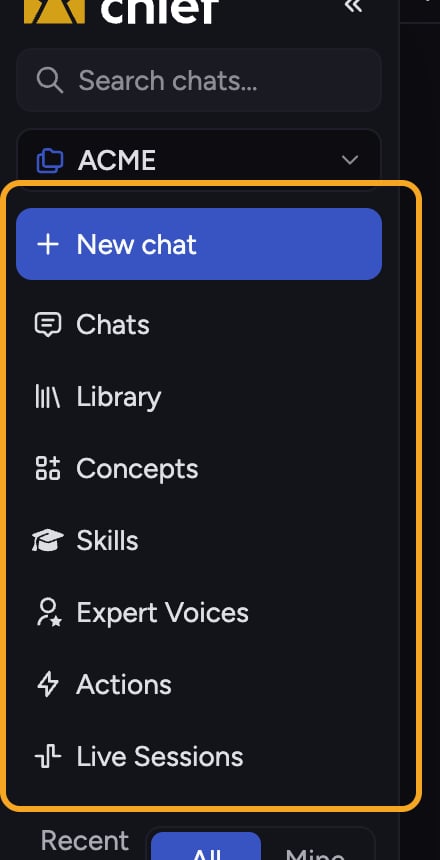 * **[Library](/help/your-knowledge-library/what-is-the-library)** — the files and Knowledge you've added for Chief to reason over.
* **[Chats](/help/chatting-with-chief/how-chats-work)** — your conversations with Chief, grounded in that Project's Library.
* **Members** — the people you've invited, each with [a role](/help/projects-sharing-teams/roles-access-levels-owner-collaborator-reader) (Owner, Collaborator, or Reader).
* **[Plan & billing](/help/projects-sharing-teams/choosing-which-plan-funds-a-project-billing-source)** — which subscription funds the usage in the Project.
## How Projects keep work separate
Chief always works inside one active Project at a time. The files and chats you see, and the Knowledge Chief draws on when it answers, all come from the Project you're currently in. [Switching Projects](/help/projects-sharing-teams/switching-bookmarking-discovering-projects) swaps the entire context — so personal research stays out of your team's shared space, and one client's documents never bleed into another's.
Every account starts with a default Project so you have somewhere to work immediately. You can rename it, but you [can't delete it](/help/projects-sharing-teams/deleting-a-project).
ℹ️ **Good to know:** Chats in a Project connected to the Google integration [start **Private**](/help/sharing-visibility/chat-visibility-private-project-restricted) — only you can see them. This keeps mailbox and calendar content from being shared with the whole Project until you choose to share a chat.
## Frequently asked questions
No. Your account comes with a default Project, so you can start chatting and adding files right away. [Create additional Projects](/help/getting-started/setting-up-your-first-project) when you want to separate a body of work or collaborate with a specific group.
Only people you invite. A Project is private to its members until you [share it](/help/projects-sharing-teams/inviting-members-email-domain-invite-link) by email, by domain, or with a secret link.
Files belong to the Project they were added to. If a file seems missing, you're likely in a different Project — switch to the one where you uploaded it. Chief never mixes files across Projects.
* **[Library](/help/your-knowledge-library/what-is-the-library)** — the files and Knowledge you've added for Chief to reason over.
* **[Chats](/help/chatting-with-chief/how-chats-work)** — your conversations with Chief, grounded in that Project's Library.
* **Members** — the people you've invited, each with [a role](/help/projects-sharing-teams/roles-access-levels-owner-collaborator-reader) (Owner, Collaborator, or Reader).
* **[Plan & billing](/help/projects-sharing-teams/choosing-which-plan-funds-a-project-billing-source)** — which subscription funds the usage in the Project.
## How Projects keep work separate
Chief always works inside one active Project at a time. The files and chats you see, and the Knowledge Chief draws on when it answers, all come from the Project you're currently in. [Switching Projects](/help/projects-sharing-teams/switching-bookmarking-discovering-projects) swaps the entire context — so personal research stays out of your team's shared space, and one client's documents never bleed into another's.
Every account starts with a default Project so you have somewhere to work immediately. You can rename it, but you [can't delete it](/help/projects-sharing-teams/deleting-a-project).
ℹ️ **Good to know:** Chats in a Project connected to the Google integration [start **Private**](/help/sharing-visibility/chat-visibility-private-project-restricted) — only you can see them. This keeps mailbox and calendar content from being shared with the whole Project until you choose to share a chat.
## Frequently asked questions
No. Your account comes with a default Project, so you can start chatting and adding files right away. [Create additional Projects](/help/getting-started/setting-up-your-first-project) when you want to separate a body of work or collaborate with a specific group.
Only people you invite. A Project is private to its members until you [share it](/help/projects-sharing-teams/inviting-members-email-domain-invite-link) by email, by domain, or with a secret link.
Files belong to the Project they were added to. If a file seems missing, you're likely in a different Project — switch to the one where you uploaded it. Chief never mixes files across Projects.