> ## Documentation Index
> Fetch the complete documentation index at: https://docs.chief.bot/llms.txt
> Use this file to discover all available pages before exploring further.
# What is the Launchpad?
> The Prompt Launchpad is a built-in gallery of ready-to-run prompts inside Chief.
 ## The Launchpad is your starting line
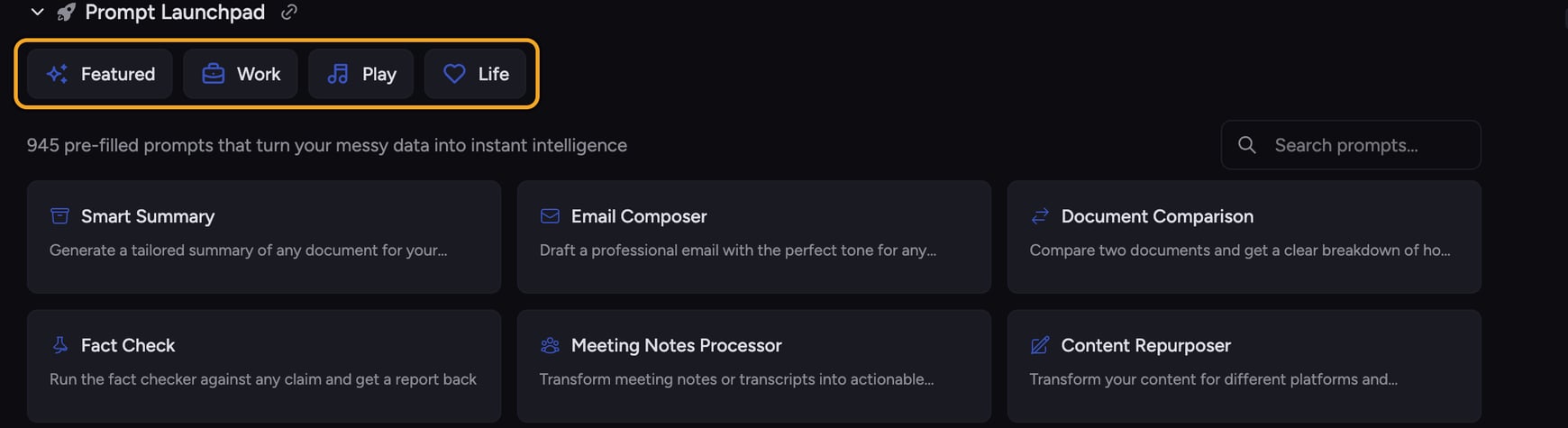
The **Prompt Launchpad** is a built-in gallery of ready-to-run prompts inside Chief. Instead of staring at a blank [prompt bar](/help/the-prompt-bar-scope/the-prompt-bar-a-tour-of-your-chat-controls), you pick a card, and Chief drops a complete, well-written prompt straight into your chat — ready to send or tweak.
You'll find the Launchpad on your project home page, just below the prompt bar. It opens to a **Featured** set of our best prompts, with more grouped under **Work**, **Play**, and **Life**.
## What you can do from the Launchpad
## The Launchpad is your starting line
The **Prompt Launchpad** is a built-in gallery of ready-to-run prompts inside Chief. Instead of staring at a blank [prompt bar](/help/the-prompt-bar-scope/the-prompt-bar-a-tour-of-your-chat-controls), you pick a card, and Chief drops a complete, well-written prompt straight into your chat — ready to send or tweak.
You'll find the Launchpad on your project home page, just below the prompt bar. It opens to a **Featured** set of our best prompts, with more grouped under **Work**, **Play**, and **Life**.
## What you can do from the Launchpad
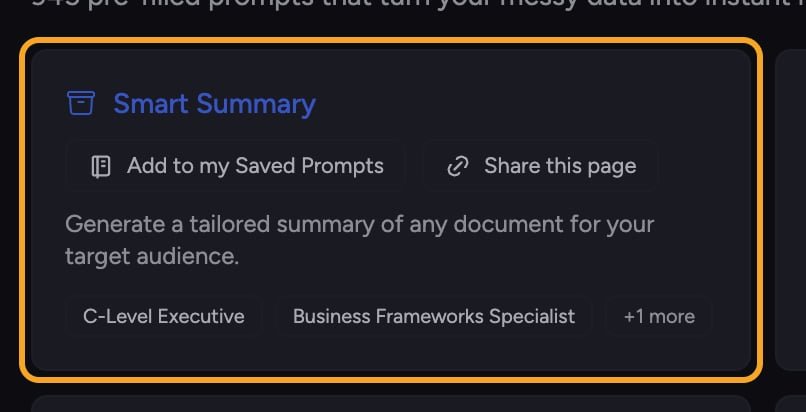 * **[Run a prompt instantly](/help/prompts-the-launchpad/using-featured-prompts).** Click any card and its full prompt loads into the prompt bar so you can send it right away.
* **Browse by category.** Drill into Work, Play, or Life, then into sub-categories like Sales, Marketing, or Product.
* **[Search across every prompt](/help/prompts-the-launchpad/searching-prompts-the-prompt-library).** Type in the search box to find prompts by topic, role, or task.
* **Save the ones you like.** Add any featured prompt to your [**Saved Prompts**](/help/prompts-the-launchpad/saving-your-own-prompt-templates) so it's always one click away.
* **[Share a prompt](/help/prompts-the-launchpad/sharing-a-prompt-via-link).** Copy a link to any prompt and send it to a teammate.
🚀 **Pro-Tip:** New to Chief? Open a Featured card, read the description, then click it to see exactly how a strong prompt is structured. It's the fastest way to learn what good prompting looks like.
## Launchpad vs. Saved Prompts
* **[Run a prompt instantly](/help/prompts-the-launchpad/using-featured-prompts).** Click any card and its full prompt loads into the prompt bar so you can send it right away.
* **Browse by category.** Drill into Work, Play, or Life, then into sub-categories like Sales, Marketing, or Product.
* **[Search across every prompt](/help/prompts-the-launchpad/searching-prompts-the-prompt-library).** Type in the search box to find prompts by topic, role, or task.
* **Save the ones you like.** Add any featured prompt to your [**Saved Prompts**](/help/prompts-the-launchpad/saving-your-own-prompt-templates) so it's always one click away.
* **[Share a prompt](/help/prompts-the-launchpad/sharing-a-prompt-via-link).** Copy a link to any prompt and send it to a teammate.
🚀 **Pro-Tip:** New to Chief? Open a Featured card, read the description, then click it to see exactly how a strong prompt is structured. It's the fastest way to learn what good prompting looks like.
## Launchpad vs. Saved Prompts
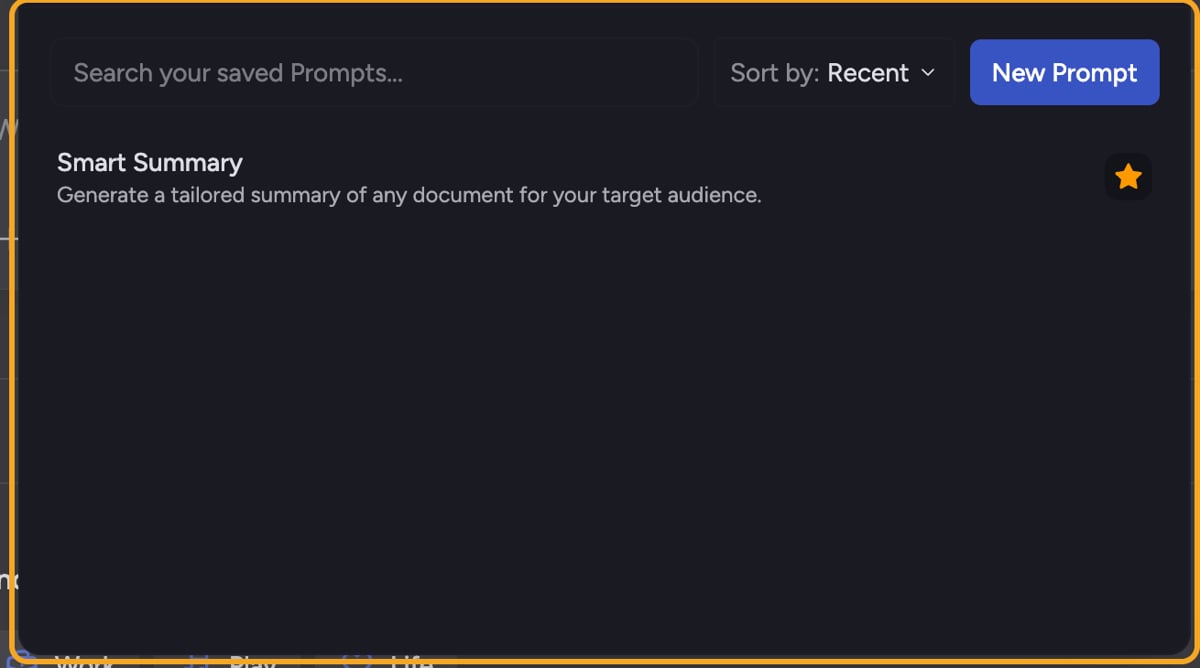 The Launchpad is the **shared gallery** Chief ships for everyone. **Saved Prompts** is your **personal library** — the prompts you've written or starred. Anything you add from the Launchpad lands in Saved Prompts so you can reuse it later.
## Frequently asked questions
No. Click a card and Chief fills in the full prompt for you. You can send it as-is or edit it first.
It sits below the prompt bar on your project home and can be collapsed. Look for the rocket icon labeled **Prompt Launchpad** and click it to expand the gallery. In a non-default project it may start collapsed by design.
No. Clicking a card only loads text into the prompt bar. Nothing runs until you press send.
The Launchpad is the **shared gallery** Chief ships for everyone. **Saved Prompts** is your **personal library** — the prompts you've written or starred. Anything you add from the Launchpad lands in Saved Prompts so you can reuse it later.
## Frequently asked questions
No. Click a card and Chief fills in the full prompt for you. You can send it as-is or edit it first.
It sits below the prompt bar on your project home and can be collapsed. Look for the rocket icon labeled **Prompt Launchpad** and click it to expand the gallery. In a non-default project it may start collapsed by design.
No. Clicking a card only loads text into the prompt bar. Nothing runs until you press send.