> ## Documentation Index
> Fetch the complete documentation index at: https://docs.chief.bot/llms.txt
> Use this file to discover all available pages before exploring further.
# Voice input: dictate your prompt with "Talk to me"
> Prefer talking to typing?
Prefer talking to typing? **Talk to me** lets you dictate your prompt. Chief transcribes your speech into the prompt bar as you go, and you can edit the text before you send it.
## Dictate a prompt
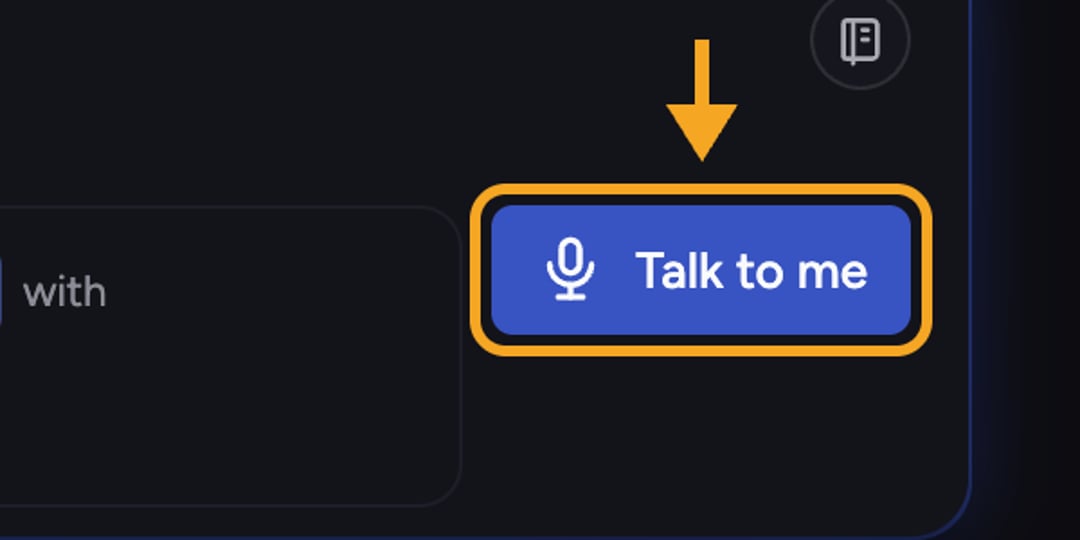 1. In the [prompt bar](/help/the-prompt-bar-scope/the-prompt-bar-a-tour-of-your-chat-controls), click the microphone control labeled **Talk to me**.
2. If your browser asks for microphone access, click **Allow**. (This prompt comes from your browser, not Chief.)
3. Start speaking. The control shows **Listening…** while it transcribes, and your words appear in the prompt bar.
4. Click the control again to stop listening.
5. Edit the transcribed text if you need to, then send your prompt as usual.
💡 **Good to know:** Dictated text lands wherever your cursor is, so you can mix typing and talking — dictate the bulk of a prompt, then tidy up the wording by hand.
⚠️ **Important:** Voice input uses your browser's built-in speech recognition, which currently transcribes **English (US)**. Other [languages](/help/account-settings/language-locale-17-languages) are not yet supported for dictation.
## FAQ
Microphone access was likely blocked. Allow microphone access for the site in your browser settings, reload, and try again. A working mic and a supported browser are both required.
No. **Talk to me** is dictation — it turns your speech into prompt text that you still review and send. It is a click-to-start, click-to-stop control, not a hands-free voice assistant. To capture a longer recording into your Library instead, see [recording audio directly into Chief](/help/your-knowledge-library/recording-audio-directly-into-chief).
Not yet. Dictation currently transcribes English (US) only, regardless of the language your interface is set to.
1. In the [prompt bar](/help/the-prompt-bar-scope/the-prompt-bar-a-tour-of-your-chat-controls), click the microphone control labeled **Talk to me**.
2. If your browser asks for microphone access, click **Allow**. (This prompt comes from your browser, not Chief.)
3. Start speaking. The control shows **Listening…** while it transcribes, and your words appear in the prompt bar.
4. Click the control again to stop listening.
5. Edit the transcribed text if you need to, then send your prompt as usual.
💡 **Good to know:** Dictated text lands wherever your cursor is, so you can mix typing and talking — dictate the bulk of a prompt, then tidy up the wording by hand.
⚠️ **Important:** Voice input uses your browser's built-in speech recognition, which currently transcribes **English (US)**. Other [languages](/help/account-settings/language-locale-17-languages) are not yet supported for dictation.
## FAQ
Microphone access was likely blocked. Allow microphone access for the site in your browser settings, reload, and try again. A working mic and a supported browser are both required.
No. **Talk to me** is dictation — it turns your speech into prompt text that you still review and send. It is a click-to-start, click-to-stop control, not a hands-free voice assistant. To capture a longer recording into your Library instead, see [recording audio directly into Chief](/help/your-knowledge-library/recording-audio-directly-into-chief).
Not yet. Dictation currently transcribes English (US) only, regardless of the language your interface is set to.