> ## Documentation Index
> Fetch the complete documentation index at: https://docs.chief.bot/llms.txt
> Use this file to discover all available pages before exploring further.
# My file won't process or isn't ready
> Every File moves through: Queued → Processing → Indexing → Ready.
## Symptoms
* A File is stuck at **Queued for upload**, **Processing**, or **Indexing** and never reaches **Ready**.
* You see **File type is not supported** or **File size exceeds the maximum allowed size**.
* The File shows **Insufficient credits** — "Chief ran out of credits to process this File."
* **Download** or **Rename** is greyed out: "available when processing is complete."
## What the stages mean
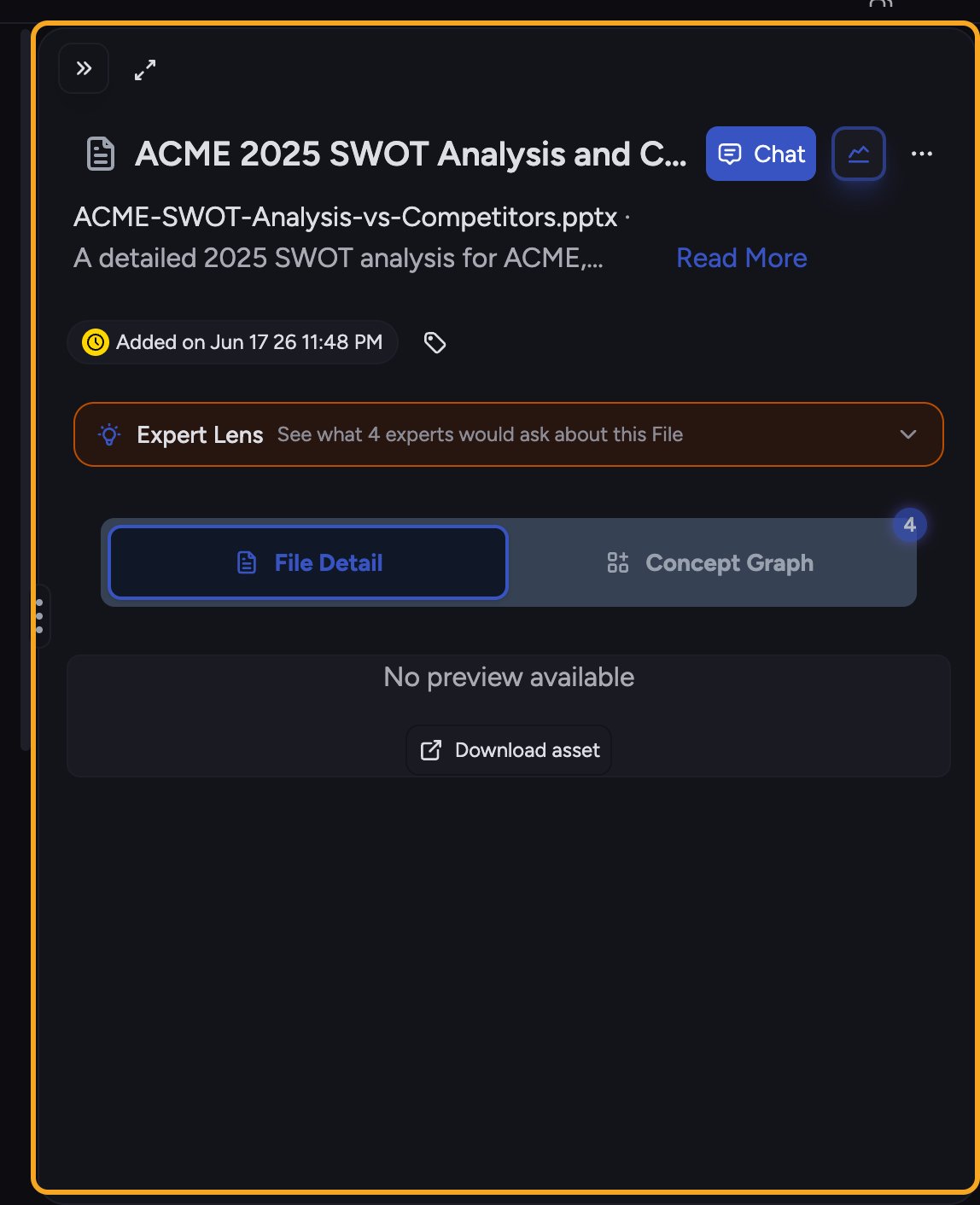 Every File [moves through](/help/your-knowledge-library/file-size-limits-processing-stages): **Queued** → **Processing** → **Indexing** → **Ready**.
* **Queued for upload** / **In queue for processing** — waiting its turn.
* **Processing** — "Processing your file so you can chat with it."
* **Indexing** — "Ready for simple chats with just this file." You can already ask about it.
* **Ready** — "Ready for complex chats with this file alongside all your knowledge."
## Likely causes
* The file is larger than [the upload limit](/help/your-knowledge-library/uploading-files-supported-file-types) (100MB).
* The file type isn't supported.
* The project ran out of credits, so processing can't run.
* A large file or a busy queue is just taking longer than usual.
## Solution
**Option A — "Insufficient credits" on the File.**
1. On the File showing **Chief ran out of credits to process this File**, click [**top up your credits**](/help/plans-credits-billing/refilling-credits).
2. After topping up, click **Try Again** on the File. Its status changes to **Queued** and processing restarts.
**Option B — "File type is not supported" or "File size exceeds the maximum."**
1. Confirm the file is within the **100MB** limit. If it's bigger, split it or compress it, then re-upload.
2. If the type is unsupported, convert it to a common format (for example, export to PDF) and upload again.
3. On the upload error, you can click **try the file again**, or click **Get Help** to reach support.
**Option C — It's just taking a while.**
1. If the File sits at **Indexing**, you can already [start a simple chat scoped to that one File](/help/your-knowledge-library/chatting-with-one-file-vs-many-files-together) while full indexing finishes.
2. For large files, give it a few minutes. [**Download** and **Rename**](/help/your-knowledge-library/renaming-moving-copying-deleting-files) unlock once it reaches **Ready**.
ℹ️ **Good to know:** A File at **Indexing** is already usable for a quick chat about just that File. Waiting for **Ready** only matters when you want Chief to reason across it together with the rest of your knowledge.
## Still stuck?
If a File stays stuck well past a few minutes with credits available and a supported type under 100MB, use [**Get Help**](/help/help-feedback-whats-new/getting-help-in-chief) on the upload error, or email **[support@chief.bot](mailto:support@chief.bot)** with the file name.
## FAQ
Topping up doesn't auto-restart a File that already failed. Click **Try Again** on that File — it should re-queue and show **Queued**, then move through processing.
Both actions are locked until processing completes — "Rename is available when processing is complete" and "Download is available when processing is complete." Wait for **Ready**, then try again.
That means the re-queue didn't take. Confirm credits are available and the file is a supported type under 100MB, then try once more. If it keeps failing, contact support with the file name.
Every File [moves through](/help/your-knowledge-library/file-size-limits-processing-stages): **Queued** → **Processing** → **Indexing** → **Ready**.
* **Queued for upload** / **In queue for processing** — waiting its turn.
* **Processing** — "Processing your file so you can chat with it."
* **Indexing** — "Ready for simple chats with just this file." You can already ask about it.
* **Ready** — "Ready for complex chats with this file alongside all your knowledge."
## Likely causes
* The file is larger than [the upload limit](/help/your-knowledge-library/uploading-files-supported-file-types) (100MB).
* The file type isn't supported.
* The project ran out of credits, so processing can't run.
* A large file or a busy queue is just taking longer than usual.
## Solution
**Option A — "Insufficient credits" on the File.**
1. On the File showing **Chief ran out of credits to process this File**, click [**top up your credits**](/help/plans-credits-billing/refilling-credits).
2. After topping up, click **Try Again** on the File. Its status changes to **Queued** and processing restarts.
**Option B — "File type is not supported" or "File size exceeds the maximum."**
1. Confirm the file is within the **100MB** limit. If it's bigger, split it or compress it, then re-upload.
2. If the type is unsupported, convert it to a common format (for example, export to PDF) and upload again.
3. On the upload error, you can click **try the file again**, or click **Get Help** to reach support.
**Option C — It's just taking a while.**
1. If the File sits at **Indexing**, you can already [start a simple chat scoped to that one File](/help/your-knowledge-library/chatting-with-one-file-vs-many-files-together) while full indexing finishes.
2. For large files, give it a few minutes. [**Download** and **Rename**](/help/your-knowledge-library/renaming-moving-copying-deleting-files) unlock once it reaches **Ready**.
ℹ️ **Good to know:** A File at **Indexing** is already usable for a quick chat about just that File. Waiting for **Ready** only matters when you want Chief to reason across it together with the rest of your knowledge.
## Still stuck?
If a File stays stuck well past a few minutes with credits available and a supported type under 100MB, use [**Get Help**](/help/help-feedback-whats-new/getting-help-in-chief) on the upload error, or email **[support@chief.bot](mailto:support@chief.bot)** with the file name.
## FAQ
Topping up doesn't auto-restart a File that already failed. Click **Try Again** on that File — it should re-queue and show **Queued**, then move through processing.
Both actions are locked until processing completes — "Rename is available when processing is complete" and "Download is available when processing is complete." Wait for **Ready**, then try again.
That means the re-queue didn't take. Confirm credits are available and the file is a supported type under 100MB, then try once more. If it keeps failing, contact support with the file name.