> ## Documentation Index
> Fetch the complete documentation index at: https://docs.chief.bot/llms.txt
> Use this file to discover all available pages before exploring further.
# Adding web pages & URLs to your Library
> You do not have to download a page to use it.
## Bring a web page into your Library
You do not have to download a page to use it. Paste its address and Chief fetches the content and adds it to your project's [Library](/help/your-knowledge-library/what-is-the-library), where it [processes](/help/your-knowledge-library/file-size-limits-processing-stages) just like an [uploaded file](/help/your-knowledge-library/uploading-files-supported-file-types).
## Add a URL
 1. Open the project you want to add the page to.
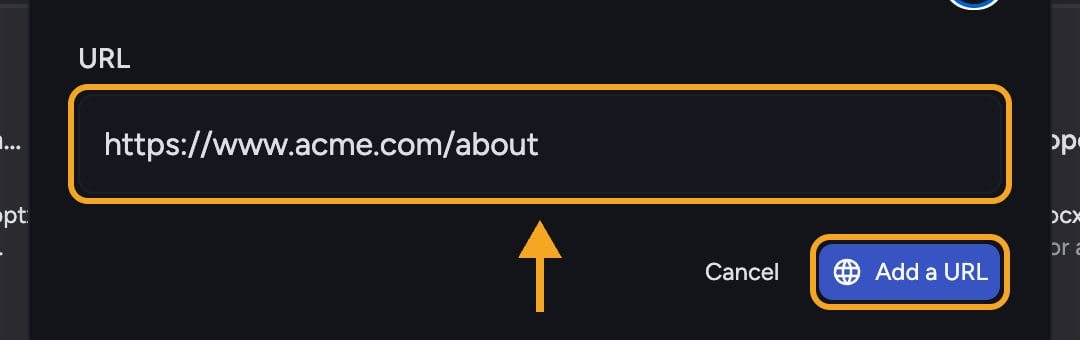
2. Click **Add a URL** to open the **Add URL to Project Library** dialog.
3. Paste the web address into the **URL** field. If you leave off `https://`, Chief adds it for you.
4. Confirm to add the page. Chief fetches it and begins processing.
5. The page appears in your Library and is ready to [use in chat](/help/your-knowledge-library/how-chief-uses-your-files-to-answer-questions) once processing completes.
💡 **Pro-Tip:** You can paste a bare address like `example.com/article` — Chief normalizes it to a full `https://` URL automatically.
**Related articles:** [What is the Library?](/help/your-knowledge-library/what-is-the-library) · [Uploading files and supported file types](/help/your-knowledge-library/uploading-files-supported-file-types) · [Viewing asset details and file processing status](/help/your-knowledge-library/viewing-asset-details-file-processing-status)
## FAQ
Chief could not fetch that page. Check that the address is correct and reachable, then try again. Pages behind a login or that block automated access may not be reachable.
The address could not be read as a valid URL. Re-check for typos and make sure it points to a real web page.
1. Open the project you want to add the page to.
2. Click **Add a URL** to open the **Add URL to Project Library** dialog.
3. Paste the web address into the **URL** field. If you leave off `https://`, Chief adds it for you.
4. Confirm to add the page. Chief fetches it and begins processing.
5. The page appears in your Library and is ready to [use in chat](/help/your-knowledge-library/how-chief-uses-your-files-to-answer-questions) once processing completes.
💡 **Pro-Tip:** You can paste a bare address like `example.com/article` — Chief normalizes it to a full `https://` URL automatically.
**Related articles:** [What is the Library?](/help/your-knowledge-library/what-is-the-library) · [Uploading files and supported file types](/help/your-knowledge-library/uploading-files-supported-file-types) · [Viewing asset details and file processing status](/help/your-knowledge-library/viewing-asset-details-file-processing-status)
## FAQ
Chief could not fetch that page. Check that the address is correct and reachable, then try again. Pages behind a login or that block automated access may not be reachable.
The address could not be read as a valid URL. Re-check for typos and make sure it points to a real web page.