> ## Documentation Index
> Fetch the complete documentation index at: https://docs.chief.bot/llms.txt
> Use this file to discover all available pages before exploring further.
# Chatting with one file vs. many files together
> You can point a chat at exactly one file, or let it draw on many files at once.
## Two ways to chat
You can point a chat at exactly one file, or let it draw on many files at once. Picking the right scope keeps Chief's answers focused.
## Chat with a single file
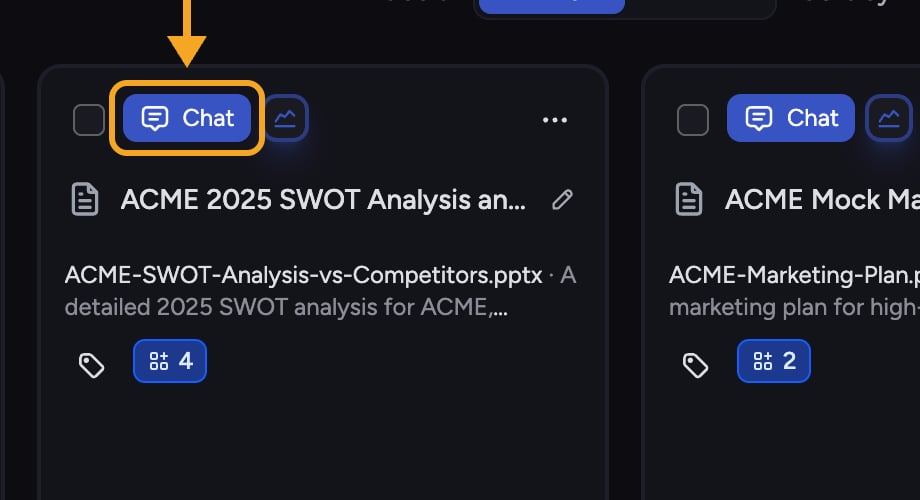 1. Open the file in your [Library](/help/your-knowledge-library/what-is-the-library).
2. Click **Chat with this File**.
3. A new chat opens scoped to just that file. Chief answers only from it.
A file becomes usable for a single-file chat as soon as it reaches the "ready for simple chats with just this file" [stage](/help/your-knowledge-library/file-size-limits-processing-stages), even before it is fully indexed.
## Chat with many files together
1. Open the file in your [Library](/help/your-knowledge-library/what-is-the-library).
2. Click **Chat with this File**.
3. A new chat opens scoped to just that file. Chief answers only from it.
A file becomes usable for a single-file chat as soon as it reaches the "ready for simple chats with just this file" [stage](/help/your-knowledge-library/file-size-limits-processing-stages), even before it is fully indexed.
## Chat with many files together
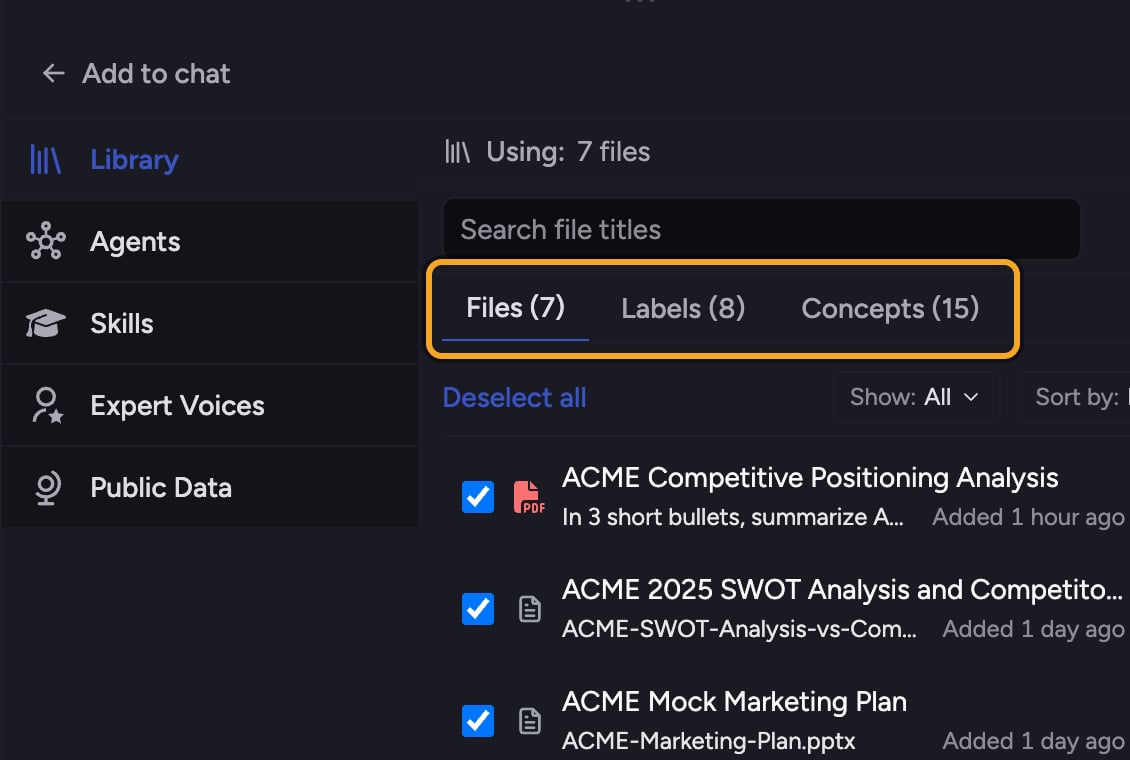 1. Start or open a chat in the project.
2. Add the files, [Labels](/help/labels/tagging-files-filtering-by-label), or [Collections](/help/collections/what-are-collections) you want to the chat, or let Chief use all your knowledge.
3. [Ask your question](/help/chatting-with-chief/asking-good-questions-prompting-best-practices). Chief [draws on everything in scope](/help/your-knowledge-library/how-chief-uses-your-files-to-answer-questions) at once.
ℹ️ **Good to Know:** Using a file alongside the rest of your knowledge requires it to be fully processed. A file that is only "ready for simple chats" can still be used on its own.
**Related articles:** [How Chief uses your files to answer questions](/help/your-knowledge-library/how-chief-uses-your-files-to-answer-questions) · [File size limits and processing stages](/help/your-knowledge-library/file-size-limits-processing-stages) · [What is the Library?](/help/your-knowledge-library/what-is-the-library)
## FAQ
The chat may be scoped to a single file. Check which files are powering the chat and add more if you want a broader answer.
You can chat with it on its own once it is "ready for simple chats with just this file." Combining it with your whole Library waits until processing is fully complete.
1. Start or open a chat in the project.
2. Add the files, [Labels](/help/labels/tagging-files-filtering-by-label), or [Collections](/help/collections/what-are-collections) you want to the chat, or let Chief use all your knowledge.
3. [Ask your question](/help/chatting-with-chief/asking-good-questions-prompting-best-practices). Chief [draws on everything in scope](/help/your-knowledge-library/how-chief-uses-your-files-to-answer-questions) at once.
ℹ️ **Good to Know:** Using a file alongside the rest of your knowledge requires it to be fully processed. A file that is only "ready for simple chats" can still be used on its own.
**Related articles:** [How Chief uses your files to answer questions](/help/your-knowledge-library/how-chief-uses-your-files-to-answer-questions) · [File size limits and processing stages](/help/your-knowledge-library/file-size-limits-processing-stages) · [What is the Library?](/help/your-knowledge-library/what-is-the-library)
## FAQ
The chat may be scoped to a single file. Check which files are powering the chat and add more if you want a broader answer.
You can chat with it on its own once it is "ready for simple chats with just this file." Combining it with your whole Library waits until processing is fully complete.