> ## Documentation Index
> Fetch the complete documentation index at: https://docs.chief.bot/llms.txt
> Use this file to discover all available pages before exploring further.
# File size limits & processing stages
> The maximum size for a single file is 100MB.
## How big can a file be
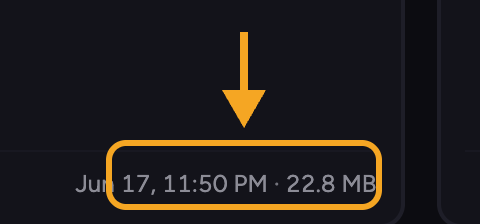 The maximum size for a single file is **100MB**. If a file is larger, the upload is rejected and Chief shows a "file size exceeds the maximum" message naming the file. Split or compress oversized files and try again.
## What happens after you upload
[Uploading](/help/your-knowledge-library/uploading-files-supported-file-types) is only the first step. After your file arrives, Chief works through several stages to make it usable. You can follow these in the upload panel or on the [file's detail view](/help/your-knowledge-library/viewing-asset-details-file-processing-status).
1. **Queued for upload** — the file is lined up to be sent.
2. **Uploaded. In queue for processing** — the file has arrived and is waiting its turn.
3. **Processing your file so you can chat with it** — Chief is reading and understanding the contents.
4. **Ready for simple chats with just this file** — you can already [chat with this one file](/help/your-knowledge-library/chatting-with-one-file-vs-many-files-together) while deeper indexing finishes.
5. **Ready for complex chats with this file alongside all your knowledge** — the file is fully ready and can be used together with [the rest of your Library](/help/your-knowledge-library/how-chief-uses-your-files-to-answer-questions).
ℹ️ **Good to Know:** A file becomes usable in a single-file chat before it is fully indexed. The final "ready alongside all your knowledge" stage is what lets Chief combine it with your other files.
**Related articles:** [Uploading files and supported file types](/help/your-knowledge-library/uploading-files-supported-file-types) · [Viewing asset details and file processing status](/help/your-knowledge-library/viewing-asset-details-file-processing-status) · [How Chief processes spreadsheets](/help/how-chief-works-magic-under-the-hood/how-chief-processes-spreadsheets)
## FAQ
The maximum is 100MB per file. Compress or split the file and upload again.
Large or complex files take longer. If it never reaches a ready state and shows an error instead, open the file to see the reason — see [My file won't process or isn't ready](/help/troubleshooting/my-file-wont-process-or-isnt-ready). If it ran out of credits to process, top up and try again.
The maximum size for a single file is **100MB**. If a file is larger, the upload is rejected and Chief shows a "file size exceeds the maximum" message naming the file. Split or compress oversized files and try again.
## What happens after you upload
[Uploading](/help/your-knowledge-library/uploading-files-supported-file-types) is only the first step. After your file arrives, Chief works through several stages to make it usable. You can follow these in the upload panel or on the [file's detail view](/help/your-knowledge-library/viewing-asset-details-file-processing-status).
1. **Queued for upload** — the file is lined up to be sent.
2. **Uploaded. In queue for processing** — the file has arrived and is waiting its turn.
3. **Processing your file so you can chat with it** — Chief is reading and understanding the contents.
4. **Ready for simple chats with just this file** — you can already [chat with this one file](/help/your-knowledge-library/chatting-with-one-file-vs-many-files-together) while deeper indexing finishes.
5. **Ready for complex chats with this file alongside all your knowledge** — the file is fully ready and can be used together with [the rest of your Library](/help/your-knowledge-library/how-chief-uses-your-files-to-answer-questions).
ℹ️ **Good to Know:** A file becomes usable in a single-file chat before it is fully indexed. The final "ready alongside all your knowledge" stage is what lets Chief combine it with your other files.
**Related articles:** [Uploading files and supported file types](/help/your-knowledge-library/uploading-files-supported-file-types) · [Viewing asset details and file processing status](/help/your-knowledge-library/viewing-asset-details-file-processing-status) · [How Chief processes spreadsheets](/help/how-chief-works-magic-under-the-hood/how-chief-processes-spreadsheets)
## FAQ
The maximum is 100MB per file. Compress or split the file and upload again.
Large or complex files take longer. If it never reaches a ready state and shows an error instead, open the file to see the reason — see [My file won't process or isn't ready](/help/troubleshooting/my-file-wont-process-or-isnt-ready). If it ran out of credits to process, top up and try again.