> ## Documentation Index
> Fetch the complete documentation index at: https://docs.chief.bot/llms.txt
> Use this file to discover all available pages before exploring further.
# How Chief uses your files to answer questions
> When you chat in a Project, Chief can draw on the files in that Project's Library to answer you.
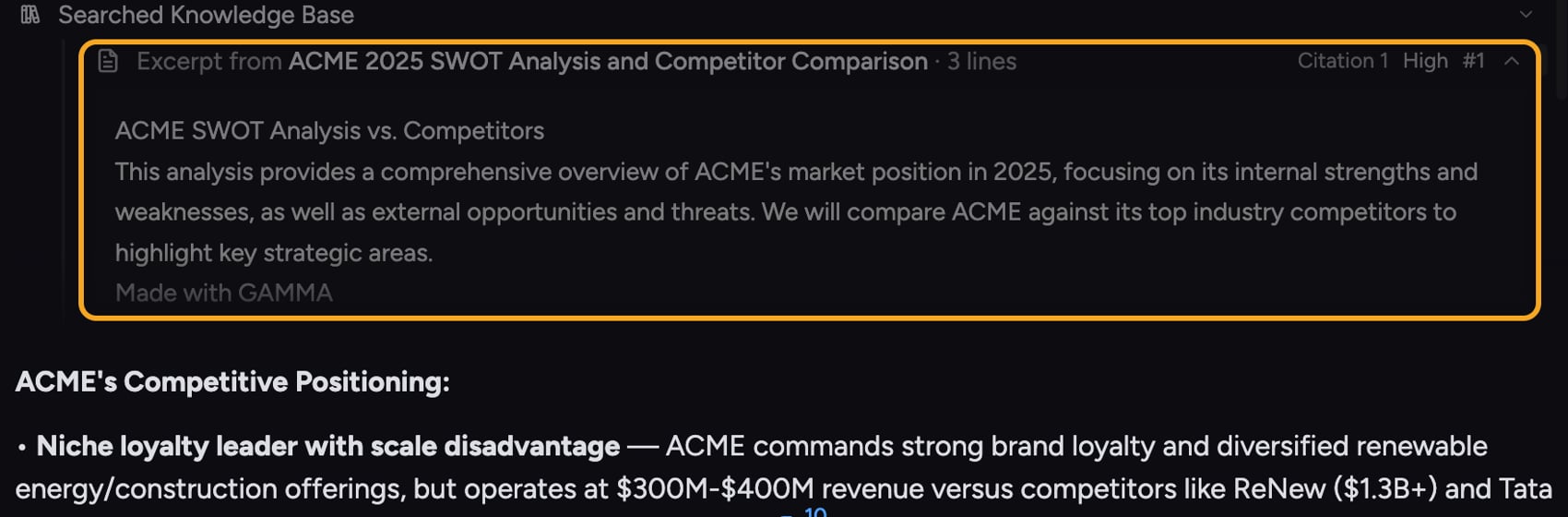 ## Answers grounded in your own material
When you chat in a [Project](/help/projects-sharing-teams/what-is-a-project), Chief can draw on the files in that Project's [Library](/help/your-knowledge-library/what-is-the-library) to answer you. Instead of guessing, it reads your documents, spreadsheets, recordings, and saved pages and bases its response on what they actually say. That is what makes Chief's answers specific to your work.
## How it decides what to use
## Answers grounded in your own material
When you chat in a [Project](/help/projects-sharing-teams/what-is-a-project), Chief can draw on the files in that Project's [Library](/help/your-knowledge-library/what-is-the-library) to answer you. Instead of guessing, it reads your documents, spreadsheets, recordings, and saved pages and bases its response on what they actually say. That is what makes Chief's answers specific to your work.
## How it decides what to use
 Chief [searches your Library](/help/how-chief-works-magic-under-the-hood/how-chief-finds-answers-in-your-files-retrieval-citations) for the material most relevant to your question and pulls from it. You can let Chief use your whole knowledge base, or narrow the chat to specific [files](/help/your-knowledge-library/chatting-with-one-file-vs-many-files-together), [Labels](/help/labels/tagging-files-filtering-by-label), or [Collections](/help/collections/what-are-collections) so the answer stays focused on exactly what you want.
* **All your knowledge** — Chief considers everything in the Project's Library.
* **A specific file or files** — limit the chat to just what you add to it.
* **None of your files** — ask a general question without your Library.
ℹ️ **Good to Know:** A file must [finish processing](/help/your-knowledge-library/file-size-limits-processing-stages) before Chief can use it alongside the rest of your knowledge. Until then it is only usable in a single-file chat.
**Related articles:** [How Chief finds answers in your files: retrieval and citations](/help/how-chief-works-magic-under-the-hood/how-chief-finds-answers-in-your-files-retrieval-citations) · [Chatting with one file vs. many files together](/help/your-knowledge-library/chatting-with-one-file-vs-many-files-together) · [Understanding sources and citations in answers](/help/chatting-with-chief/understanding-sources-citations-in-answers)
## FAQ
Either the file is still processing, or it was not part of the files powering that chat. Check the file's status, and confirm which files are scoped into the chat.
Yes. Set the chat to use none of your files so Chief answers from general knowledge only.
Chief [searches your Library](/help/how-chief-works-magic-under-the-hood/how-chief-finds-answers-in-your-files-retrieval-citations) for the material most relevant to your question and pulls from it. You can let Chief use your whole knowledge base, or narrow the chat to specific [files](/help/your-knowledge-library/chatting-with-one-file-vs-many-files-together), [Labels](/help/labels/tagging-files-filtering-by-label), or [Collections](/help/collections/what-are-collections) so the answer stays focused on exactly what you want.
* **All your knowledge** — Chief considers everything in the Project's Library.
* **A specific file or files** — limit the chat to just what you add to it.
* **None of your files** — ask a general question without your Library.
ℹ️ **Good to Know:** A file must [finish processing](/help/your-knowledge-library/file-size-limits-processing-stages) before Chief can use it alongside the rest of your knowledge. Until then it is only usable in a single-file chat.
**Related articles:** [How Chief finds answers in your files: retrieval and citations](/help/how-chief-works-magic-under-the-hood/how-chief-finds-answers-in-your-files-retrieval-citations) · [Chatting with one file vs. many files together](/help/your-knowledge-library/chatting-with-one-file-vs-many-files-together) · [Understanding sources and citations in answers](/help/chatting-with-chief/understanding-sources-citations-in-answers)
## FAQ
Either the file is still processing, or it was not part of the files powering that chat. Check the file's status, and confirm which files are scoped into the chat.
Yes. Set the chat to use none of your files so Chief answers from general knowledge only.