

chief CLI puts your whole Chief project in your terminal. Ask a question and
read the answer rendered in place, upload a folder of documents, schedule an
automation, or pull raw JSON into a script — without writing any API code.
It renders styled output at a prompt and switches to machine-readable JSON when piped
or run with --json, so the same command works at a prompt, in a script, in CI, and
behind an AI coding agent. New to it? The quickstart below gets you from
install to your first answer in three commands.
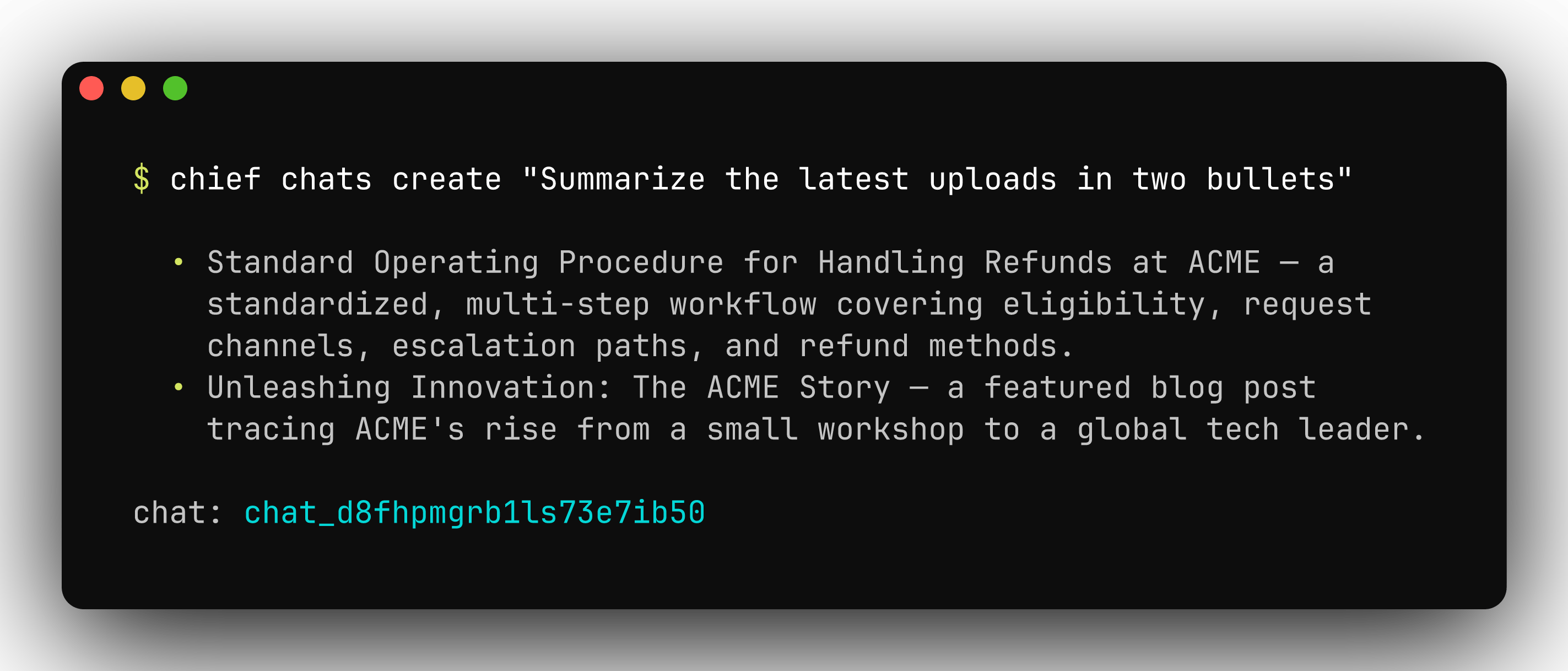
Ask a question and get a rendered answer, right from your terminal.
Install
Homebrew is the recommended install on macOS:go install puts a chief binary in $(go env GOPATH)/bin — make sure that
directory is on your PATH. Prebuilt binaries for Linux, macOS, and Windows
(amd64 and arm64) are on the
releases page.
Verify the install:
Update
PATH.
Quickstart
chief login asks for your API key and project id. Create a token in the Chief
app under Settings → API tokens — see
Introduction for where to find both, or the help
center’s API access & personal access tokens
for the walkthrough with screenshots.
Already have an API key and project id? Skip the prompts:
chief --help at any time to see every command — each maps to a Chief API
resource:
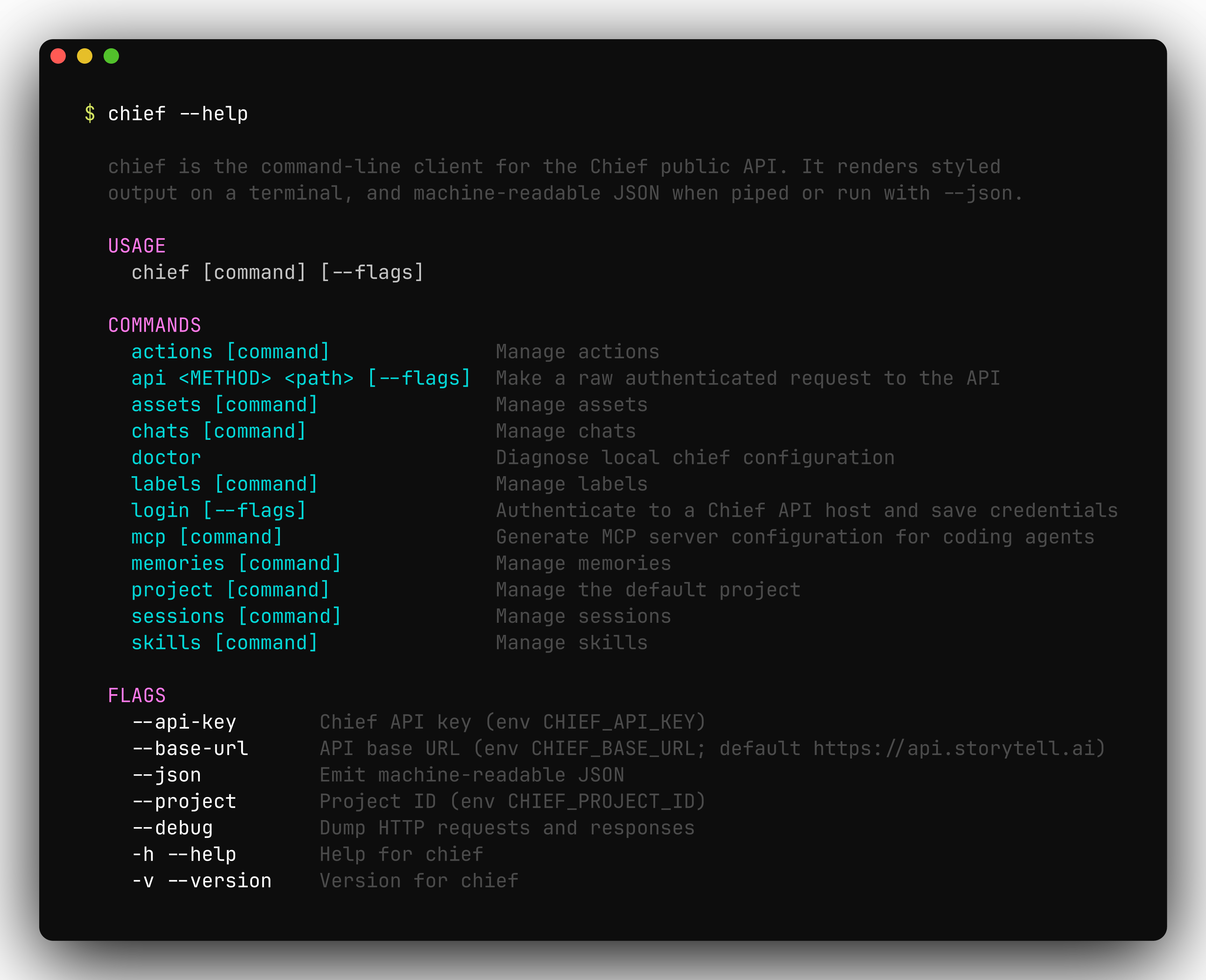
chief --help lists every command, each mapping to a Chief API resource.
Authentication & configuration
chief authenticates with a Chief API key (a Personal Access Token) scoped to a
project. Settings resolve with the precedence flag > environment variable >
saved credentials > built-in default, evaluated independently for each value.
chief login verifies the key against the API and writes it to a credentials
file at $XDG_CONFIG_HOME/chief/credentials.json (or
~/.config/chief/credentials.json when XDG_CONFIG_HOME is unset). The file
holds a secret, so it is created with 0600 permissions inside a 0700
directory.
chief doctor reports where each effective setting came from, whether the
credentials file is parseable and correctly permissioned, and whether the API is
reachable:
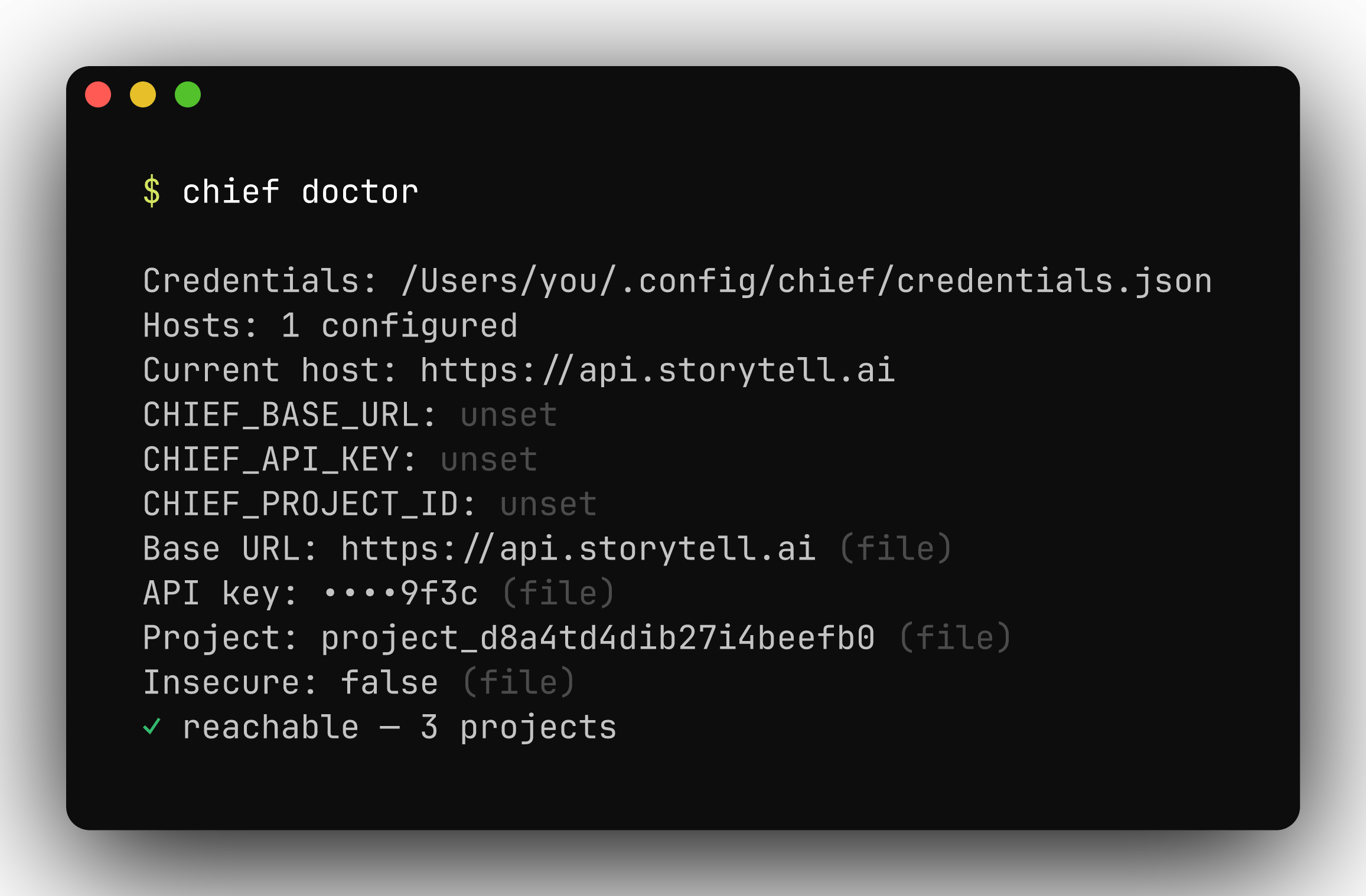
chief doctor shows each setting, its source, and whether the API is reachable.
Shell completion
chief ships completions for bash, zsh, fish, and PowerShell. Generate a script
with chief completion <shell> and load it from your shell profile — for zsh:
chief completion --help for the per-shell install steps.
Output & scripting
Every command renders styled, human-readable output on a terminal and switches to JSON when you add--json or pipe the output. JSON is pretty-printed on a
TTY and compact when piped, so it composes cleanly with tools like
jq.
0 on success and non-zero on failure. Delete commands prompt for
confirmation on an interactive terminal; pass --force (or -f) to skip the
prompt, which is also the default when output is piped or --json is set. Set
ACCESSIBLE=1 to degrade interactive prompts to plain text for screen readers.
Continuous integration
chief runs unattended in CI. Pass credentials as environment variables rather
than flags — flags can leak into process listings and build logs:
- Output is non-interactive automatically when piped or
--jsonis set: confirmation prompts are skipped and JSON is emitted compact. - A non-zero exit on any command fails the step, so failures surface in the job.
- Override
CHIEF_BASE_URLto run the same commands against a different API base URL.
Raw API access
chief api sends an authenticated request to any endpoint and prints the JSON
response. Authentication and content-type headers are applied for you — useful
for endpoints the CLI doesn’t yet wrap, or for debugging.
--debug to any command to dump the full HTTP request and response.
Global flags
These persistent flags apply to every command:FAQ
Do I need to pass --json in scripts?
Do I need to pass --json in scripts?
Not usually. The CLI renders styled output at a prompt and switches to machine-readable JSON automatically when its output is piped. Use
--json to force it.Installed with go install but the chief command is not found.
Installed with go install but the chief command is not found.
go install puts the binary in $(go env GOPATH)/bin. Make sure that directory is on your PATH.How do I check that my credentials and connectivity work?
How do I check that my credentials and connectivity work?
Run
chief doctor. It confirms everything resolves and that the API is reachable.Is there a Windows or Linux build?
Is there a Windows or Linux build?
Yes. Prebuilt binaries for Linux, macOS, and Windows on both
amd64 and arm64 are on the releases page.Can I call an endpoint the CLI has no command for?
Can I call an endpoint the CLI has no command for?
Yes.
chief api sends a raw request — for example chief api GET /v1/projects, or --body @file.json to read a body from a file.Next steps
- Command reference — every command, grouped by resource
- MCP server — generate client config with
chief mcp config