

What Chief builds from a meeting
As a Live Session runs, Chief turns the transcript into Live Notes you can search and act on. Current sessions show an Overview, points grouped by topic, and Auto-apply Tag filters such as To-dos and Decisions.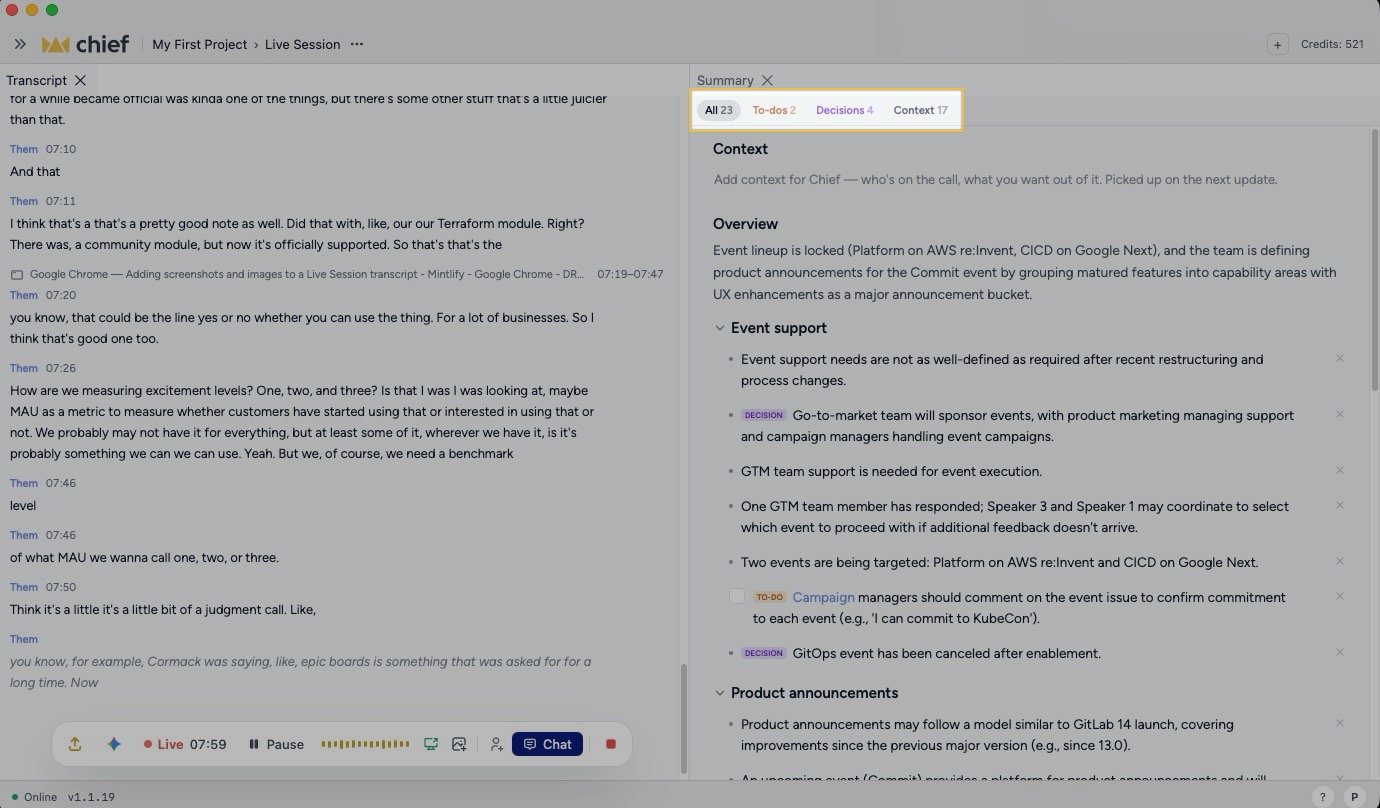
Live Notes on the web
Open the Live notes tab beside the transcript. It can include a session brief under Context or Notes, an Overview, and points grouped by topic. Use the tag chips to focus on a kind of point. Click a point to open Ask about this… and Send. Depending on the point, Chief also offers Draft this to-do, Find the implications of this decision, or Give me more details on this point. A point with an existing task carries a Task badge. The Activity tab separates Insights — the answers and ideas Chief brings to the call — from Work, which collects what Chief offers to take on and the chats and runs you start. An Insight can appear while Chief is still checking it, then update on the same card as evidence and later findings arrive. Its provenance can move through Preliminary · checking… or Sources found · checking…, Checked, Corrected, or Couldn’t verify; an answer that was not checked can read General knowledge · not checked. You can also ask Chief, a local agent, or another participant’s agent during the Live Session. Older sessions without Live Notes can still show the earlier Summary, Action items, Task suggestions, Decisions, and Context or Notes layout.Live Notes in the desktop app
In the desktop app, Live Notes is the first item under Workspace. Points can be decisions, to-dos, context, or notes written by a participant. Tags filter the document, and workspace templates can open dedicated Decisions and To-dos panels. Participant-written notes show author initials.Turn a point into work
Use a point’s quick action or Ask about this… to start a task grounded in the meeting. Finished sessions also offer Start a task with this Live Session in the header. Find the resulting chat or run under Activity › Work.Good to know: These are generated from the transcript, so they’re only as complete as the audio Chief captured. A short or partly inaudible meeting produces fewer items.
FAQ
My meeting has no summary or action items. Why?
My meeting has no summary or action items. Why?
Chief builds these from the transcript. If little or no audio was captured, there’s nothing to extract. Check that the desktop app had microphone and system-audio access for the session.
An action item has no owner. Can I still use it?
An action item has no owner. Can I still use it?
Yes. Open the point and use Draft this to-do or Ask about this… to develop it in a task.
Do summaries update live or only at the end?
Do summaries update live or only at the end?
Items build as the session runs. The completed session keeps its Live Notes with the transcript.