

Open your Live Sessions
- Open the Chief Web App and select the Project where you stored the session.
- Click Live Sessions in the left navigation.
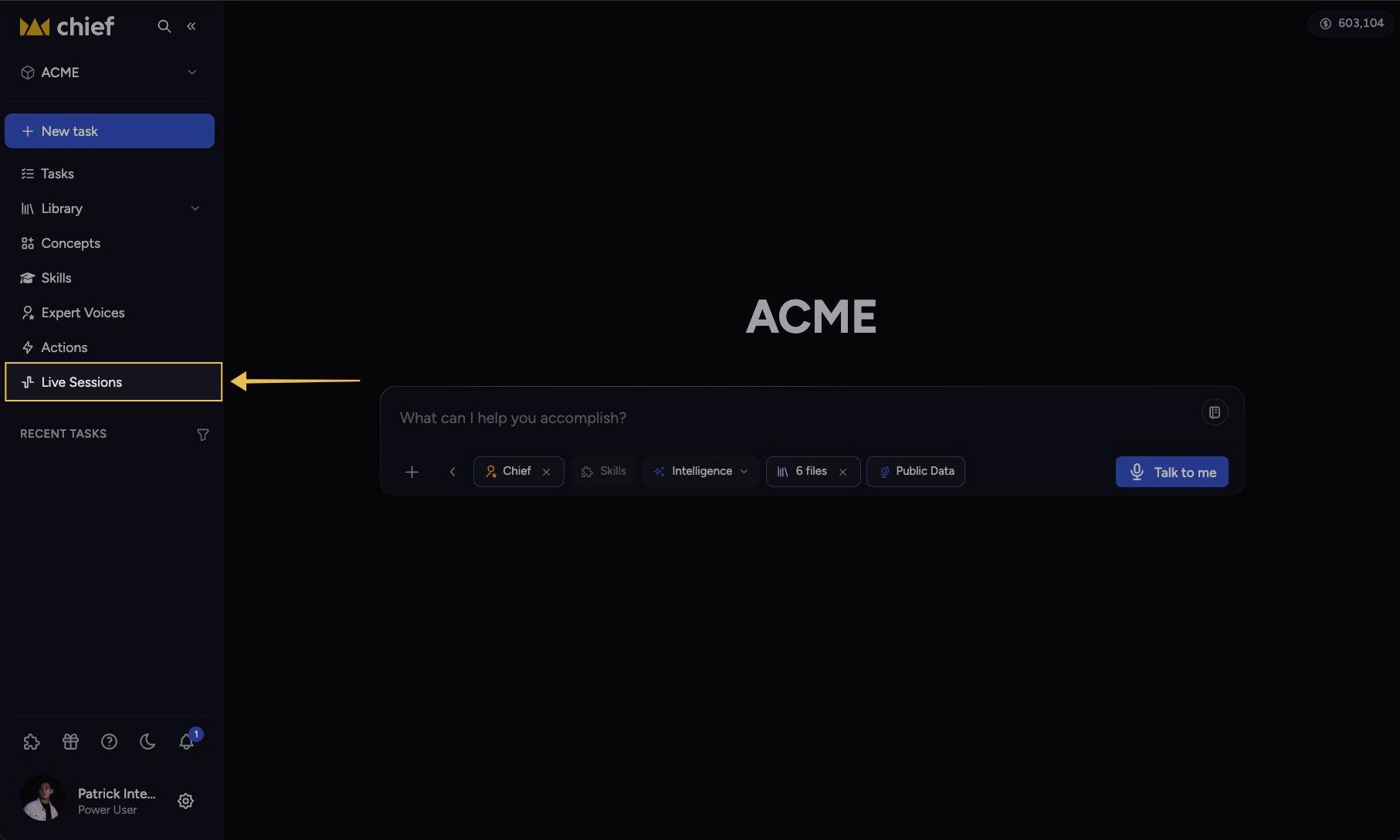
- Select a session to open its transcript and Live Notes.
Find a session that is still recording
A session appears in the Web App while the Live Sessions App is capturing it and shows a red Live badge. Open it to follow the transcript and Live Notes as they build. Refresh the list if a newly started session has not appeared yet.Find a session from the Live Sessions App
After the session ends, click Use this session, then click Open in browser. The Live Sessions App opens the recording directly in the Web App when the session has a Project and its saved record is available. A finished web session also offers Open in Chief app to return to the desktop app.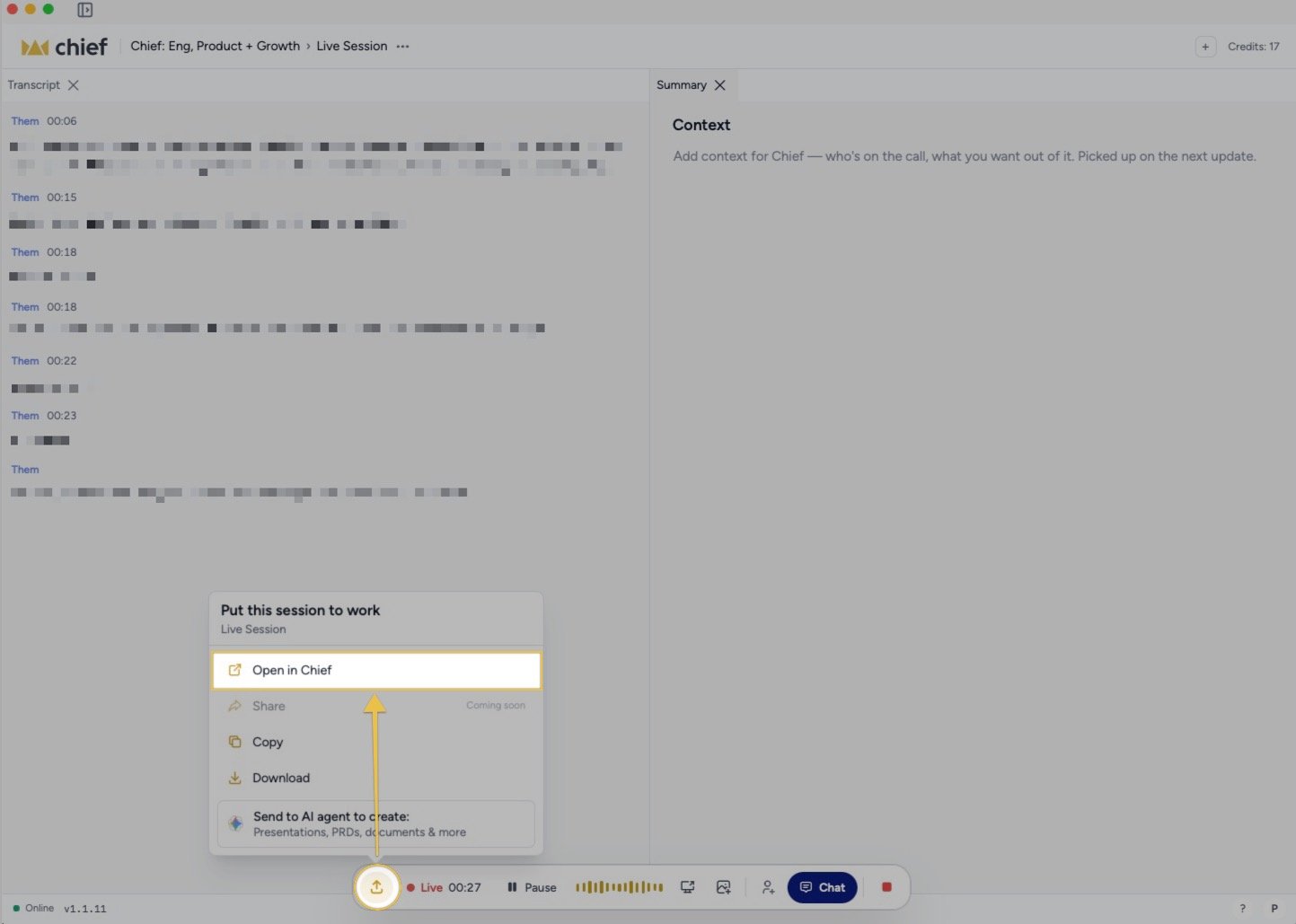
Good to Know: A Reader link opens a read-only shared view. It does not add the session to your own Project’s Live Sessions list.
FAQ
Why isn't my recording in the list?
Why isn't my recording in the list?
First confirm you opened the same Project selected before recording. Then confirm the Live Sessions App was online and paired to the same Chief account. A session with no Project cannot open through the normal Project route.
Does Chief store a playable audio or video file here?
Does Chief store a playable audio or video file here?
Live Sessions stores the session record Chief produced: the transcript, recap, actions, decisions, and captured visual context. The page does not present a conventional audio or video player.
Can I open someone else's recording?
Can I open someone else's recording?
Yes, if you have access to its Project or they send you a Reader link. A Reader link opens the shared read-only view even without a Chief account.