

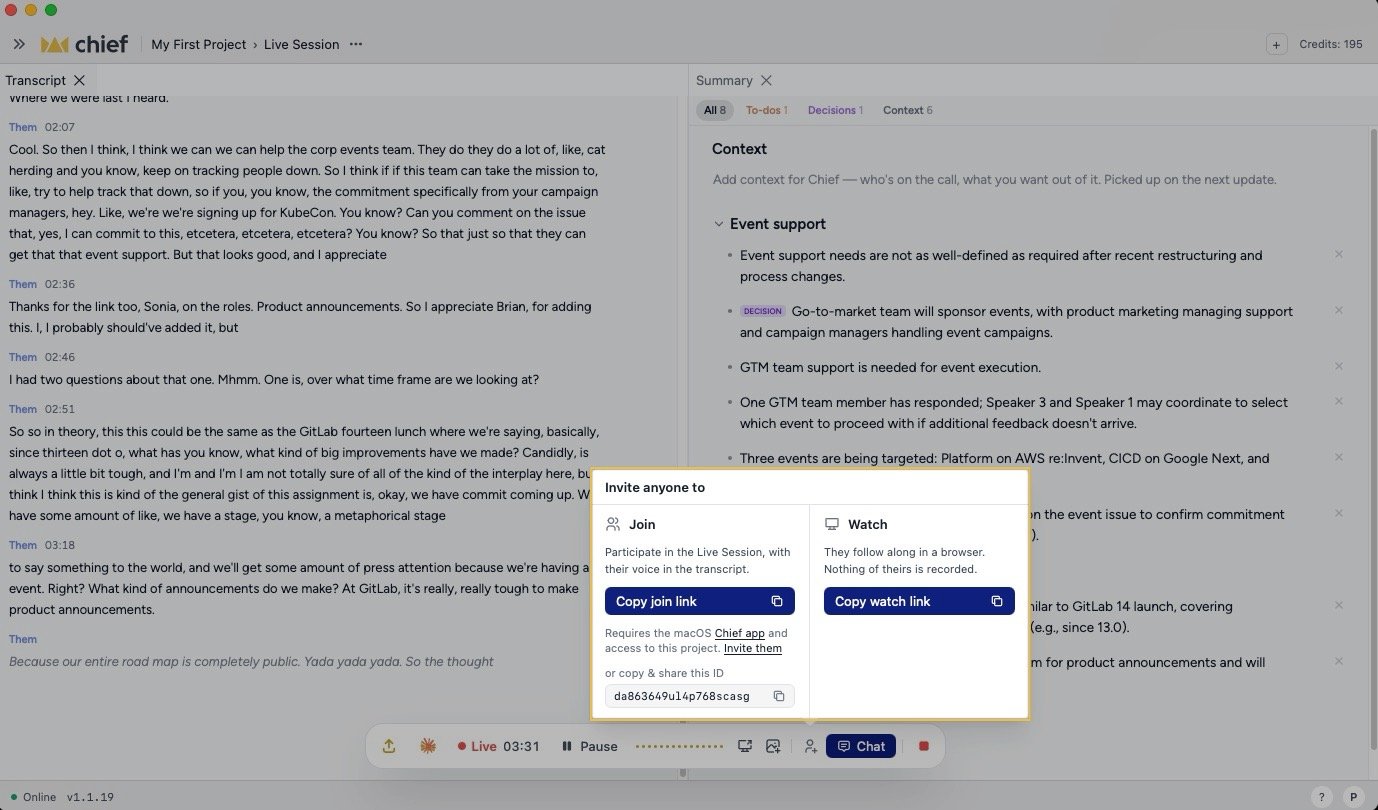
Share a session link
- While recording, click Share in the floating control, choose Share from the Session actions (…) menu beside the session name, or click Share under People & agents. After the session, use Share on the end-of-session sheet.
- Under Share session, choose Reader or Collaborator.
- Click Copy link, then send the link.
Share one part of a session
- In the desktop app, open the part you want to share, such as Transcript, Workspace notes, To-dos, or a tagged view such as Decisions.
- Open the ⋯ menu on that panel’s tab strip and choose Share….
- If the panel group contains more than one shareable part, use What to share to choose among the tabs in that group. The Workspace group can also offer Notes and documents.
- Click Copy link, then send the link.
Share an Activity item
Every insight, finding, offer, ask, or chat in Activity has its own link:- In the desktop app, find the item in Activity.
- Open its ⋯ menu and choose Copy link. The same menu also offers Copy and Download for that item.
- Send the link to another member of the Project.
Reader access and turning off a link
Readers follow the session in a browser. Their microphone, system audio, and screen context are not recorded. They do not need a Chief account or Project access. To stop access, open the share popover and click Turn off link. Chief confirms that previously shared links no longer work without deleting the Live Session. Each shared part has its own link, so turning off one link does not affect the others.Join with a Session ID
- Open the Chief Live Sessions App.
- On Home, click Join a session.
- Paste the 20-character Session ID into Link or session ID.
- Click Join.
session_ prefix. You still need access to the Project that owns the session.
Join with a shared link
- Open the Chief Live Sessions App and click Join a session on Home.
- Paste the join link or share link into Link or session ID.
- Click Join.
FAQ
What's the difference between joining and watching?
What's the difference between joining and watching?
A Reader follows the read-only browser view without an account. A Collaborator uses the app to add captures, edit shared documents, and comment without becoming a Project member.
Why does Chief say my link or Session ID is invalid?
Why does Chief say my link or Session ID is invalid?
Paste a valid Chief join link, share link, or 20-character Session ID. The link may also have been turned off by the host.
Can I link directly to one Activity item?
Can I link directly to one Activity item?
Yes. Open the item’s ⋯ menu in Activity and choose Copy link. The link opens and highlights that item. In an ended session, it also positions the transcript at the item’s time. Unlike a Reader link, it requires Project membership.
Can a Reader start a task or change the Project?
Can a Reader start a task or change the Project?
No. Reader access is read-only. Collaborator access adds session contributions, but starting Chief tasks and changing Project resources still require a Project role.