

Review before it acts
When an Action proposes a real-world step that has not been pre-approved—such as sending an email, changing a calendar event, or moving messages to Trash—Chief pauses and surfaces a confirmation. Which controls you see depends on who owns the connected account and whether you can authorize the step.The “Action required” card
Pending steps appear in an Action required section, grouped by tool (for example Email or Calendar), with a count of how many are waiting. Each card shows exactly what will happen — the email’s recipients and subject, or the event’s title, time, and attendees.- Approve appears when you are allowed to authorize the step. Click it to proceed. The card updates to a confirmed state, such as “Email sent” or “Calendar updated.”
- Always allow approves the step and saves permission for that operation, so later matching steps can run without asking. The label names the operation, such as Always allow sending email, Always allow calendar edits, Always allow Notion edits, or Always allow server name. Afterward, the card confirms that the operation now runs without asking and shows Manage.
- Reject cancels the step. The card shows “Cancelled,” and nothing is sent.
- Edit appears only when you can approve the step and its details are editable. Use it to adjust details, such as an email body, before approval.
Who can approve a proposed step
Some operations run through the personal account of the person Chief proposed them for. Only that person can approve or edit these operations:- Sending email, changing Gmail drafts, or moving Gmail messages to Trash.
- Creating, updating, deleting, moving, or responding to Google Calendar events.
- Creating or updating Google Drive documents.
- Running a tool on an MCP server that uses OAuth, per member authentication.
ℹ️ Good to know: The Action required section is pinned outside the run’s collapsible timeline. The controls available to you remain accessible while you review the rest of the run.
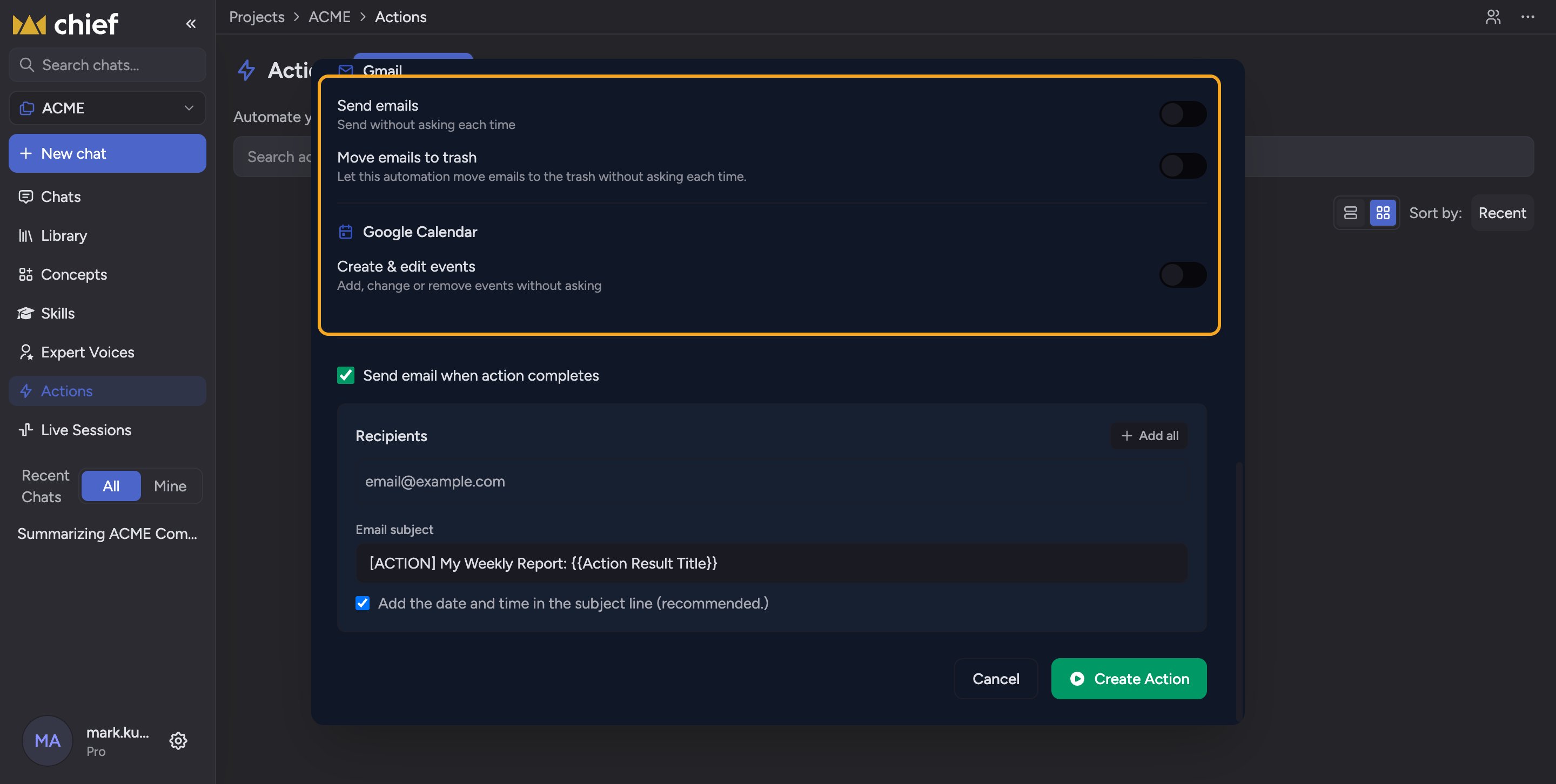
Skip the confirmation step
FAQ
I see "This action has already been handled" — what does that mean?
I see "This action has already been handled" — what does that mean?
The step was already approved or rejected, possibly in another tab. For shared-connection or Chief operations, another eligible member may have approved it. A personal-account operation can only be approved by the person it was proposed for, although another member can reject it. No further action is needed.
I approved an email but it says the action failed — why?
I approved an email but it says the action failed — why?
The step reached the tool but the tool reported an error (for example the connected account lost access). The card shows “Action failed. Please try again.” Reconnect the tool and re-run, or send manually.
An MCP server rejected my connection — what should I do?
An MCP server rejected my connection — what should I do?
The card names the server and shows Reconnect server name. Use that button to start the connection again, then ask Chief to retry. You can also manage the server under Connected accounts.
Can a scheduled Action wait on my approval while I'm away?
Can a scheduled Action wait on my approval while I'm away?
Yes — an unapproved step stays pending until you respond. If you want unattended runs to complete on their own, pre-approve those operations in Run without asking.
Why can I reject a step but not approve or edit it?
Why can I reject a step but not approve or edit it?
The step uses another person’s Gmail, Google Calendar, Google Drive, or per-member MCP account. Only the person Chief proposed it for can authorize a write through that personal connection. You can reject the pending step, or ask that person to review it.