

Move faster without reaching for the mouse
Chief has a command palette, a small set of keyboard shortcuts, and a keyboard-driven navigation overlay called Hint Mode. Together they let you do most things without clicking around.The Command Center
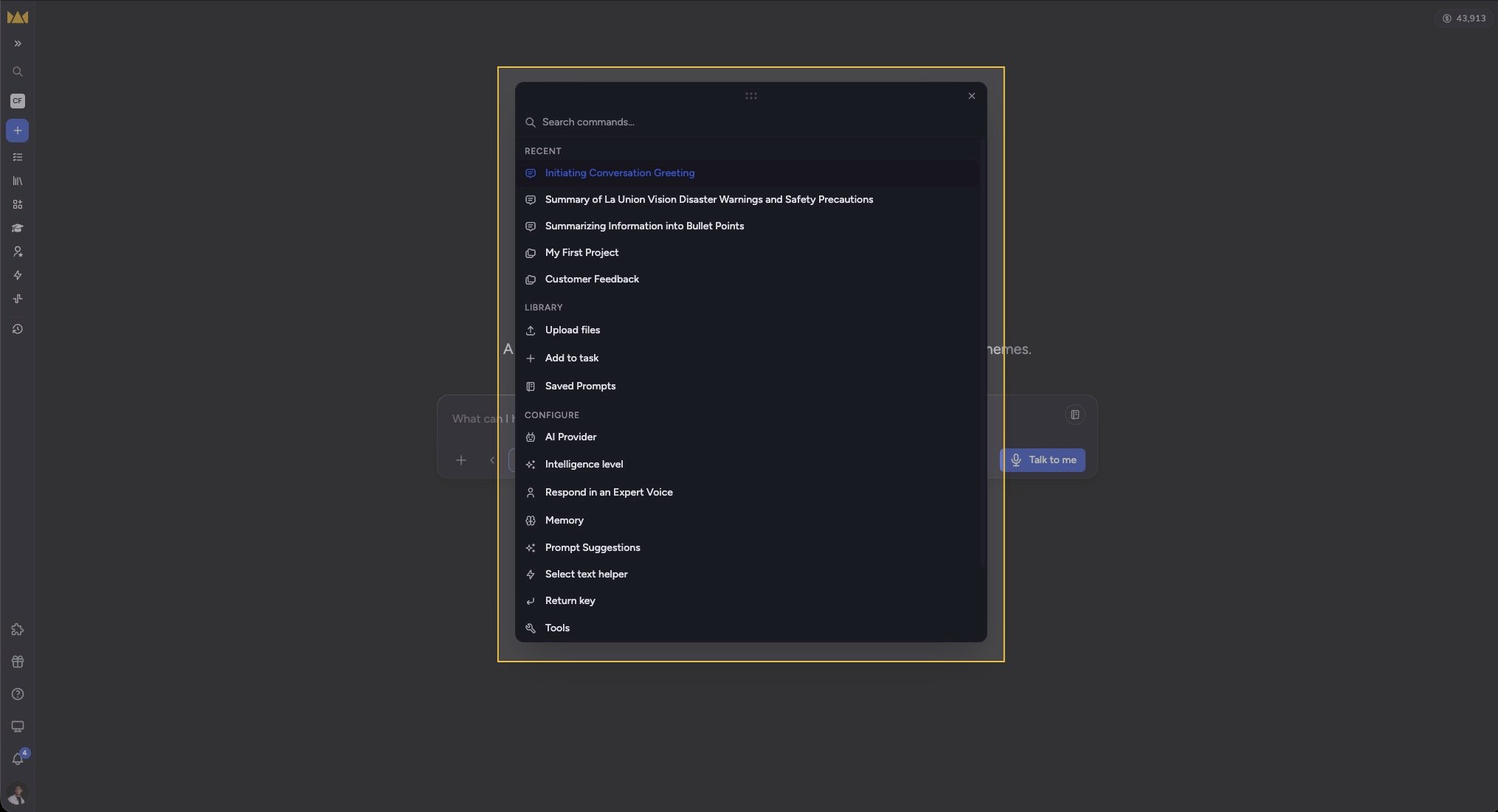
- Press ⌘K (Mac) or Ctrl+K (Windows/Linux) — or click the + button in the prompt bar — to open it.
- The list opens with Recent (your latest tasks and Projects), followed by items grouped under Library, Configure, and Account. Start typing to filter, or use the numbered items.
- With the palette open, press ⌘1–⌘9 (or Ctrl) to jump straight to a numbered item. An item’s number appears when you hover over it or move to it with the arrow keys.
- Press Esc to back out of a sub-view to the root, and ⌘K again to close the palette.
Keyboard shortcuts
- ⌘K / Ctrl+K — open, close, or toggle the Command Center.
- ⌘1–9 / Ctrl+1–9 — select a numbered palette item (while the palette is open).
- Opt + Shift + N — start a new task / go home.
- Opt + Shift + J — expand or collapse the prompt-bar configuration shell.
- Esc — back out of palette sub-views and close dialogs.
Good to Know: Whether little shortcut hint pills show up depends on your mode. In Advanced mode hints show by default; in Regular mode they’re hidden by default. You can set the preference to show, hide, or disable shortcut suggestions entirely.
Hint Mode
Hint Mode is a click-free way to activate anything on screen using your keyboard.- Press the c key (when you’re not typing in a text field and no modifier keys are held) to turn it on.
- Small blue badges with short letter codes appear over every clickable element — links, buttons, tabs, and inputs.
- Type a badge’s code to activate that element. Typing narrows the choices until a unique match fires.
- Press Esc, click anywhere, or resize the window to turn Hint Mode off.
FAQ
I pressed "c" but no hint badges appeared. Why?
I pressed "c" but no hint badges appeared. Why?
Hint Mode only triggers when your cursor is not in a text field or editable area and no modifier keys are held. Click outside any input first, then press “c”. If you were typing in the prompt bar, the “c” was treated as text.
⌘K doesn't open the palette. What's wrong?
⌘K doesn't open the palette. What's wrong?
You can always open the Command Center by clicking the + button at the left of the prompt bar. If ⌘K seems to do nothing, make sure the browser tab has focus and that you are not typing in a text field, then try again.
Where did my keyboard shortcut hints go?
Where did my keyboard shortcut hints go?
Hint pill visibility follows your mode and preference. Switch to Advanced mode to show them by default, or set the shortcut-suggestion preference to “show.” Setting it to “disable” turns the shortcuts off entirely.