

Report only what’s new
A recurring Action can drift into repeating the same findings week after week. Deduplication fixes that: Chief reviews the Action’s previous results before writing the next one, so each run delivers genuinely new information.How it turns on
Turning it off
If you’d rather not deduplicate, click Undo in that green notice. Chief removes the auto-added line from your prompt, and runs will no longer compare against past results.ℹ️ Good to know: The dedup line is just text inserted into your prompt — you can see it, edit it, or delete it like anything else you typed. If you delete it manually, Chief respects that and won’t re-add it.
FAQ
Why didn't deduplication appear?
Why didn't deduplication appear?
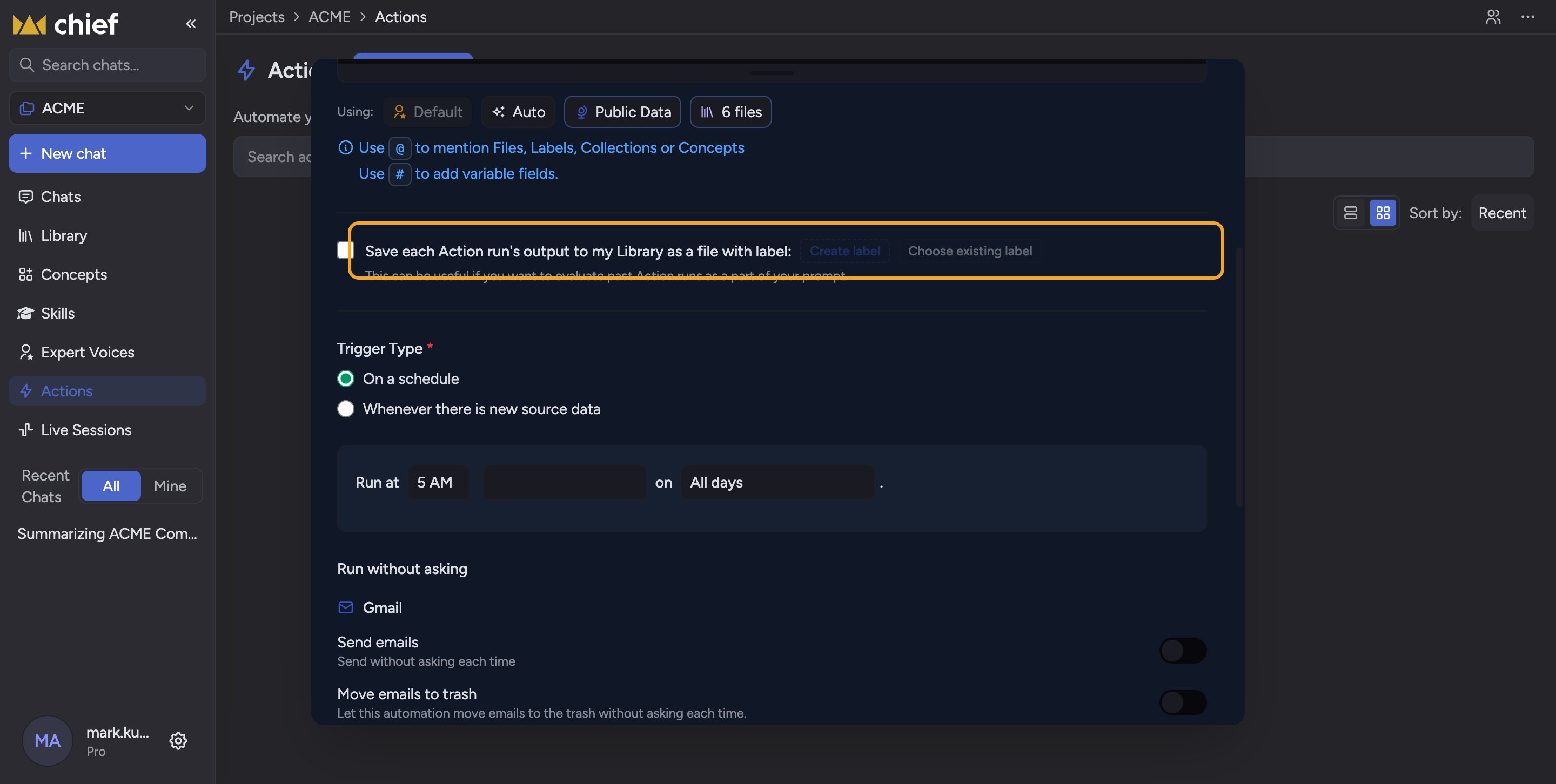
It only kicks in when Save to Library is on and at least one Label is selected — that Label is what Chief uses to find past results. Turn on Save to Library and pick a Label.
My report came back nearly empty — could dedup be the cause?
My report came back nearly empty — could dedup be the cause?
Yes. If there genuinely isn’t much new since the last run, a deduplicating Action will say so rather than repeat old findings. To get a full re-summary, click Undo on the dedup notice or run the Action without the dedup line.
Does dedup work without saving to the Library?
Does dedup work without saving to the Library?
No. Chief compares against the saved, Labeled runs in your Library, so Save to Library with a Label is required.