

Point Chief at the right kind of research
Most of the time Chief picks the right agents for you. When you want to steer the work, you can call any of Chief’s four agents by name in your prompt: @explorer, @librarian, @researcher, or @plan.Call an agent in your prompt
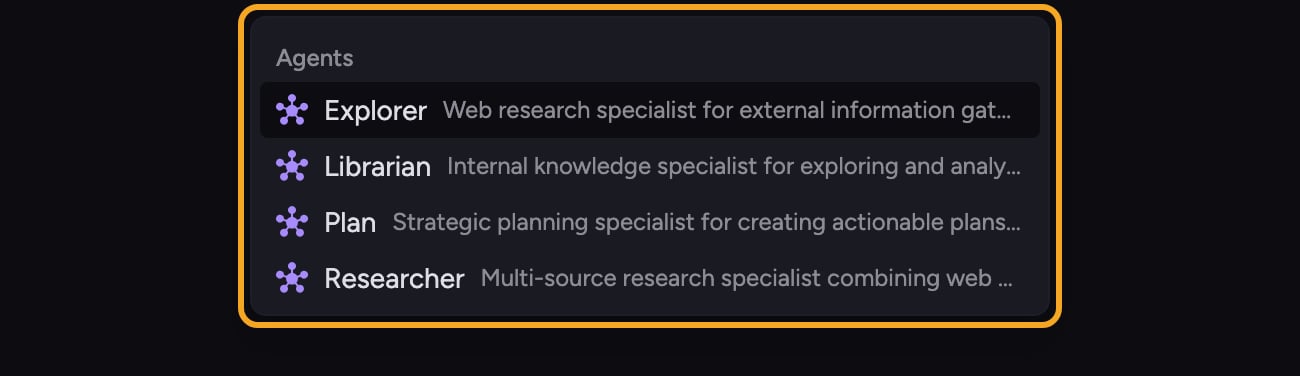
- Click into the prompt bar.
- Type @ where you want to reference an agent.
- Pick @explorer, @librarian, @researcher, or @plan from the menu.
- Finish writing your prompt around the mention. For example: @explorer find the latest funding rounds in our category.
- Send the prompt.
Good to Know: Mentioning an agent does not change the intelligence level. The agent runs at whatever level the task is already set to: Fast, Expert, or Deep Intelligence.
When to call which agent
- @explorer — competitive intelligence, market context, current events, anything from the open web.
- @librarian — questions that should be answerable from your uploaded files, knowledge base, or transcripts.
- @researcher — work that combines internal knowledge with external sources and synthesizes both.
- @plan — complex work that benefits from a structured plan and coordinated subtasks.
Removing an agent mention
If you decide you do not want to pin an agent, delete the @mention before sending. Chief can then choose agents automatically. Removing the mention does not change the task’s intelligence level.FAQ
I typed @ but no agents appeared — why?
I typed @ but no agents appeared — why?
The @ menu also lists other references, such as Expert Voices. Agents are a paid-plan feature and appear only when the Agents tool is enabled for the prompt. When available, the list includes Explorer, Librarian, Researcher, and Plan.
Does mentioning an agent require Deep Intelligence?
Does mentioning an agent require Deep Intelligence?
No. Agent mentions work with Fast, Expert, and Deep Intelligence on plans that include agents. Mentioning or removing an agent does not change the intelligence level selected for the task.
Can I mention more than one agent in a single prompt?
Can I mention more than one agent in a single prompt?
You can reference an agent to steer your prompt. If your request really needs both internal and external sources, you often don’t need to name both — describe the task and Chief coordinates the Explorer and Librarian (and the Researcher to synthesize them) for you.