

Open Organization settings
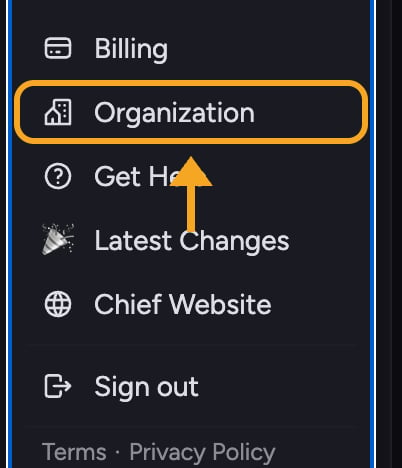
- Go to Organization in Chief. The Organization settings page opens with a left-hand navigation menu.
- Select Projects, Members, Memory, Billing, Usage, Integrations, AI Providers, or Audit.
What each section controls
- Projects — Set the Organization name, control engagement email for members, and browse Projects across the Organization.
- Members — Invite people, assign organization-wide roles, and remove members.
- Memory — Manage Organization Memory: facts and context Chief reuses across every Project in the Organization.
- Billing — Review the Organization’s plan and billing settings.
- Usage — Review where the Organization spent credits, forecast its balance, and investigate individual charges.
- Integrations — Connect company-wide services such as Google Workspace once for the whole Organization.
- AI Providers — Add supported provider keys for models billed through your own provider account.
- Audit — Review and filter recorded Organization activity.
FAQ
Why can't I see the Organization settings pages?
Why can't I see the Organization settings pages?
Organization settings are Owner-only. If you hold an Organization-wide Collaborator or Reader role, the Organization page shows your role and what it can do instead of the settings pages. If your access comes from one Project only, it says “You don’t have access to this page.” Contact an Organization Owner if you need information or a settings change.
Where do I manage who is in a Project and their roles?
Where do I manage who is in a Project and their roles?
Owners manage Organization-wide members and roles under Organization → Members. You can also grant a different role within an individual Project through Share this Project. A Project can raise an Organization role, but it cannot lower it.
Does renaming the Organization affect my Projects?
Does renaming the Organization affect my Projects?
No. Renaming only changes the Organization’s display name shown across the app. Your Projects, tasks, and Library content are untouched.