

Skills give Chief a specific ability on demand
A Skill is a reusable set of instructions that teaches Chief how to do one job well. Instead of re-explaining a task every time, you capture it once, then pull it into any task by mentioning it. Chief follows the Skill’s instructions for that response, then goes back to normal.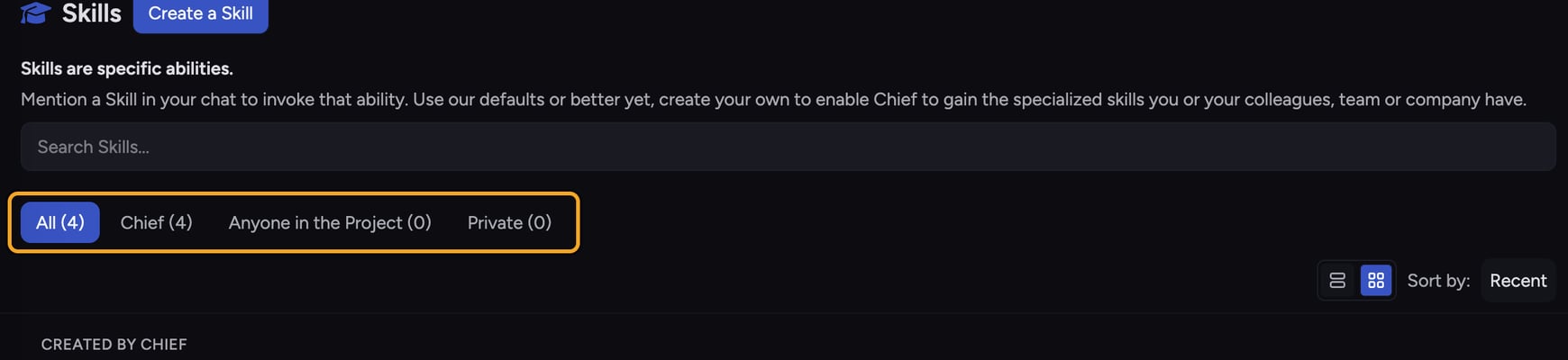
How Skills work
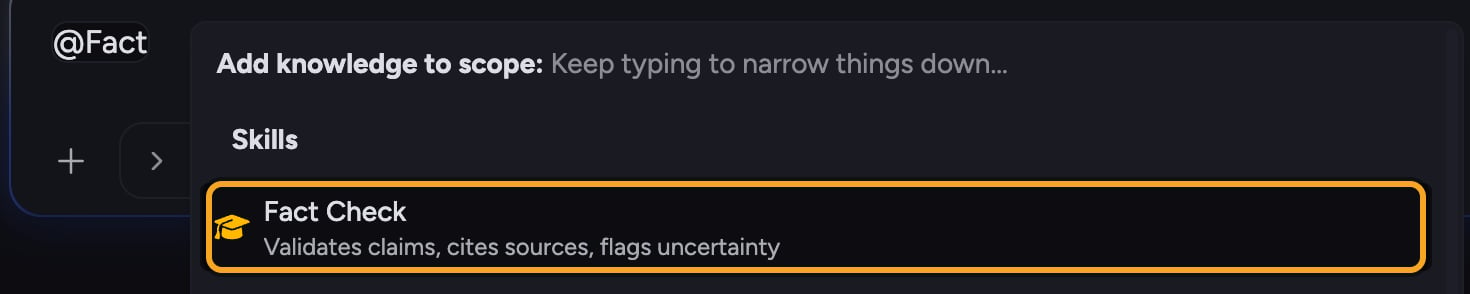
- Built-in Skills — ready-made Skills provided by Chief (shown with the Chief badge). Browse them on the Skills page.
- Custom Skills — Skills you create for a specific task. You can scope a custom Skill to Anyone in the Project or keep it Private to yourself.
Skills vs. Expert Voices
Both are managed in the same place, but they do different things. A Skill provides instructions for a specific task (“turn these notes into action items”). An Expert Voice defines how Chief communicates with you — its tone, perspective, and style. You can use a Skill and an Expert Voice together in the same task.💡 Good to Know: Skills don’t change which files or projects Chief can see. They add task instructions on top of the knowledge Chief already has access to.
FAQ
Where do I find my Skills?
Where do I find my Skills?
Open the Skills page from the left navigation. It lists built-in Skills (badged Chief) alongside any custom Skills shared with your Project or kept Private.
Do I have to create a Skill before I can use one?
Do I have to create a Skill before I can use one?
No. Chief ships with built-in Skills you can use right away. Create a custom Skill only when you have a repeatable task that the built-ins don’t cover.
I mentioned a Skill but Chief ignored it. Why?
I mentioned a Skill but Chief ignored it. Why?
The most common cause is that the Skill is disabled. A disabled Skill can’t be mentioned in a task. Open the Skills page and switch the toggle on that Skill’s card to on, then try again.