

Why Memories matter
Without Memories, every conversation starts from zero. You re-state your role, your tools, your tone, and your constraints each time. Memories fix that. Chief keeps a small, editable set of notes about you and your work, and pulls in the relevant ones when it answers — so its responses get more personal and more accurate the more you use it.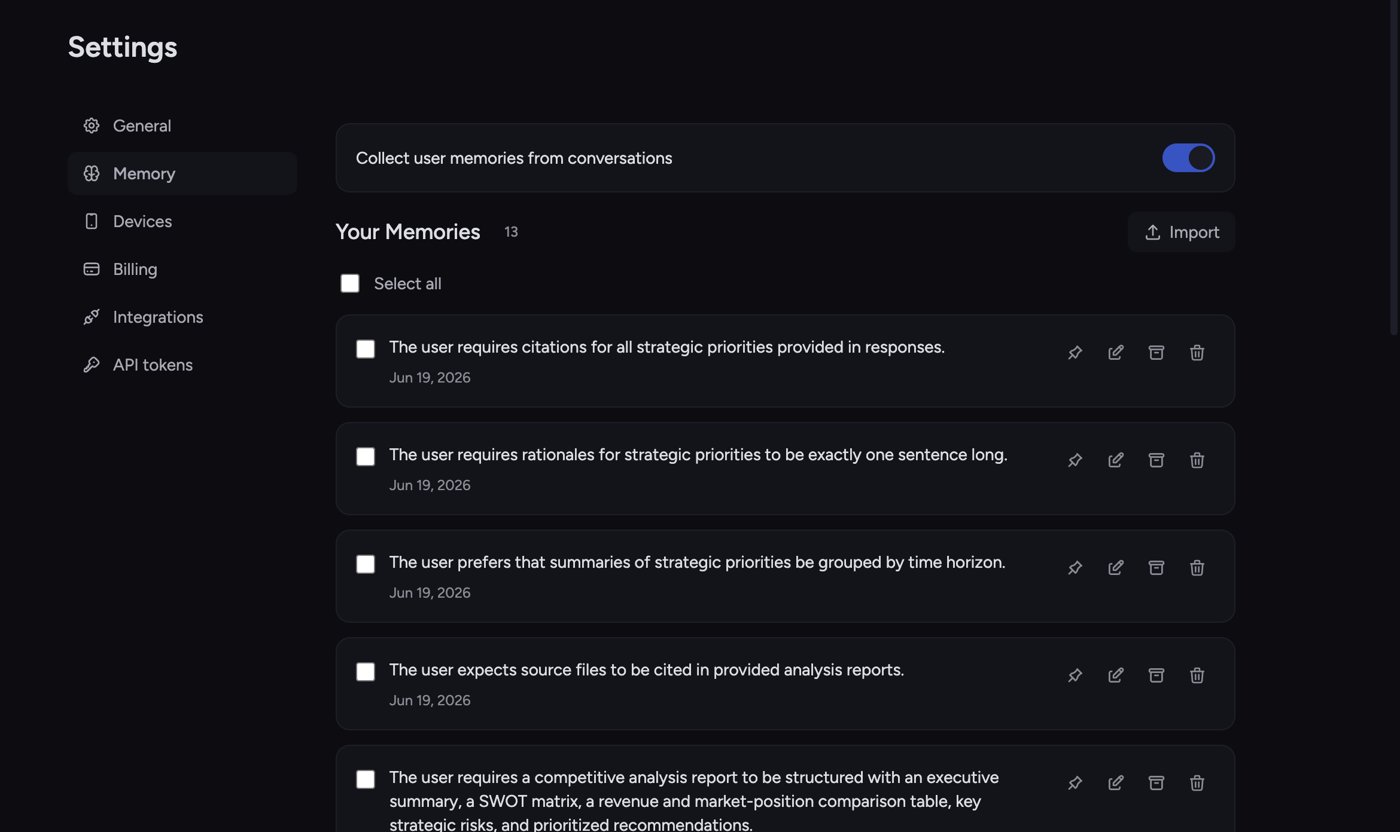
A quick example
Say you tell Chief in one task: “I’m a product marketer at a B2B SaaS company, and I always want examples aimed at technical buyers.” Chief saves that as a memory. A week later, in a brand-new conversation, you ask it to draft a feature announcement. Without being reminded, Chief writes for technical buyers and skips consumer-style fluff — because it remembered.How Memories work
- Capture. Memories are created two ways: you add them yourself, or Chief auto-captures them from your conversations when collection is turned on.
- Storage. Each memory is a short, plain-text note. You can view, edit, pin, archive, or delete any of them.
- Use. When you task, Chief draws on the relevant memories for your current scope to personalize its response.
ℹ️ Good to Know: Memories come in three scopes — Your Memories (personal), Project Memories, and Organization Memory. Personal memories follow you across Chief. In Slack, Chief uses and captures them only in a one-to-one DM, not in a shared channel. Project and organization memories are shared with that project or organization. See Personal vs. project vs. organization memories for the full breakdown.
Where to find your Memories
- Your Memories: open Settings → Memory.
- Project Memories: open the Memories page inside a project.
- Organization Memory: open your organization’s Memory page (organization owners only).
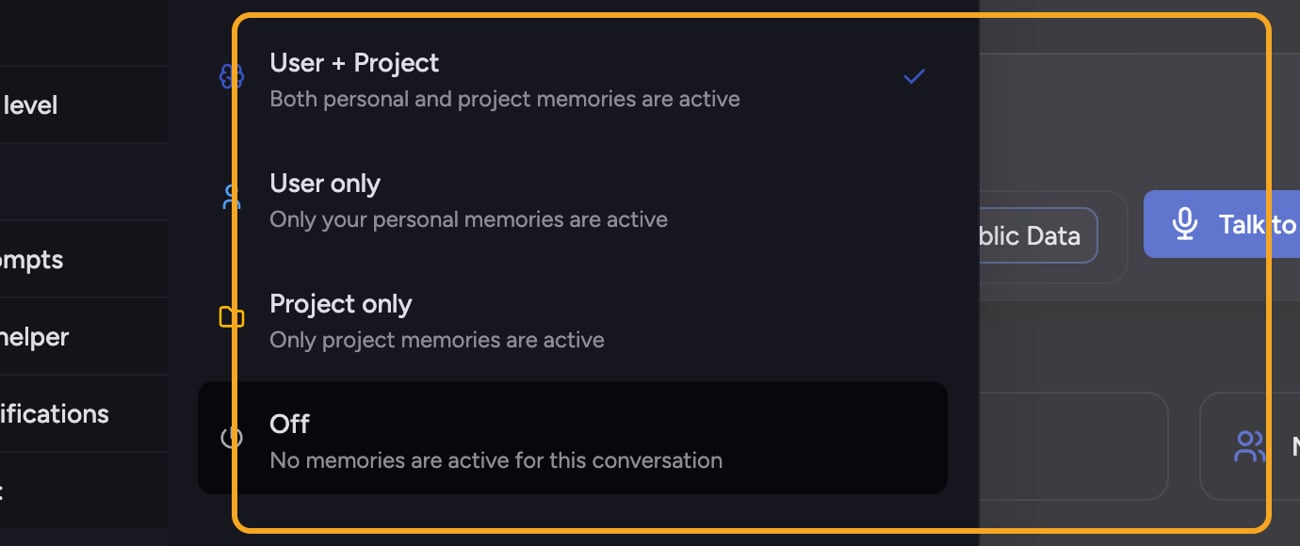
Turning memories on or off for a single task
FAQ
Do I have to add every memory by hand?
Do I have to add every memory by hand?
No. You can add memories yourself, but Chief can also auto-capture them from your tasks when collection is enabled. You stay in control — every captured memory can be edited or deleted.
I gave Chief a fact but it ignored it in a later task. Why?
I gave Chief a fact but it ignored it in a later task. Why?
Two common causes: the memory mode for that task was set to Off or to a scope that excludes a personal or project memory, or the fact was never actually saved as a memory. Open Settings → Memory (or the relevant Project/Organization memory page) to confirm the memory exists, then check the Memory menu in the prompt bar.