

What “billing source” means
Every Project has a plan & billing source — the subscription that funds the usage inside it and decides which features members get. You set this when you create a Project, in the Project plan & billing section of the create form.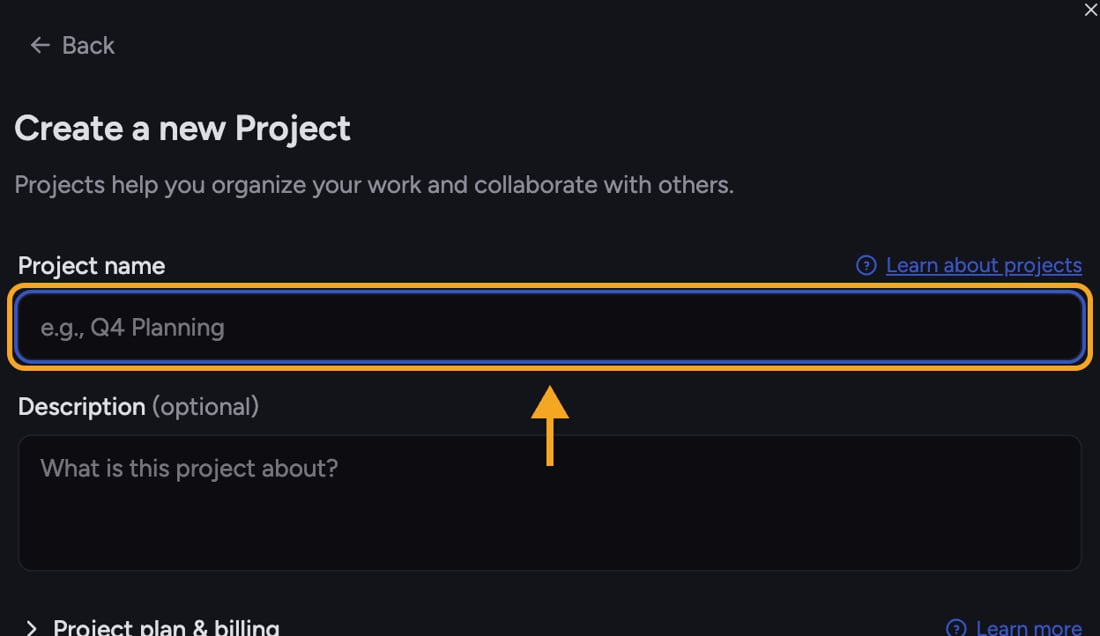
The two options
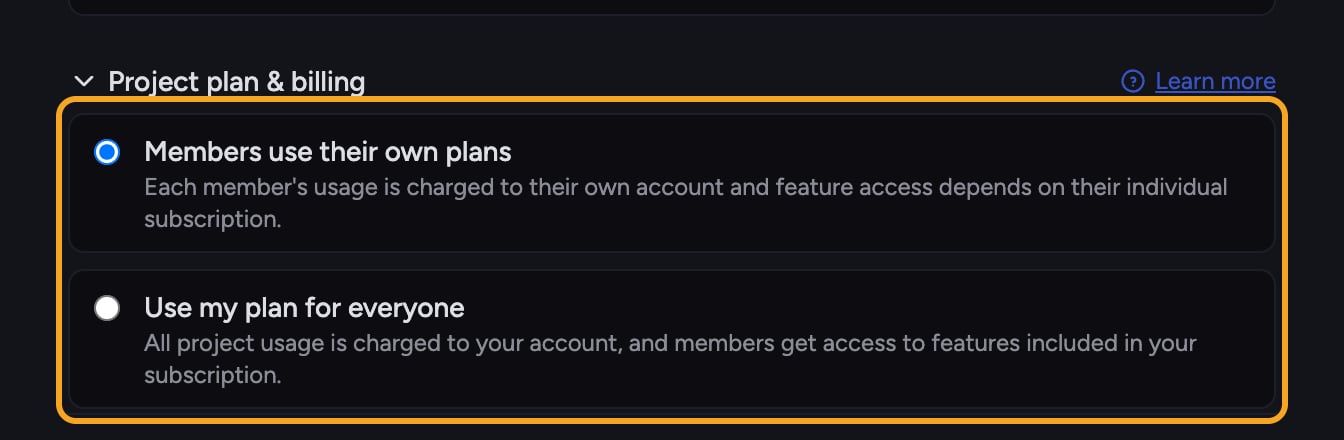
- Members use their own plans (the default) — each member’s usage is charged to their own account, and the features they can use depend on their individual subscription. Good for ad-hoc groups where everyone already has their own plan.
- Use my plan for everyone — all Project usage is charged to your account, and members get access to the features included in your subscription. Good when you want to fund a team’s work and guarantee everyone has the same capabilities.
ℹ️ Good to Know: With Use my plan for everyone, members get the features in your plan even if their own plan is smaller — useful for giving a whole team the same level of access from one subscription.
Set the billing source when creating a Project
- Open the Projects menu by clicking the project name at the top, then click New Project.
- In the Create a new Project form, click the Project plan & billing heading (with the chevron) to expand the section.
- Select Members use their own plans or Use my plan for everyone.
- Click Create project.
Check an existing Project’s billing
Open the Project’s homepage and select the credit balance pill. Chief normally opens the Command Center’s Credit Balance view. On an initial load, the same control can open a standalone Billing page instead. Both show which plan funds the active Project and its available balance. The standalone page is headed Billing with the subtitle “Which plan funds usage on this project.” It identifies the payer as Powered by, Billed to, or Your usage is billed to. Caller-mode Projects also say Each member of this project pays individually. Check Balance and Plan type; Different from your personal plan appears when the paying plan is not your own. If you do not have access, Chief says, “You don’t have permission to view this project’s billing.”Frequently asked questions
I created a Project but never touched the billing section — what funds it?
I created a Project but never touched the billing section — what funds it?
It uses the default, Members use their own plans. Each member’s usage is billed to their own account.
If I choose "Use my plan for everyone," do members still need their own subscription?
If I choose "Use my plan for everyone," do members still need their own subscription?
No — that’s the point of the option. Usage is charged to your account and members get the features in your plan, so they don’t need their own subscription to work in that Project.
I expanded the section but don't see the two choices.
I expanded the section but don't see the two choices.
The two radio options live under the collapsible Project plan & billing heading in the create form. Click the heading (with the chevron) to expand it — Members use their own plans and Use my plan for everyone appear directly below.