

Why this matters
The most valuable patterns in your data — “churn risk,” your key competitors, recurring product themes — are usually spread across dozens of files, never written down in one place. Concepts are how Chief solves that. A Concept gathers the highly relevant parts of every file that relate to an idea you care about and assembles them in one view, so you can think about a theme instead of hunting through documents. The payoff: you get an always-current, zero-maintenance map of what matters, instead of tagging files by hand.How it actually works

- Built automatically. As Chief ingests your files, it surfaces recurring themes, entities, people, companies, and ideas and assembles them into Concepts — with zero tagging or setup. The set evolves on its own as new data lands.
- Defined by you. When there’s a specific idea you want Chief to track, you can define a named Concept and describe what matters to you about it. Chief then continually monitors all the Files in your Project, finds the parts of each file that are highly relevant to that description, and assembles them for you.
ℹ️ Good to Know: Generating a Concept takes a few seconds — and up to a few minutes for larger data sets. A newly defined Concept may show “being generated” while Chief assembles its citations, and a Concept will show “no citations yet” until it finds relevant passages in your Files.
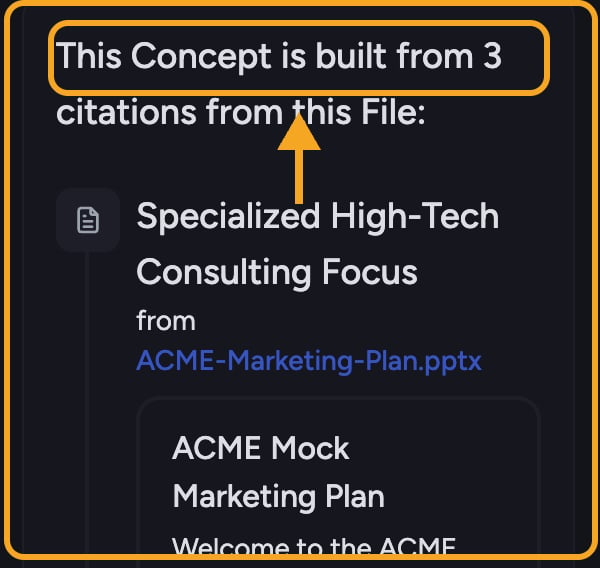
A worked example
FAQ
My new Concept is empty or still says it's generating — what's wrong?
My new Concept is empty or still says it's generating — what's wrong?
Usually nothing. Generation can take from a few seconds up to a few minutes on larger data sets. A Concept also stays empty until Chief actually finds passages in your Files that match its description — if it stays empty, the description may be too narrow, or the relevant files may not be in this Project yet.
What's the difference between a Concept I created and one Chief created?
What's the difference between a Concept I created and one Chief created?
Concepts you define carry your own name and description and reflect a theme you chose to track. Chief-created Concepts surface automatically from patterns in your data. You can sort your Concepts list by “created by you” or “created by Chief” to tell them apart.
Do I need to tag or organize my files first?
Do I need to tag or organize my files first?
No. Concepts require zero tagging and zero setup. You upload files; Chief does the rest and keeps the Concept current as new data arrives.