

Share a prompt, answer, or section
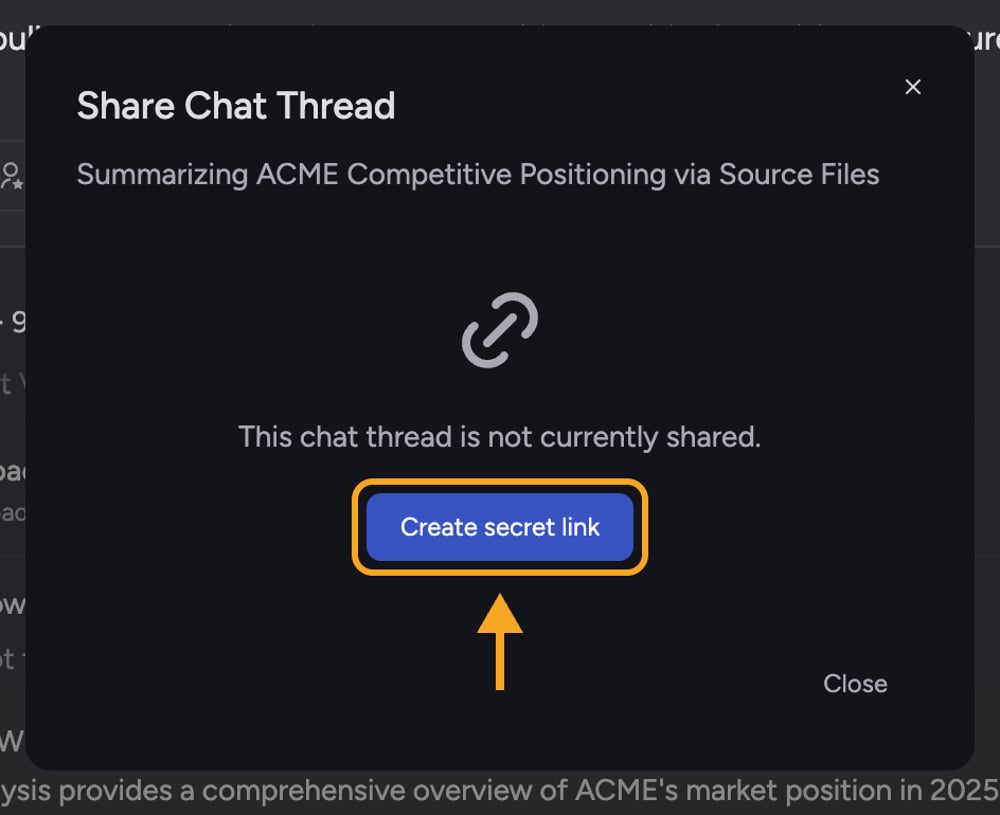
Share a prompt as a new task
- Find the prompt you want to share in the task.
- Hover over the prompt and select the link icon. The Share Task dialog opens.
- If the task is not shared yet, opening the dialog creates its secret link automatically and copies the thread link to your clipboard. The dialog then shows Also available: Get a link for this specific prompt.
- Select the copy button beside the prompt link, then send that link to the recipient.
- When the recipient opens the prompt link, Chief starts a new task and submits that prompt. The link does not open the original conversation.
ℹ️ Good to know: Opening the dialog from a prompt creates an active secret link for the original task if it needs one. That makes the original thread shareable too, even though the separate prompt link does not expose it. Revoke the thread link if you do not want the conversation to remain shareable.
Share a single answer
- Find the answer you want to share in the task.
- Select the unlabeled link icon in that answer’s action row. The action row appears on a completed answer that contains a line break or more than two sentences. The Share Task dialog opens, noting that the page will scroll to this answer.
- If the task is not shared yet, opening the dialog creates the secret link automatically and copies the thread link to your clipboard.
- Paste the link to share it. When someone opens it, the page scrolls to the answer you chose.
Share a section
- In a completed answer, find the section heading you want to share.
- Hover over the heading and select the link icon. The Share Task dialog opens.
- Chief creates the secret link if needed and copies a link anchored to that section.
- Paste the link to share it. When someone opens it, the shared page scrolls to and highlights the section.
Copy an outline of every section
Use Copy all headers: when you want to paste a linked outline of a long answer into an email, message, or document.- Open the task and make sure the last completed answer contains at least one heading.
- Open the task-level Share Task dialog with Share this page beside the task title, or Share secret link in the task’s ⋯ menu. If the task is not shared yet, select Create secret link.
- Find Copy all headers:. The preview shows the task title followed by every heading in the last completed answer, indented to reflect the answer’s section hierarchy.
- Select the copy button beside the preview. Chief confirms with Headers copied to clipboard.
- Paste the outline. The task title links to the shared task, and each heading links directly to its section.
Share a highlighted passage (text block)
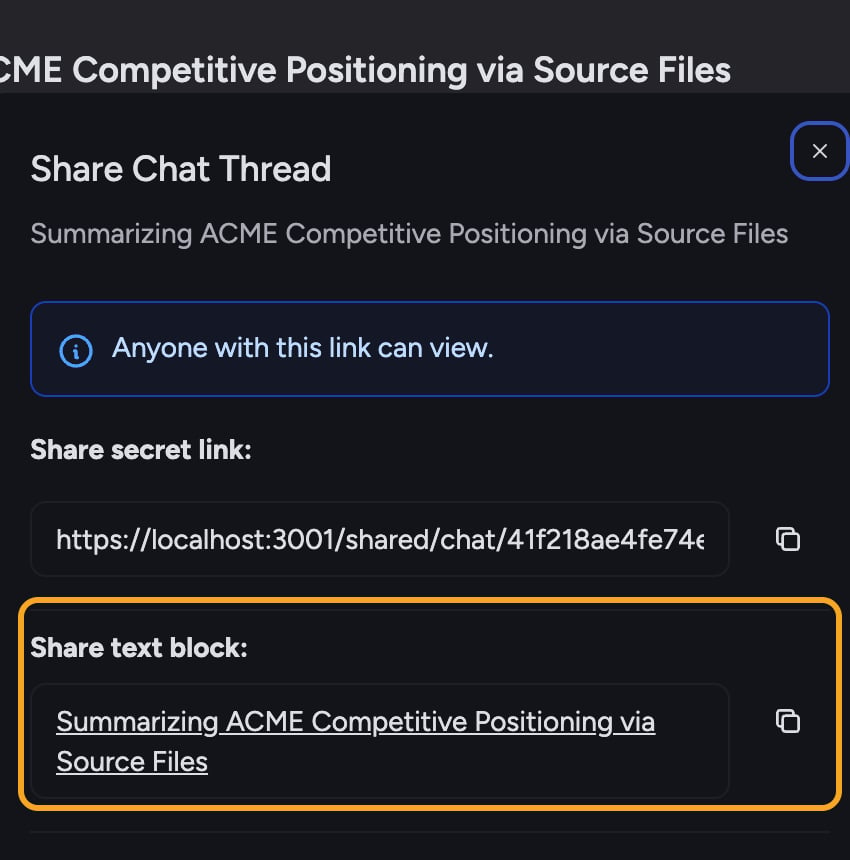
- Select the text you want to point to inside an answer. The text menu appears.
- Choose Share from the menu. The Share Task dialog opens with a Share text block section showing your selected text.
- If the task is not shared yet, opening the dialog creates its secret link automatically. Select the copy button next to the text block. Chief copies a clickable link wrapped around your highlighted text, ready to paste into an email or document.
- When a recipient opens it, the shared page scrolls to and highlights that passage.
FAQ
Does a prompt link let the recipient read my original task?
Does a prompt link let the recipient read my original task?
No. A prompt link starts a new task with the copied prompt; it does not open your existing thread. However, opening the sharing dialog from a prompt creates an active secret link on the original task before the prompt-link option appears. Keep the thread link private, or revoke it after copying the prompt link.
Does revoking the task's secret link disable the prompt link too?
Does revoking the task's secret link disable the prompt link too?
No. The prompt link contains the prompt itself and is independent of the thread’s secret link. Revoking the thread link stops people from opening the shared conversation, but an already-copied prompt link can still start a new task.
The recipient sees the task but it didn't scroll to my highlight.
The recipient sees the task but it didn't scroll to my highlight.
The scroll-to-text feature depends on the passage still being present in the thread. If the answer was edited or regenerated after you shared, the highlight may no longer match. Re-share from the current version of the answer.
How do I stop sharing after I sent an answer link?
How do I stop sharing after I sent an answer link?
Open the Share Task dialog again and select Revoke link. Because every answer, section, and text-block link uses the same thread-level secret link, revoking it disables all of them at once.