

A team of specialists, not a single answer
When a request is complex, Chief doesn’t reason in one straight line. It deploys specialized agents — each one good at a different kind of job — and synthesizes their findings into a single, cited answer. You don’t have to manage the team because Chief can select agents automatically, or you can call one by name. Agents are a paid-plan feature and can run with Fast, Expert, or Deep Intelligence.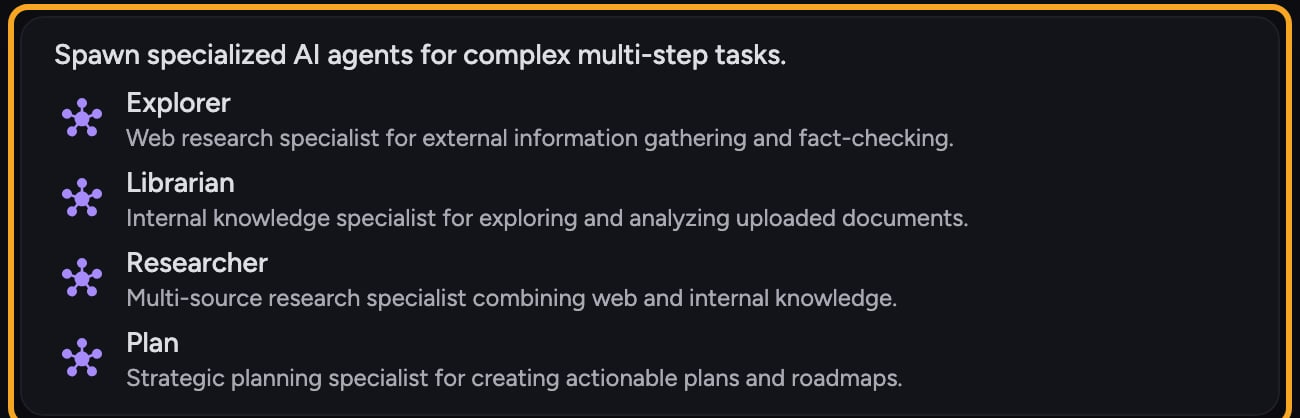
Explorer — your external intelligence operative
Librarian — your institutional memory, made searchable
The Librarian works inside your own content: uploaded documents, your Library, call transcripts, and connected tools such as Notion, Linear, GitHub, Slack, email, and calendar. It surfaces the exact passage or data point you need, with citations back to the source. Example: “What did we promise this customer about the renewal in our last QBR?” Librarian reads across your transcripts and notes and pulls the specific commitment, with a citation. You can call it directly by typing @librarian in your prompt.Researcher — the synthesis engine
The Researcher agent combines both worlds. It draws from your internal knowledge base and the open web at the same time, and is the agent Chief reaches for when a complete answer needs both what your organization knows and what the world knows. Example: “How do our retention numbers compare to industry benchmarks, and what should we change?” Researcher pulls your internal metrics (via the Librarian) and external benchmarks (via the Explorer) and delivers a unified, comparative answer. Chief can invoke the Researcher automatically when a task calls for it, or you can summon it with @researcher.Planner — the architect of complex work
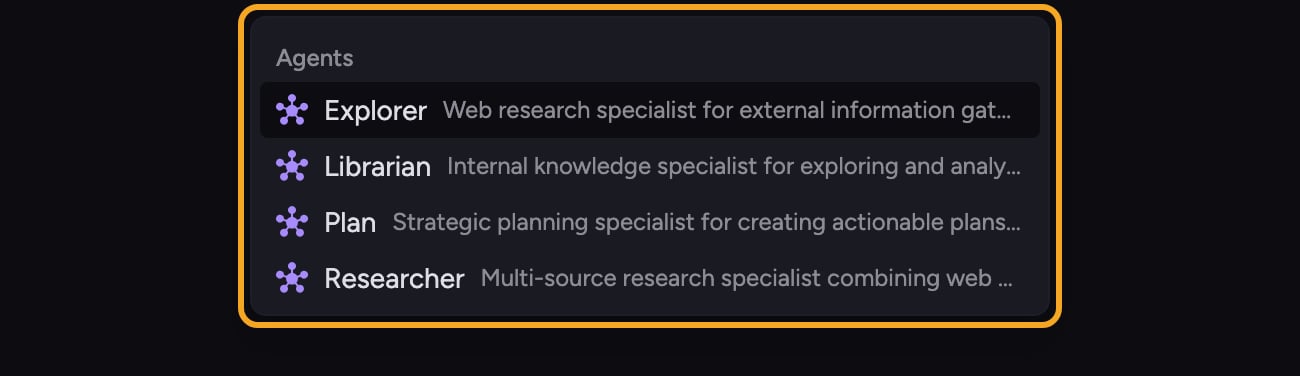
The Planner agent is the strategist. When a task is too big for one agent, the Planner breaks it into optimally sized subtasks, decides how many agents to deploy, and assigns each one its focus before work begins. Example: “Produce a full go-to-market plan for our new product.” The Planner decomposes that into market research, internal-data review, positioning, and roadmap subtasks, then dispatches the right agents to each. Chief can invoke the Planner automatically for complex, multi-step requests, or you can summon it with @plan. In the prompt bar’s @-mention picker, this agent is labeled Plan.Good to Know: All four agents are available by name: @explorer, @librarian, @researcher, and @plan. You can also leave agents unmentioned and let Chief choose them automatically.
FAQ
Can I call the Researcher or Planner directly with an @mention?
Can I call the Researcher or Planner directly with an @mention?
Yes. Use @researcher for multi-source synthesis or @plan for structured planning. Chief can still invoke either one automatically when your request calls for it.
Do I need to choose which agent to use?
Do I need to choose which agent to use?
No. For most requests, Chief picks and coordinates agents for you. Mention one of the four agents when you want to steer the work toward a particular specialty.
I mentioned an agent but it didn't run — what happened?
I mentioned an agent but it didn't run — what happened?
Agents are a paid-plan feature and run only when the Agents tool is enabled for the prompt. Check that your plan includes agents and that agents are enabled. The selected intelligence level does not control whether an agent is available.