

Turn on auto-capture

- Open the memory page for the scope you want: Settings → Memory for Your Memories, the project’s Memories page for Project Memories, or the organization’s Memory page for Organization Memory.
- At the top of the page is a toggle switch. For personal memories it’s labeled Collect user memories from conversations; for a project, Collect project memories from conversations; for an organization, Enable organization memory.
- Click the toggle so it switches on. Collection is now active for that scope.
ℹ️ Good to Know: The toggle is per scope. Turning on collection for Your Memories doesn’t turn it on for a project, and vice versa — set each one where you want it.
What happens when Chief captures a memory
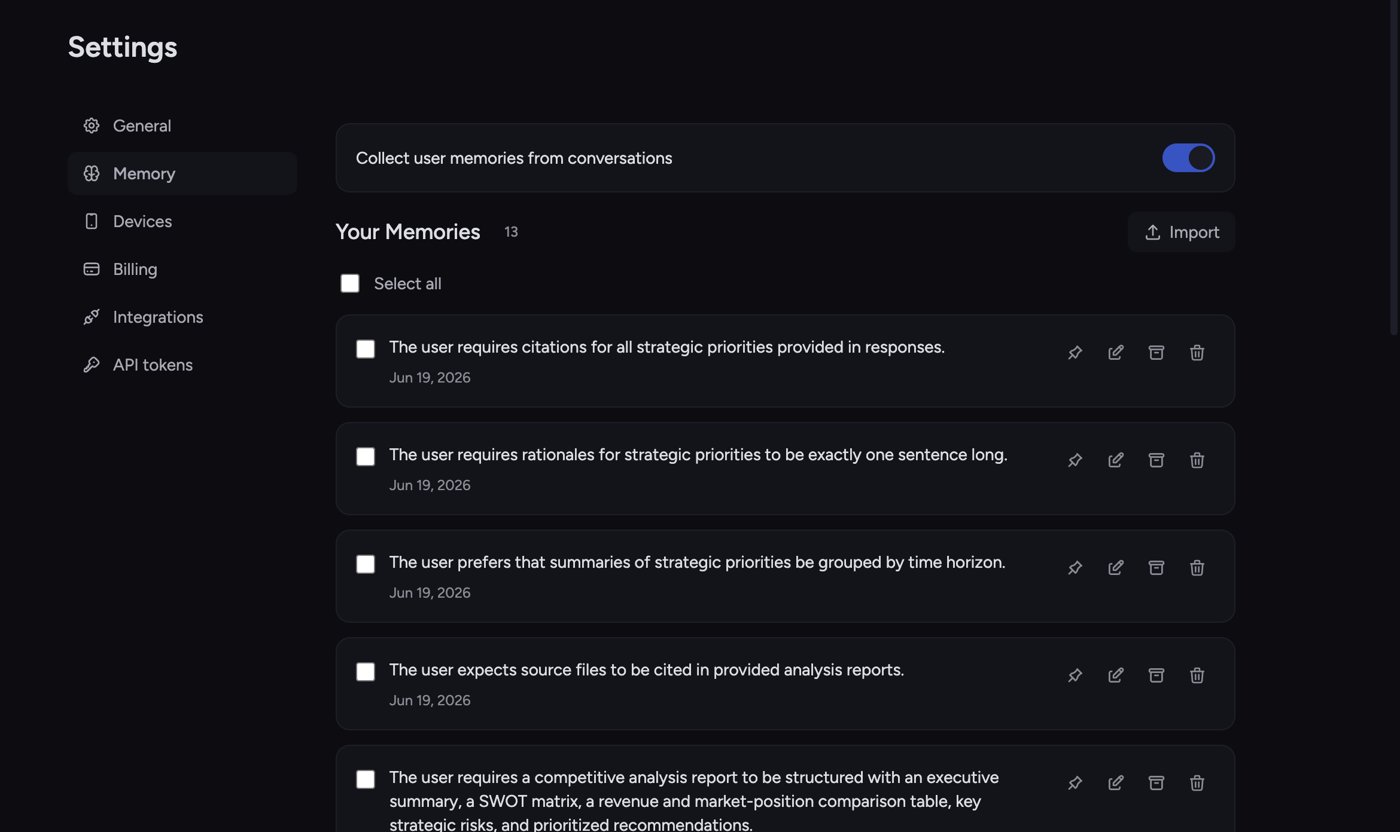
Turn off auto-capture
- Go back to the same memory page.
- Click the toggle so it switches off.
- A notice appears: “Memory collection is disabled. Existing memories are still available and can be managed below.”
FAQ
I turned off collection but my old memories are still there. Is that a bug?
I turned off collection but my old memories are still there. Is that a bug?
No — that’s intended. Turning off collection only stops new memories from being captured. Your existing memories remain available and Chief can still use them. Delete or archive any you no longer want.
Chief saved something I didn't want it to remember.
Chief saved something I didn't want it to remember.
Open the memory page, find the entry, and click Delete (trash icon) to remove it, or Edit (pencil icon) to fix the wording. To stop similar background captures going forward, switch the collection toggle off for that scope. Chief can still save a memory when you ask it to remember something.
I'm chatting but no memories are being captured.
I'm chatting but no memories are being captured.
Check four things: the collection toggle is on for that scope; the task’s memory mode isn’t set to Off in the prompt bar’s Memory menu; for project memories, the task’s visibility is Project — Chief doesn’t capture project memories from Private or Restricted tasks; and the conversation actually contained a durable fact worth saving — not every message produces a memory.