

Open the Files scope

- In the prompt bar, expand the Using: row beside the + button. When the row is collapsed and no scope is set, the Files control is not shown.
- Click Files in the expanded row. The scope picker shows the files and knowledge currently available to the task.
Add Files, Labels, Collections, or Concepts
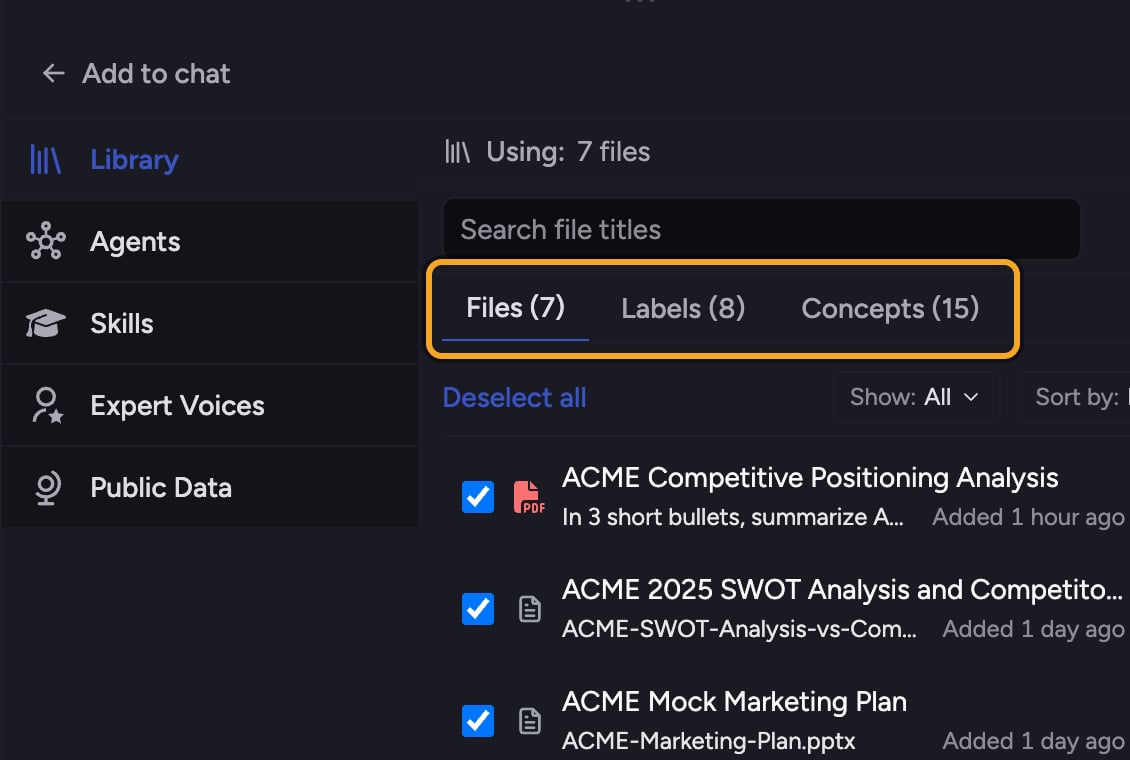
- Click the + button at the left of the action bar. The command menu opens.
- Choose Add to task, then Library. A picker opens with tabs for library items, Labels, Collections, and Concepts.
- Select the items you want. Each selection is added to the task’s scope and summarized by the Files chip.
- Type your prompt and send. Chief answers using exactly what is in scope.
Good to know: Add Labels — several at once — or Collections instead of picking files one by one. A Label or Collection brings in every file it covers, and stays current as files move in and out of it.
Use your whole Library, or none of it
When the Files chip shows the Library icon, Chief draws on every eligible file in the Project. If you @-mention a file, that prompt searches only the mentioned file or files even though the chip keeps showing the Library icon; the next prompt returns to the whole Library. When no files are selected, Chief answers from the prompt and any Public Data only.Clear the scope
- Open the Files chip.
- Clear the selected Files and knowledge. The chip returns to its unset Files label.
FAQ
What's the difference between scope and @-mentioning?
What's the difference between scope and @-mentioning?
Scope set through the Files chip is standing context for the task. An @-mention puts an item inline. If the chip covers the whole Library, a file mention narrows that prompt to the mentioned file or files while the chip stays on the Library; the next prompt returns to the whole Library. If the chip already contains a specific selection, the mentioned file merges into it. Mentioned Labels, Collections, and Concepts join the standing scope.
I added files but the answer ignored them.
I added files but the answer ignored them.
Check that the files finished processing. A spinner on the Files chip means work is still pending. Also confirm the expected files remain selected; see Chief can’t see or isn’t using my document if it persists.
Why does my file count look lower than the number of files I added?
Why does my file count look lower than the number of files I added?
Spreadsheets are counted separately and shown as their own count. The file count covers your other documents; the spreadsheet count is listed beside it.