

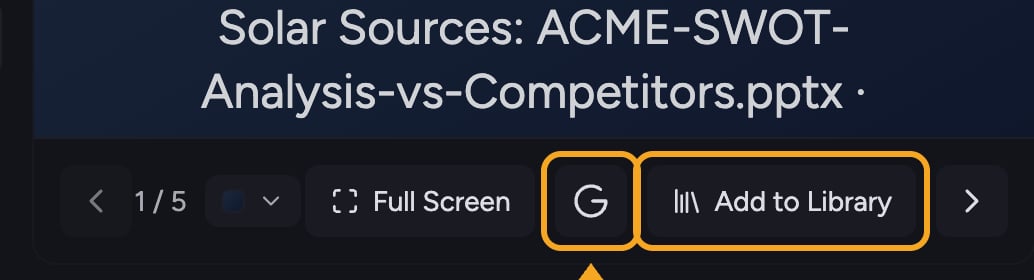
Export to Google Slides
- Open a finished presentation (the export control appears only after generation completes).
- In the presentation toolbar, click the Export to Google Slides button (the Google icon).
- Wait while Chief converts the deck — you’ll see a spinner on the button during export.
- When it finishes, open the resulting presentation in Google Slides.
If export isn’t available to you
While Google Slides export is in early access, use one of these instead:- Add to Library to save the deck in Chief for your team.
- Download the deck to share or print it.
FAQ
I don't see the Google Slides export option.
I don't see the Google Slides export option.
It’s an early-access feature that isn’t enabled for every account yet. If it isn’t in your presentation toolbar, your account doesn’t have it — save the deck to your Library or download it in the meantime.
The export failed.
The export failed.
If you see “Failed to export presentation,” try the export again. Make sure generation has fully finished first — the control only works on a completed deck.
Can I export before the presentation finishes generating?
Can I export before the presentation finishes generating?
No. The export control appears only once the presentation has finished streaming in.